
First presented at the 2014 CES, the Space Pack ($150-$180) takes a step beyond Mophie’s traditional battery cases. Yes, the black or white hard plastic slider packs a 1700mAh battery, just like Juice Pack Air, and actually looks almost identical to that case. The difference here is storage: Space Pack also comes with either 16GB or 32GB of internal storage, designed to augment the space on the iPhone itself. While iOS-compatible hard drives and flash drives have previously enabled Apple’s devices to access extra content on the go, this is the first time we’ve ever seen the feature packed into a case. With a free companion app, music, movies, documents, and more can be pulled up as needed, without the need to carry a separate piece of hardware.
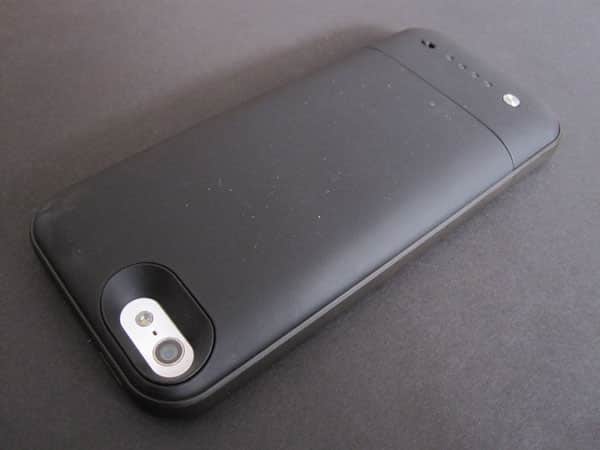
Space Pack’s dimensions are almost exactly the same as Juice Pack Air’s. It’s actually an indistinguishable 0.01” narrower, and a slightly more noticeable 0.11” taller; both are 0.63” deep. The top four-fifths of the case are one piece, while the Lightning connector, power switch, and four nice white battery level indicator lights are all found on the detachable last fifth. This slider-style concept enables Space Pack to enjoy some compatibility with Lightning docking accessories, though the accessory’s battery can’t be charged or its storage space accessed without the bottom piece in place. Once that’s installed, you’ll also need to connect an included micro-USB cable for charging, or connect to a computer to transfer data. Should you need to access the iPhone’s bottom headphone port while Air is in use, a headphone extension cable is in the package, as well.

We tested the matte black version of the case, and found the soft touch finish to be quite pleasant to hold. Mophie’s battery cases aren’t the most affordable of the many brands we’ve tested, but they have the design details down pat.
Integrated Sleep/Wake and volume button protectors click well, while the protected side switch works just as well as it does when uncovered. Instead of a combined battery indicator and power on/off controller, there’s a silver button for the former — the aforementioned four lights next to it show the remaining power — and a dedicated on/off switch for the latter.
When Space Pack is plugged into a Mac or PC, it mounts just like any other external storage device. We were surprised when we first connected our 32GB unit and found that there was a full 31.9GB available; the actual formatted capacity of most drives is often much less than the advertised figure. Files can easily be dragged and dropped into Space Pack, and if you forget to eject it as a volume from your computer, a message will let you know to do so next time.

Mophie’s app, appropriately named Space, is a clean, iOS 7-inspired piece of software. Six circles on its main screen represent the different categories of media available — photos, videos, music, documents, other files, and all files — plus a list of recently accessed files, a storage meter, and four dots indicating remaining battery life. Files are automatically moved to the right place when they’re added. There’s also a camera icon, allowing you to take photos that are saved directly to Space Pack, bypassing the iPhone’s internal storage, and a settings menu.

We found that the app worked well for most tasks, but there were some bugs which detracted from the overall experience, and will hopefully be fixed with updates. When you tap on a song, a video, or a file, it generally opens quickly — there may be a brief loading icon, but it usually lasts a second or less.
Files can be shared or opened in other apps, and there’s even support for AirPlay and Bluetooth streaming. Apple’s iWork-formatted documents are not supported, but viewing of Microsoft Office files is. Mophie’s guide says the case must have a charge to access stored files, but we found even when using reserve power, Space Pack was able to continue playing a video for at least an hour.

Photos were where the app really struggled. Pictures can be side-loaded from a computer, but they can also be brought over from the iPhone itself by turning on camera sync. The idea with this feature is you’ll transfer all your photos over to Space Pack, freeing up space on the phone. Unfortunately, we found the experience to be inconsistent. Often, tapping on a thumbnail to view an image would be followed by a multi-second lag, if the picture came up at all. The same problems occurred when swiping between photos.

As for battery performance, Space Pack charged far better than we were expecting. Juice Pack Air was originally tested on an iPhone 5 running iOS 6, and delivered a 79% charge.











