
iLoungeiLounge
  • News
    • Apple
      • AirPods Pro
      • AirPlay
      • Apps
        • Apple Music
      • iCloud
      • iTunes
      • HealthKit
      • HomeKit
      • HomePod
      • iOS 13
      • Apple Pay
      • Apple TV
      • Siri
    • Rumors
    • Humor
    • Technology
      • CES
    • Daily Deals
    • Articles
    • Web Stories
  • iPhone
    • iPhone Accessories
  • iPad
  • iPod
    • iPod Accessories
  • Apple Watch
    • Apple Watch Accessories
  • Mac
    • MacBook Air
    • MacBook Pro
  • Reviews
    • App Reviews
  • How-to
    • Ask iLounge
Font ResizerAa
iLoungeiLounge
Font ResizerAa
Search
  • News
    • Apple
    • Rumors
    • Humor
    • Technology
    • Daily Deals
    • Articles
    • Web Stories
  • iPhone
    • iPhone Accessories
  • iPad
  • iPod
    • iPod Accessories
  • Apple Watch
    • Apple Watch Accessories
  • Mac
    • MacBook Air
    • MacBook Pro
  • Reviews
    • App Reviews
  • How-to
    • Ask iLounge
Follow US

Reviews

Reviews

Review: Logitech Logi BASE Charging Stand for iPad Pro

Last updated: May 19, 2021 9:22 pm UTC
By Phil Dzikiy
Review: Logitech Logi BASE Charging Stand for iPad Pro

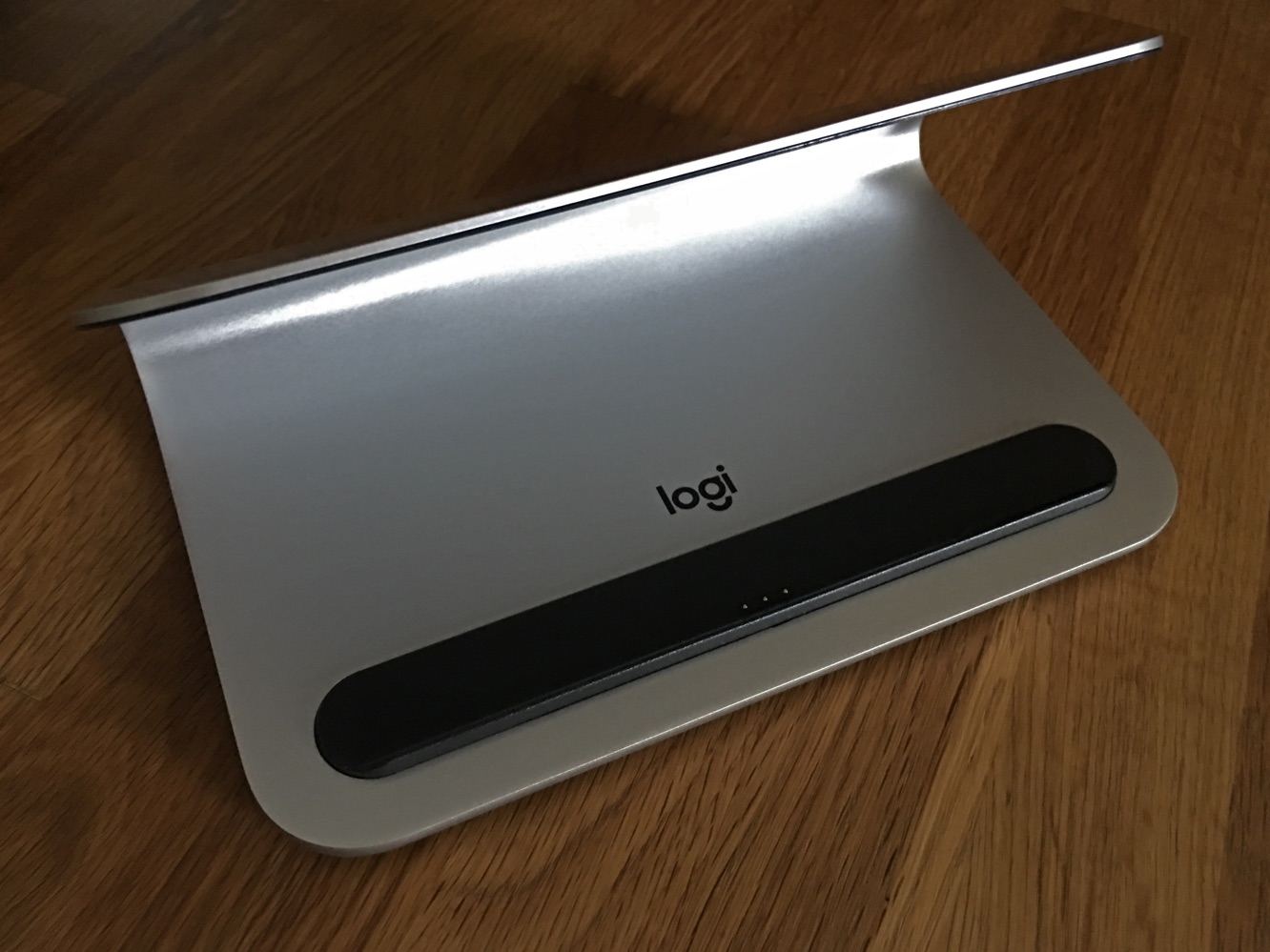
As we’ve noted recently, Logitech’s Logi BASE ($100) is the first stand to charge an iPad Pro through its Smart Connector. BASE displays an iPad Pro at a 70-degree angle for viewing while charging. The stand works with either size iPad Pro, and should work with most cases that leave an opening for the Smart Connector. The charging stand doesn’t include any cables or power adapters — a Lightning cable is plugged into the back of the stand, with the USB end of the cable to be inserted into an adapter. Logitech recommends using an electrical outlet with BASE, rather than a USB port.


Review: Logitech Logi BASE Charging Stand for iPad Pro

Review: Logitech Logi BASE Charging Stand for iPad Pro

BASE is mostly made of aluminum, with small plastic sections to cradle an iPad Pro, and a slightly sticky bottom to stay put on a desk or table.

It’s 7” x 4.48” x 3.23” and weighs 12.6 ounces — solid without taking up too much space. An iPad Pro connects and charges easily using the Smart Connector. For the record, there’s no way to use a Smart Connector keyboard while the iPad Pro is docked — the device occupies the Smart Connector and there’s no passthrough option or any extra port. A Bluetooth keyboard is still an option if you want to write while the iPad Pro is docked.


It’s nice to be able to quickly put an iPad down to charge without looking for a cable. Logitech estimates it takes about 7 hours to fully charge an iPad Pro using BASE, and in our tests with a 12.9” iPad Pro, that proved to be pretty accurate.

However, that’s about two hours slower than our standard recharging test for the Pro. Base’s output/input rating is 2.4A, so conceivably, the speed should be the same — unless of course, the Smart Connector just doesn’t pull the same amount of power, or there’s some kind of difference in how it transfers a charge.

Review: Logitech Logi BASE Charging Stand for iPad Pro

BASE is a well-made charging stand for iPad Pro. It fits either iPad Pro model, it’s made of solid aluminum, and it will stay put on a surface. However, it is $100, which is a lot for a stand. Charging is a key attribute, but most users probably don’t mind plugging a Lightning cable into an iPad while their device rests in any stand…especially when considering the slower charge this stand delivers.



Latest News
The Apple Watch Series 11 46mm GPS Is $100 Off
1 Min Read
Clamshell Style iPhone Being Looked Into By Apple
1 Min Read
Foldable iPhones May Have the Largest Battery Ever
1 Min Read
Apple and TSMC’s 10-Year Collaboration May Be Ending
1 Min Read
The 13-inch M5 iPad Pro 256GB Wi-Fi Is $149 Off
1 Min Read
M5 Pro and M5 Max Chips for the MacBook Pro could Roll Out with macOS 26.3
1 Min Read
Mac Ordering Process Revamped
1 Min Read
Check Signed By Steve Wozniak and Steve Jobs Sold For $2.4 Million
1 Min Read
The Anker 140W 4-Port GaN USB-C Charger is $35 Off
1 Min Read
No iPhone Air 2 This Year, according to Latest Report
1 Min Read
New Report Corroborates Split iPhone Release Dates
1 Min Read
Apple Losing More Researchers As They Plan To Release 2 Siri Versions
1 Min Read

iLounge logo

iLounge is an independent resource for all things iPod, iPhone, iPad, and beyond. iPod, iPhone, iPad, iTunes, Apple TV, and the Apple logo are trademarks of Apple Inc.

This website is not affiliated with Apple Inc.
iLounge © 2001 - 2025. All Rights Reserved.
  • Contact Us
  • Submit News
  • About Us
  • Forums
  • Privacy Policy
  • Terms Of Use
Welcome Back!

Sign in to your account

Lost your password?








