
Logitech’s Harmony Elite Remote Control ($350) is the latest top-of-the-line edition in the company’s line of universal remote controls. Preceded in that way by the Harmony Ultimate — which launched at the same price — the Harmony Elite boasts a new remote and cradle, and the remote can finally be set up by way of an iOS app. In addition to the typical A/V devices the remote can control, Harmony Elite is also compatible with a number of home automation accessories. Harmony Elite comes with a remote control, charging cradle, the Harmony Hub, two AC adapters, two IR mini-blasters, and a micro-USB cable.
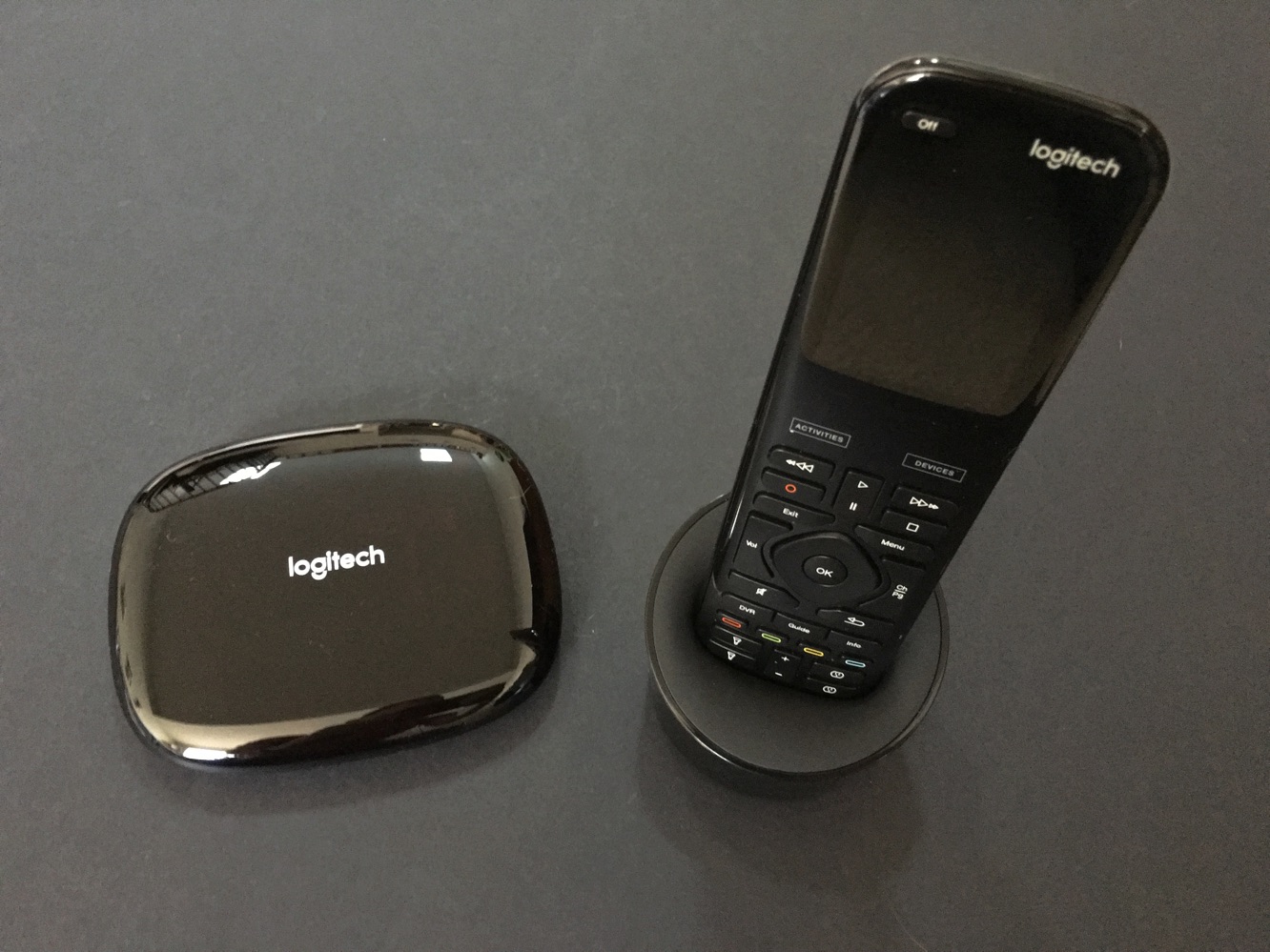
The Harmony Elite now features the touchscreen all the way at the top of the remote, which is 7.56” x 2.13” x 1.14” at its largest point, and it weighs a bit less than 6 ounces. Underneath the touchscreen are a number of physical buttons. The remote charges in its cradle, which requires a separate AC adapter from the Harmony Hub. A small port is also included at the bottom of the remote for micro-USB cable charging. Harmony Elite is a nice remote.
It feels pretty good in the hand, and its touchscreen can be used for “activities” — compare these to “scenes” in other home automation products, in which multiple devices all turn on in a specific way — and to access favorite channels, and the touchscreen can also be used for gesture controls, though we often preferred the physical buttons.

Setup is one of the biggest differentiators between Harmony Elite and the past Ultimate. With Ultimate, users had to download Microsoft Silverlight for Mac or PC and use a website for setup. This proved quite problematic at times. Now, setup can all be done through the Harmony Control app, which makes the process at least 10x easier. (A Mac or PC can still be used if need be.) The app connects to the Harmony Hub and still requires you to insert serial numbers (the Hub works with more than 270,000 compatible home entertainment devices, so it’s probably going to work with whatever you throw at it). Setting up game consoles may require using a Bluetooth connection, but we found that to be relatively painless. In the past, we had problems with the Harmony Control app; this time around, we found no such issues.

Once you’ve got all your devices set up (and more can be added later), that’s when you’ll set up activities on the app, as well. For example, we set our TV, speaker system, and cable DVR to all turn on when we simply press the power button for the Watch TV activity, or the Apple TV instead of the cable DVR with our Watch Apple TV activity.
We had a few hiccups at times that required a bit more tinkering with the setup, just to make sure inputs were correct and so forth — we got things on track soon enough, but for $350, some may not even want to deal with such minor adjustments.

We’re not sure if Harmony Elite is the absolute best remote we’ve ever used — getting that kind of comfort level generally takes more time, anyway — but it feels nice in the hand and is relatively intuitive. We enjoy the favorite channels feature — you can store up to 50 TV channels, which can be quickly accessed from the touchscreen. We don’t like the lack of physical number buttons on the remote, as you have to use the touchscreen for typing in numbers, though some users may not mind that as much as we do.
We didn’t have any issues communicating with the Harmony Hub in our setup, so we didn’t need to set up the extra IR blasters. Your setup may vary of course, especially if you want to put the hub in a closed cabinet. But the Harmony Hub should be enough for most simpler setups. Otherwise, it’s nice to have the extra IR blasters.

Harmony Elite can now control a much wider array of home automation prodcuts through Harmony Hub, as well. These products include Philips’ Hue lighting line, in addition to products from August, Ecobee, Honeywell, Lutron, Nest, and more. The Harmony Home Extender ($100) is sold separately, and opens up the Harmony Hub to ZigBee and Z-Wave devices, including a number of other smart bulbs, locks, sensors, and switches.











