
The original iPad made the long-anticipated concept of a paperless society seem viable — so much that once had to be printed, taking up space, could be stored and presented on a single device. But the iPad wasn’t the nail in the coffin for traditional pen and paper. Even though services such as Penultimate replicate a notebook on the iPad’s screen, there are times and places where paper is either more appropriate, or simply preferred. Livescribe’s Livescribe 3 Smartpen ($150-$200) exists to help bridge that gap, combining analog and digital writing for users who want both.
Available in a standard or “Pro Edition,” Livescribe 3 is designed to take your handwriting, sketches, and anything else you may write in an included paper notebook, and automatically transfer it to supported devices—iPads, iPhones, and iPod touches with Bluetooth 4.0 capabilities. There’s more to it than that, but the basic idea is a no fuss concept: whatever you write on paper gets digitized, with just a second or two of delay from the page to the screen. The Pro Edition has a different color scheme, a larger journal, a leather portfolio to hold it, an extra pen cartridge, and a one-year Evernote Premium subscription.

In the standard box, you’ll find the pen itself, as well as a Micro-USB charging cable—the internal battery lasts 14 hours per charge—and a 50-sheet starter notebook. That notebook is a critical element for the Livescribe 3 system: you can’t use just any paper, but rather, must purchase special “dot paper” from the company.
While it’s not as inexpensive as a comparably-sized traditional notebook, options such as a three-subject, 300-page dot paper notebook can be had for $9 versus $6 or so for a typical notebook, with a two-pack of Moleskine-esque journals going for $25.


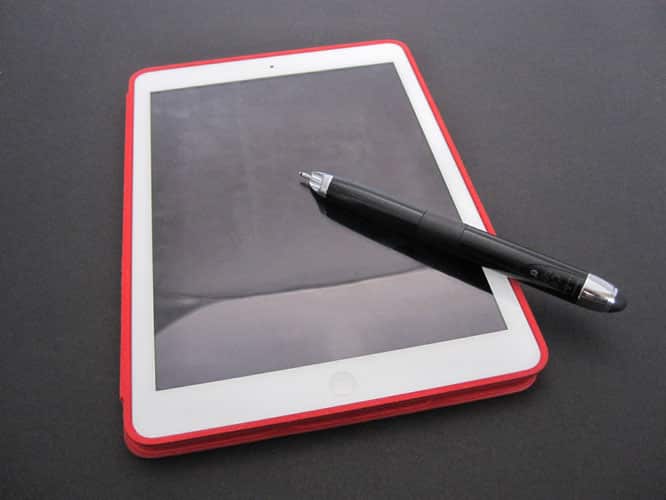
The Livescribe 3 pen is both longer and wider than most standard pens: it’s just shy of 6.5” long and has a diameter of 0.6”. Relatively light, it has a silver clip at one end, capped by a squishy rubber stylus tip. Popping that off reveals the Micro-USB port underneath. At the other end is the replaceable pen tip, which can retract when not in use. A sensor array used to read the special paper is hidden in the barrel of the pen, making it resemble a fountain pen.

Twisting the pen to bring out the writing tip also turns on the Bluetooth connection, which automatically re-pairs with whatever device you’re using after an initial set up process. At that point, you simply start writing. Even if the app has been force-closed, it’ll pick up whatever’s been written when it reopened. If it is open, you’ll see your on-paper text and images appear almost instantly on your iOS device’s screen.
The special paper communicates information such as page number, line, and location, and your digital copy will look exactly the same as what’s on the written page. Tapping on a star, flag, or tag icon on the bottom of the page before you start writing allows you to categorize your text, and the app even does optical character recognition (OCR), transcribing your handwritten words. We found that the OCR worked well, correctly extracting almost all of the words contained in messy handwriting.


Livescribe 3 also has support for something called pencasts. With a built-in microphone, the pen can record audio synchronized to your writing. Record, pause, and stop controls are located at the bottom of each page of the included journal. Simply tap with the pen to start recording, write away, and tap again to stop. It’s a pretty neat feature that might be particularly useful for note taking and interviews.

We were impressed with how well Livescribe 3 works. In our testing, there weren’t any major issues; everything worked just as expected.











