
When Apple originally announced its wireless iOS printing standard AirPrint in 2011, the pitch was exciting: users were supposed to be able to print iOS documents through an existing home computer and virtually any connected printer. But Apple changed AirPrint before it shipped, removing the option to use a computer as an intermediary; instead, users were told to buy new wireless printers with AirPrint as a feature. Hackers have released tools such as AirPrint Activator to enable the promised computer-assisted option, but there hasn’t been an easy way to use older printers — even wireless ones — as standalone AirPrint devices. Nonetheless, outcry has been modest, as new printers start at well under $100, so replacement isn’t a huge hurdle for consumers.
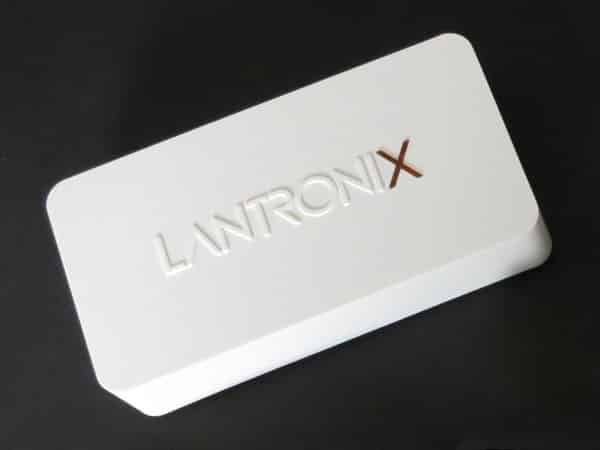
Lantronix’s xPrintServer Home Edition ($100) has been released as an alternative for one very specific category of users—people who want to use their prior-generation printers with iOS devices so badly that they’re willing to spend as much for an adapter as for a new, low-end AirPrint printer. We count ourselves as part of this group, having purchased pre-AirPrint printers that continue to work just fine, and would cost far more than $100 to replace. The only questions are whether xPrintServer Home Edition is the right device for this purpose, at the right price.
A little smaller than Apple’s current-generation AirPort Express, xPrintServer Home Edition is a very lightweight white plastic box measuring just under 4.5” wide, 2.4” deep, and 0.8” tall.
One side contains all three of its ports—USB, Ethernet, and wall power—while the rest of the sides are bare save for top and bottom text. The word “Lantronix” appears on the top, with the X serving as a red status indicator, flashing when there isn’t a stable Internet connection or when a print job is incoming, and glowing with a pulse-like fade effect when the Internet connection is stable and nothing else is happening. Two small yellow-green lights on the Ethernet port provide further confirmation that data is streaming properly across your network.

Lantronix includes a wall power adapter, three sets of detachable international wall blades, and an Ethernet cable. All you need to provide are the printer, its own USB cable, and an open port on your wireless router—more on that in a moment. Setup is incredibly simple: you connect xPrintServer Home Edition to your printer via USB, next to your router via Ethernet, and then wall power. Within a minute, the printer is recognized by xPrintServer, which goes from flashing red to pulsing red, and within two minutes, it shows up to iOS devices as an “Auto Discovered (USB)” printer.
In our testing, there was literally nothing else to do, assuming that the cables were connected in that order. Printing worked instantly and reliably, just as if the printer itself was AirPrint-enabled, with speeds that were virtually the same as with wired printing. xPrintServer Home Edition supports up to eight USB-connected printers at a time, if you have both them and a USB hub to connect them.
The only big hitch is that xPrintServer Home Edition all but requires your wired printer(s) and router to be in the same room, connected together—something that may or may not appeal to you, depending on where you’ve previously kept these peripherals, and the flexibility you have to move them around. If Lantronix had built this accessory with its own Wi-Fi hardware, it could have freed your computer-tethered printer to operate anywhere in your house. The only way to achieve such freedom for a wired printer is to connect xPrintServer to a second router on your network, such as a $99 Apple AirPort Express, a solution we tested and found to work. Unfortunately, the total price of this solution makes this an unrealistic option unless you have a spare router sitting around; it’s sad that Apple doesn’t just enable AirPrint through the Express’s integrated USB port.

On a positive note, Lantronix does enable xPrintServer Home Edition to act as a bridge between up to two non-AirPrint wireless printers and your router.











