
Originally debuted at CES, Kevo Plus ($70) is Kwikset’s expansion on last year’s elegantly designed Kevo Smart Lock. This new optional expansion module fills in one of the main gaps in the company’s smart lock system — the ability to control the lock remotely from your iPhone or other iOS device from elsewhere in your home, or even anywhere in the world where you have Internet access. Kevo Plus simply expands upon the capabilities of the Kevo lock, so users who already own a Kevo or are familiar with the interface will find that Kevo Plus drops in seamlessly. Notably, the company has wisely dropped the annual subscription model that it originally proposed at CES in favor of a one-time purchase of the Kevo Plus device.
In a nutshell, the Kevo Plus is an Ethernet-to-Bluetooth bridge that interfaces with the company’s servers and companion iOS app to allow you to lock and unlock your door even when your iPhone isn’t close enough to the lock to actuate it manually. While Kevo in its original form required you to tap the outside edge of the deadbolt to initiate the locking and unlocking process, the company’s most recent iOS app update now allows you to initiate the process from a button in the app — provided you’re within Bluetooth range of the lock. Kevo Plus extends this functionality to anywhere that you have an Internet connection.

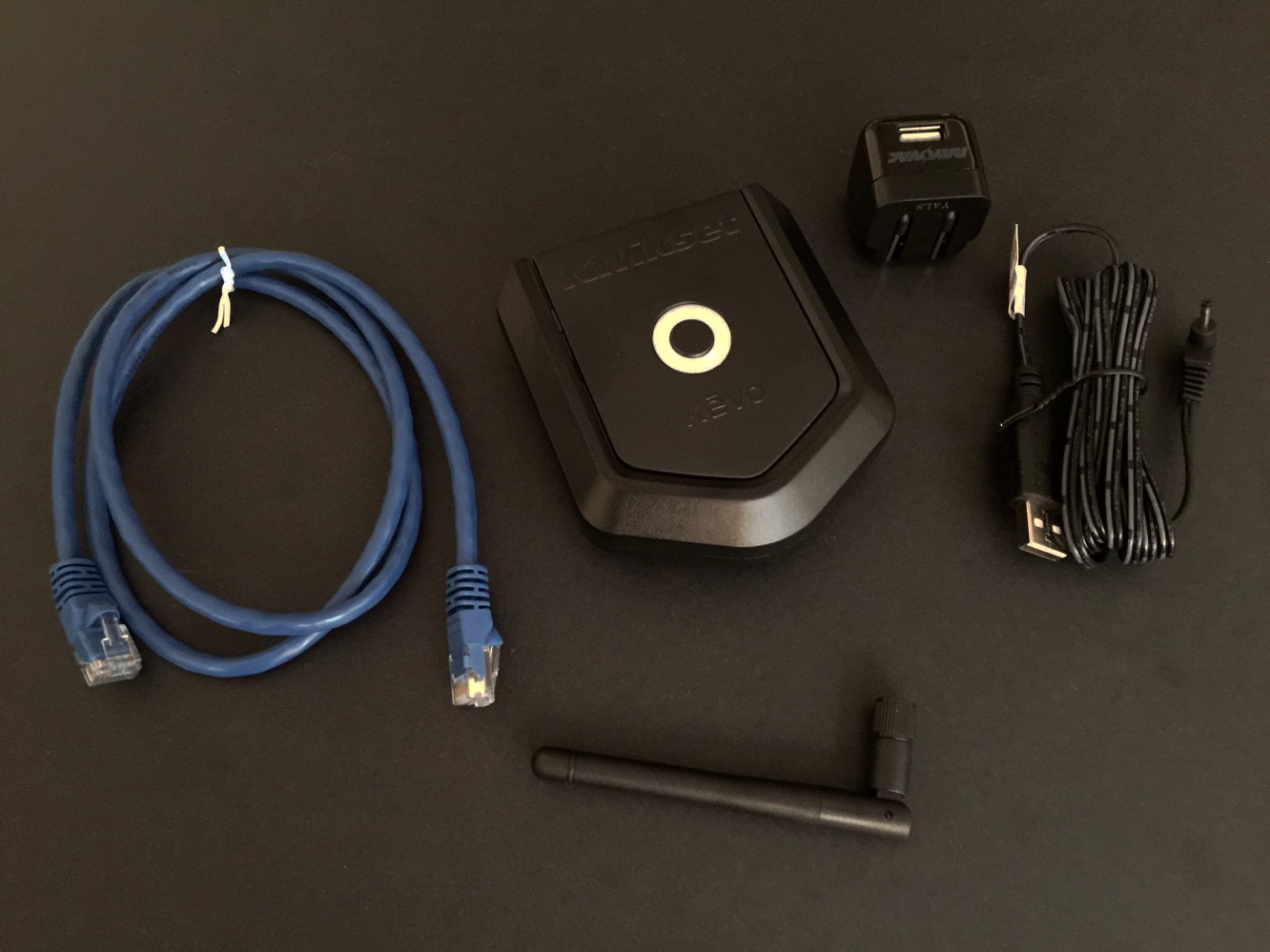
In the box you’ll find the Kevo Plus base station, a screw-on antenna similar to that found on many Wi-Fi routers, a standard Ethernet patch cable, and a power adapter.
Setting up the Kevo Plus is a matter of plugging it into a free Ethernet port on your router, connecting it to power, and then loading up the Kevo iOS app and going through the pairing steps found in there. Kevo Plus should be placed within about 100 feet of any Kevo locks that you want to remotely control, and if you find your Internet router isn’t ideally situated, Ethernet ports on other devices that bridge back into your Wi-Fi network can also be used, such as an Airport Express base station. In our own testing, we found the Kevo Plus range more than adequate, even through walls, and it’s worth keeping in mind that Bluetooth Low Energy is not inherently limited to the shorter ranges people are used to with classic Bluetooth radios.

Once the iOS app has been paired up, the main screen for the lock should show “Kevo Plus” and a Wi-Fi symbol in the center of the screen. In place of the keyhole graphic, a colored circle will be displayed, indicating the current status of the lock — green for unlocked, yellow for locked, or red if there’s an error condition such as a bolt jam. Tapping on the circle will either lock or unlock the associated Kevo, and that’s really about all there is to it. Locking and unlocking can be done from anywhere that you have an Internet connection — via Wi-Fi at home or away from home, or even over a cellular data connection.
The status will similarly be updated whenever you open the app to reflect the current state of the lock, regardless of whether it was last locked manually or via the Kevo app, and the access log within the Kevo app will also differentiate between locking and unlocking the Kevo by tapping on it versus remote lock and unlock operations performed through the app.

A single Kevo Plus can be used to monitor and control all of the Kevo locks within range, and as before, each Kevo gets its own set of “keys” that can be assigned separately, whether the Kevo Plus is being used or not. Although Kwikset still sells additional “full” keys as in-app purchases, the company has added the ability to create an unlimited number of 24-hour “guest” keys for each lock at no additional charge. Users who purchase a Kevo Plus, however, also gain the ability to create an unlimited number of admin, anytime, and scheduled keys (this third option also being a new feature added since we first reviewed the Kevo) for any of the locks associated with the Kevo Plus. Notably, however, only Admin keys get access to the remote Kevo Plus locking and unlocking functionality, allowing you to effectively limit who can lock and unlock your doors remotely. Again, this can still be assigned on a per-lock basis from a single Kevo Plus.
While Kevo Plus still omits any kind of HomeKit support, it’s far from alone in that regard. While some HomeKit compatible door locks were shown at CES, they have only recently seen official announcements and none are shipping just yet — probably not surprising considering that proper support for them was only debuted with iOS 9, and the very meticulous approach Apple has been taking regarding security devices such as door locks in general. That said, Kwikset and Unikey (the company behind the Kevo technology) were also listed as launch partners when Apple first debuted HomeKit in 2014, so it’s reasonable to assume this is being worked on.











