
While Invoxia took a slight departure from its traditional telephony product lines with Triby — a connected kitchen speaker that also provided VoIP speakerphone functionality — the company is returning to its roots with Voice Bridge ($99), a telephony hub that basically does the opposite of the company’s earlier Audiooffice product, bridging any landline so that you can make and receive calls on an iPhone, iPad, or iPod touch.
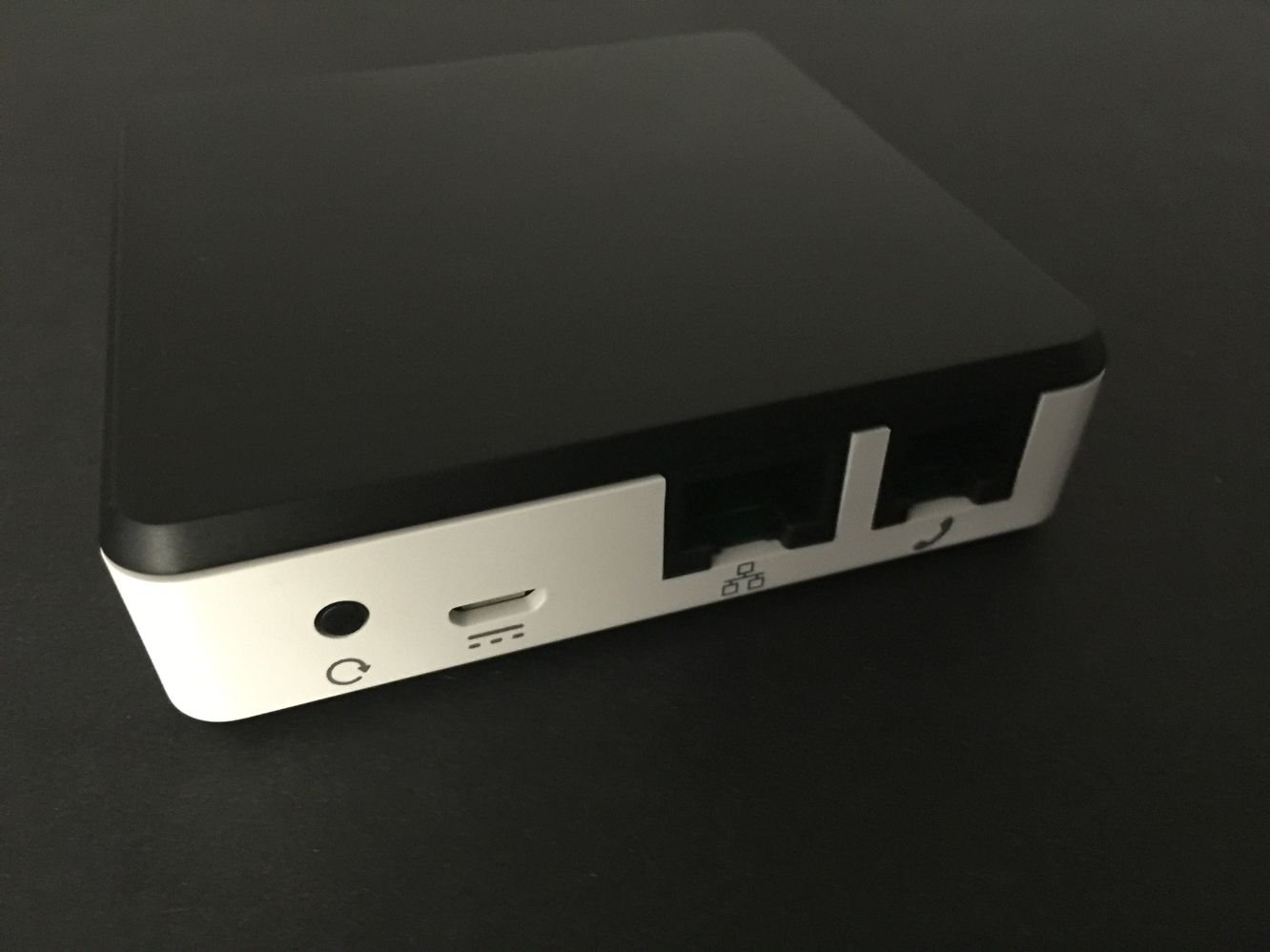
At first glance, Voice Bridge looks like a sleek but unassuming little black and white box, with a single LED on the front, and rear ports for an Ethernet cable, standard phone cable, and micro-USB power adapter. Invoxia has included all of the necessary cables in the box to get you started, and then some, with adapters designed to connect to a variety of different phone systems.

Hooking up Voice Bridge is pretty straightforward — connect an Ethernet cable from Voice Bridge to a free port on your router, connect a standard telephone cable from Voice Bridge to a landline or VoIP adapter phone port, and then just connect the power adapter and plug it in. The rest of the setup is then done from Invoxia’s Voice Bridge app, which should automatically search for and discover the Voice Bridge in a few seconds and just carry on from there.
The entire process took us no more than a couple of minutes, including the time to download the app, but it’s worth noting that you’ll need to have your Internet router and phone jack in close proximity to each other as Voice Bridge only supports an Ethernet connection. This isn’t likely to be a problem for anybody using a VoIP service or phone-line based (DSL) Internet router, but something that could be trickier for users with other types of broadband Internet. Wi-Fi extenders such as Apple’s Airport Express stations will work if you need to put Voice Bridge farther away from your router, but this adds additional costs.

Once Voice Bridge is setup, the box will pretty much sit there transparently and just work in the background, routing incoming calls to the Voice Bridge app on your iPhone, and allowing you to place calls by opening the app and either selecting numbers from your address book or dialling directly on the in-app keypad.
Incoming calls work in much the same way as any other VoIP app such as Skype, with standard iOS notifications that will display an incoming call — including caller ID information with iOS Contacts lookup — and can be tapped on to open the Voice Bridge app and answer the call. You can also install the Voice Bridge app on up to five iOS devices connected to a single Voice Bridge, so all of your family members can have access to the home landline, and family members can easily join in for conference calls from their iPhones in much the same way as they would by picking up an extension phone. An intercom feature in the Voice Bridge app also allows you to make calls between any iOS devices that have the Voice Bridge app installed.
Further, the Voice Bridge app works not only on your home Wi-Fi network, but can actually be used anywhere that you have a Wi-Fi or cellular data connection, meaning with Voice Bridge you can place and receive calls using your home landline, from pretty much anywhere in the world — this can be a great way to save on long distance costs when calling back home without having to sign up for a calling service, and it also allows you to receive your calls no matter where you are, without having to deal with call forwarding to your cell phone and those associated charges.











