
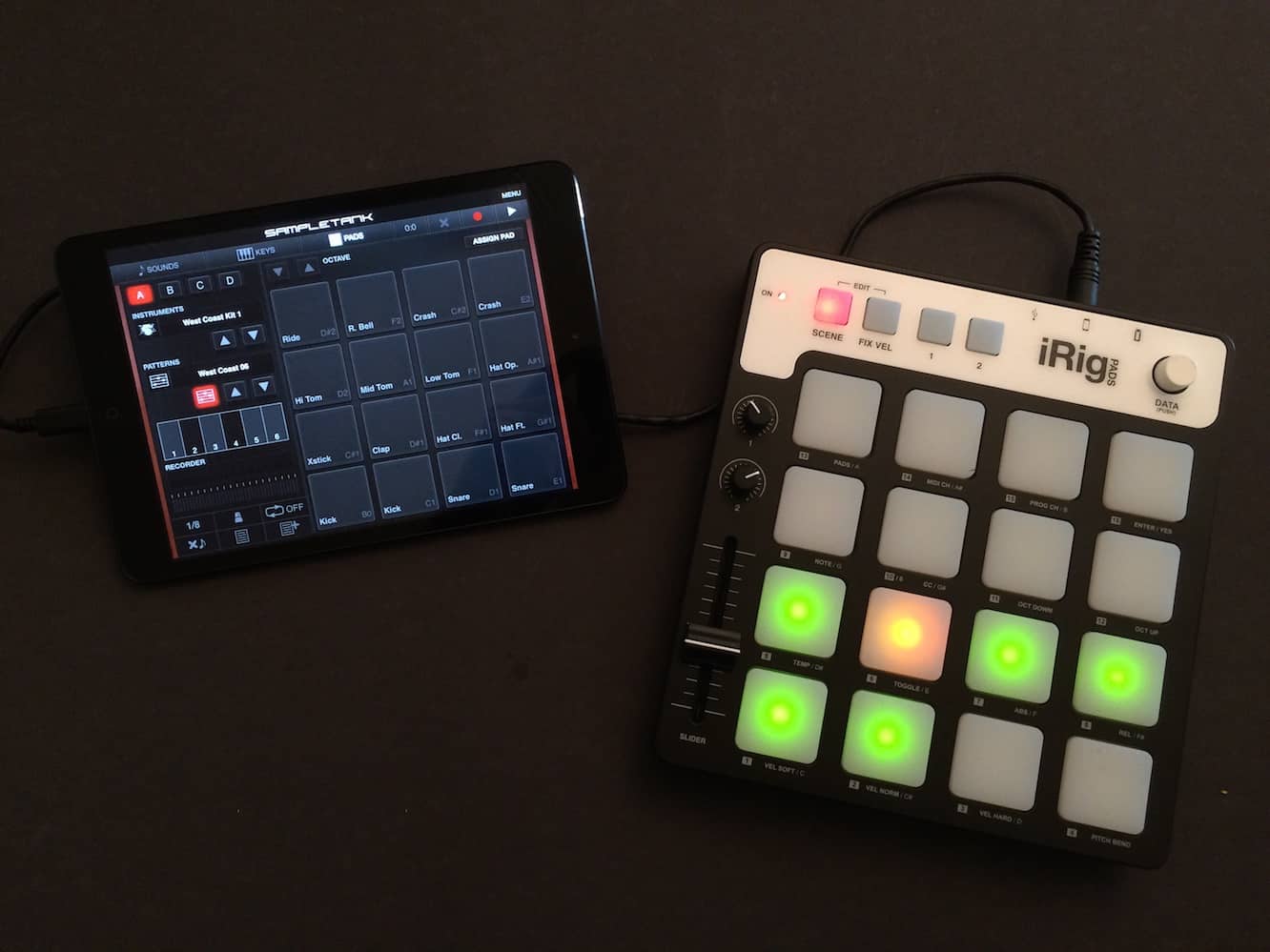
iRig Pads ($150) is the latest addition to IK Multimedia’s popular music accessory lineup for the iPad, iPhone, and iPod touch. A 16-pad MIDI controller, iRig Pads allows users to send commands and control changes to any Core MIDI iOS app, including Apple’s GarageBand or IK Multimedia’s own suite of included apps such as SampleTank, GrooveMaker or DJ Rig.
For context, the Musical Instrument Digital Interface (MIDI) is a technical standard that allows electronic instruments and related devices to communicate by sending digital control messages specifying pitch, velocity, and other control signals referred to as Control Changes (CC). Most MIDI keyboard and pad controllers are simply input devices that send the appropriate messages to digital music apps such as Apple’s GarageBand. These messages are then interpreted to generate the appropriate sounds, or to take other actions such as changing instrument banks, pitch, tempo, recording, and more.

Designed to be lightweight and portable for use on-the-go, iRig Pads features a four-by-four grid of sixteen velocity-sensitive and backlit multi-color rubber pads, alongside two knobs, two pushbuttons, one slider, and a combination pushbutton/knob controller. A TRS jack is also provided on the back that can be used to connect an external footswitch pedal. Each of the 24 controls can be programmed to send any MIDI note or control change (CC) commands.
The pads and buttons can also be configured in either a temporary mode where a MIDI note/CC is turned on when the pad is pressed and held and then turned off when the pad is released, or in toggle mode where the note/CC is toggled on with a first press, and then off with a subsequent press of the appropriate pad or button.
As with IK Multimedia’s other recent iOS devices, iRig Pads includes Lightning and USB cables for connecting to most current iPad, iPhone, iPod touch models or a Mac or PC. A Dock Connector cable is sold separately for connecting to older iOS devices. iRig Pads notably uses a separate micro-USB port for the Mac/PC connection, which has the added advantage of allowing users to supply external power to iRig Pads when connecting to an iOS device, thereby saving drain on your iPad or iPhone battery; iRig Pads does not pass charging power back through to the connected iOS device, however—the USB port is used solely for powering the unit itself.

Each of the main sixteen pads support the standard 128 levels of velocity response, with three-color illumination used to provide visual feedback of velocity, ranging from green with a light touch, to red with a high velocity touch. The colors are also used to display outgoing and incoming MIDI messages and various modes and statuses when programming iRig Pads.
MIDI data received from an external host can also be used to light up the pads in order to provide visual feedback. Velocity sensitivity on the main pads can be adjusted to three different levels, and can even be toggled on and off entirely from a single button at the top. MIDI after-touch messages can also be sent when a pad is held down, rather than simply pressed and released.

iRig Pads also provides support for saving up to sixteen MIDI scenes that can be recalled quickly for use with different apps. Each scene can save the assigned notes or control changes of every controller, as well as the assigned MIDI channels for different applications. Six pre-programmed default scenes allow users to quickly get started, but these can be deleted or customized as users see fit. It’s also worth noting that the pads, pushbuttons, slider, and data knob can all be assigned to separate MIDI channels, allowing you more flexibility to mix different notes and CC commands, even across multiple Core MIDI applications.











