
Since the introduction of the iPad, iOS music applications have continued to improve every year, with virtual instruments ranging from simple novelty apps to serious professional solutions, plus plenty of options in between. In the higher-end category, developers are starting to distinguish apps with features that serious musicians are more likely to care about, including higher sound quality — more realistic reproduction of instrument sounds, improved sound processing, lower latency, and lower noise floors.
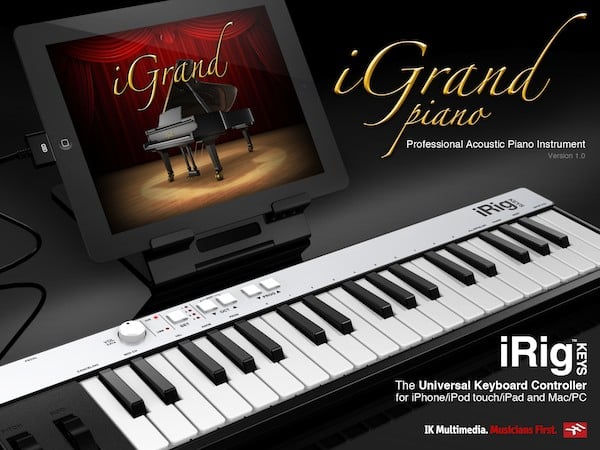
Available in both free and paid versions, IK Multimedia’s iGrand Piano for iPad ($20) and iGrand Piano FREE for iPad are designed to deliver a “concert-quality” piano application for iPad users, with highly realistic sampled piano sounds, built-in recording capabilities, and MIDI support. The free version includes a single standard grand piano plus a jazz upright, available for free upon registration and limited to four octaves centered on middle C, while the full $20 version of the app includes the full piano keyboard range and six more instruments: a classical piano, jazz piano, rich upright, rock upright, soft upright, and octave piano.

As with most of IK Multimedia’s other iOS apps, users can upgrade from the free version to the full version via a $20 in-app purchase, adding the six aforementioned instruments as well as expanding the keyboard to the full 88-note range. Owners of either the iRig KEYS or iRig MIDI accessories can also unlock an additional bonus rock piano by registering with their hardware device’s serial number.
An additional Piano Expansion Pack is also available via in-app purchase in either version for another $10, adding nine more instruments: baby grand, bright baby grand, pop baby grand, classical baby grand, grand piano 2, mellow grand 2, rock piano 2, saloon piano, and grammophone upright.

In addition to simply playing back very realistic piano sounds, iGrand Piano provides adjustment controls for volume, ambience, brightness, transposition, tuning, and release, as well as the ability to adjust the sound based on piano lid position; this last setting is accompanied by a nice visual indication of the lid position above the controls. Controls can be adjusted in real-time, and each of the virtual knobs can also be easily assigned to a MIDI control change allowing them to be adjusted from external MIDI devices.

iGrand Piano also includes a built-in single-track MIDI recorder with overdubbing and punch-in for layering multiple parts. Recordings can be exported as audio files via e-mail, iTunes File Sharing, or into another app using the iOS clipboard. There does not appear to be any option to directly export MIDI files for editing in another application, however.
Three sample tracks are also included, and the virtual keyboard can be expanded to show all 88 keys, with highlights during playback.

A metronome feature is also included, and can be manually set to any tempo value from 50 to 249 BPM, or set automatically by tapping on the tempo indicator. Quantization is also available for 1/8 to 1/64 notes with triplet, swing 25, and swing 50 options. A Settings section allows the user to adjust the velocity curve, MIDI channel, and responses to program change and MIDI controller messages. Unfortunately, the app does not provide the pseudo velocity sensitivity found elsewhere, forcing users to rely on an external keyboard for any serious performance.

The main selling point of iGrand Piano is highly realistic sampled piano sounds—an area in which the app delivers as promised, delivering acoustic piano representations that make GarageBand’s piano samples sound cheap by comparison, in some respects even surpassing those found in IK Multimedia’s own SampleTank app. Beyond this, however, there’s little here to justify the $20 price tag for any user other than the most extreme purist; by comparison with the $5 GarageBand, all you’re getting here is a nice-sounding piano, without any of the frills and other features that Apple includes in its groundbreaking app.











