
Over the past few months, we’ve seen manufacturers step up and release some really good iPad keyboard cases; hard plastic keyboards have in many instances replaced the squishy-rubber ones that dominated the first year of these accessories. Hatch & Co. has interestingly decided to take a completely different approach with its Skinny Keyboard Case for iPad 2 ($90): the keys are actually flat, touch-sensitive buttons with only the slightest of raised edges to separate them from one another. The company claims that Skinny is the slimmest case with a built-in keyboard, and while this may be true, serious sacrifices were required to make it so.

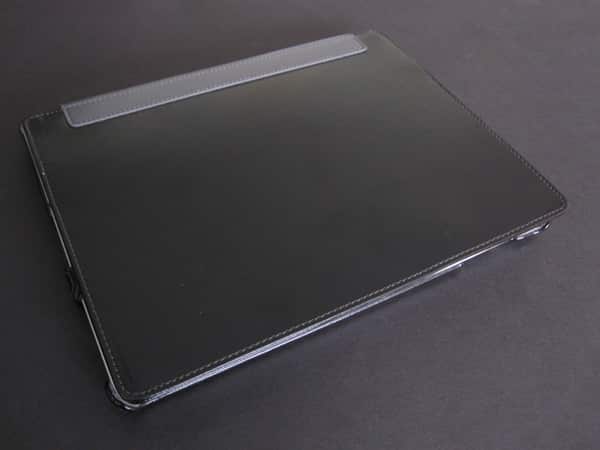
The case is made of faux leather, and the shape of the rear shell is identical to the OEM part we’ve seen in LuxMobile’s early Protekto Organik iPad 2 Easel Case and numerous other iPad 2 cases since then. It fits around the tablet with curled over edges, and leaves openings for all of the ports and buttons. As we’ve discussed in previous reviews, this design isn’t great: while Skinny’s rear shell does fit a little bit better than some that we’ve tested, a little maneuvering is still required to get everything into place, and even then the hold isn’t very tight. On our review unit, the bottom right corner just barely fits around the iPad 2 and both corners on the left edge just pop right out without really having to pull. Although that side is supposed to be removed to stand the tablet in a typing position, it shouldn’t be quite so easy. Combine that with way too much exposed aluminum, and it’s not a smart design.


One nice feature that Skinny included can also turn out to be an issue: there are magnets in the case that activate the iPad 2’s automatic locking feature. Unfortunately, the keyboard prevents the front cover from sitting flat, and there’s no mechanism to hold the case shut. In some instances, the magnets may not come close enough to turn the device off, and in others the front lid may pop up a bit and turn it back on. In either scenario, there’s potential for unintentional screen access and resulting battery drain. This alone is not a deal breaker, but could potentially be an issue for those who rely on the auto-lock feature to activate or deactivate their tablets.

Skinny’s keyboard follows a rather traditional setup on the left, with concessions made as you approach the other end. The colon, quotation, and question mark keys have been relocated to the the right of the space bar, sharing space with the arrow keys. Those, along with with a few symbols along the top row of letters, are accessed by hitting the symbol key at the bottom left corner of the keyboard. Interestingly, hitting the key puts Skinny into a “symbol lock” mode. There’s a light to indicate it, but most people will never see this because it’s behind the iPad 2 when it’s in use; the same is true for the caps lock indicator—clearly design choices that weren’t totally thought through.
Along with iOS-specific function keys, there’s one that triggers switching between international and local keyboards, and another labeled “buzzer” that toggles audible key clicks. Pairing is easy with a dedicated “connect” button in the top right corner, and an on/off switch moderates the power. The keyboard runs off an internal battery, which is charged via an included Micro-USB cable, and rated to last for 68 hours of use.


What’s bizarre about Skinny is that typing with the “real” keyboard feels a lot like typing on the virtual one on the iPad 2. The keys have a rubberized surface, so the texture is different, but other than that it’s a similar experience: there’s no tactile feedback, and the keys’ small raised edges do little to help distinguish them. Touch-typists who are already comfortable with the on-screen keyboard may be successful in typing without looking at a decent speed, but most users will have to stare at the keyboard while using it. The keys are, however, very responsive and we didn’t experience any missed inputs. We also liked the coloring of the keyboard; on the black version, the keys are on a row-by-row gradient from white to black.


Hatch & Co. had a nice slenderizing idea in Skinny, but missed the mark with the execution here.











