
The first generation of “ready for video iPod” conversion tools — optimized for 320×240 resolution, generally faster than Apple’s official QuickTime Pro and iTunes conversion utilities, and occasionally buggy — has officially become outdated. Arguably, the second generation — made for 640×480 “iTunes” videos — has, too. So today, we’re looking at two new third-generation tools, the open-source project HandBrake 0.8.5b1 (free, PC/Mac) and Techspansion’s VisualHub 1.23 ($23, Mac), both designed to create 320×240, 640×480, and even Apple TV-ready video files.
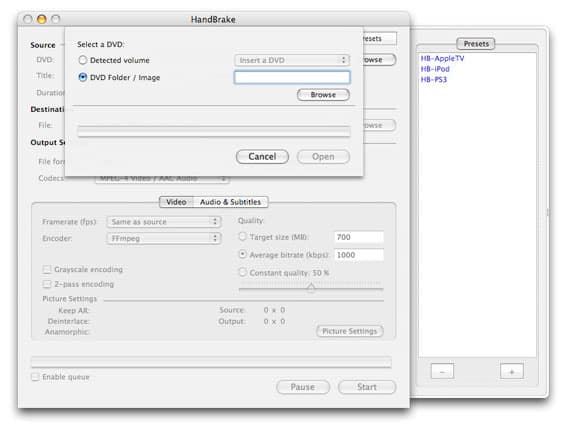
We’ve opted not to assign either piece of software a rating right now, but we’re featuring them on the site regardless to broaden their exposure to interested readers. As we note in all articles dealing with the creation of iPod-formatted videos, the copyright laws of your country may limit your right to transcode DVDs or other copyright-protected content into other formats; consult your local laws before using any program capable of removing copyright encryption.
With that disclaimer out of the way, it’s worth noting that HandBrake and VisualHub are both designed to transform movies into Apple-compliant video formats, but they take different approaches to copyright protection: VisualHub converts only unprotected files, transforming content you’ve created with a digital camera or downloaded from the Internet into iPod-, iTunes-, or Apple TV-ready formats. HandBrake, by comparison, is an end-to-end solution for converting even protected DVDs into one of these formats. We’ve covered both products in prior articles—VisualHub’s free predecessor, iSquint, and an earlier version of HandBrake for PCs—but they’ve taken serious steps forward since then.

According to its developers, who call themselves only “Handbrake Devs,” version 0.8.5b1 of HandBrake combines the efforts of 12 different people to create a tool that transforms DVDs into one of three preset formats: Apple TV, iPod, or Sony PlayStation 3. The Apple TV and PS3 settings currently create 720 by ~350 pixel, h.264-format, 2500kbps files with 160kbps stereo audio tracks, and attempt to adjust for anamorphic widescreen presentations.
Current iPod settings create 640 by ~270 pixel, h.264-format, 1500kbps files with 160kbps stereo audio, without the anamorphic setting. Chapter markers are automatically created for HandBrake videos, and subtitles are available as an option.
HandBrake’s main selling points are its simplicity, efficiency, and pricing. With the program running, you insert a DVD into your computer’s DVD drive, watch as HandBrake identifies the disc, then you select it and hit “open,” pick the preset for your device, and hit Start. No other work is required—perhaps the reason the developers haven’t continued work on “Instant HandBrake,” a past version of the software that simplified the process to a “for dummies” level.

Depending on your machine – and in some cases, the disc you’ve inserted – the Apple TV conversion process will take nearly as long as watching a given film from beginning to end, perhaps considerably longer. Using a new 2.33GHz Core 2 Duo MacBook Pro and the H.264 codec, we saw varied results across six discs: four encoded roughly in realtime, varying under or over that speed by 15 minutes, while one other took more than twice realtime, and another one nearly three times realtime. A separate test, converting a disc into iPod/iTunes-ready 640-pixel format, actually took longer (2 hours, 40 minutes) than converting the same disc into Apple TV’s 720-pixel format (1 hour, 47 minutes).

Why such differences between Apple TV and iPod encoding? Our impression is that changing the size of each frame from the DVD original’s 720 pixels down to 640 pixels takes considerable extra computational time, even holding all other factors constant.
It’s also worth noting that the two discs that took substantially longer than realtime for Apple TV encoding were set automatically by the program in “anamorphic” encoding mode, which attempts to preserve additional height detail stored by the DVD.

As far as quality is concerned, HandBrake does a really good job of creating Apple TV files that look like the original films they came from. Using a LCD-based HDTV, we compared output from original DVDs, displayed at maximum resolution with an upscaled progressive scan DVD player, versus content created by HandBrake and VisualHub. The HandBrake Apple TV-specific files looked just like the original videos, even where VisualHub sometimes inserted a thin line of jittering dots at the top of the image.
The HandBrake files also consumed much less space than the original DVDs: with H.264 encoding, one 7.53GB film became a 2.75GB Apple TV file. That’s around 37% of the original size, with no loss of visual quality, though you’re giving up 5.1-channel surround sound and some other small frills in the process. While 2.75GB isn’t a trivial amount of space for a single movie, and it’s nearly 1.1GB larger than the same movie purchased through the iTunes Store, HandBrake’s file is closer in quality to the original DVD, and you could always create a smaller, 640×480 video using the program if you prefer.
There’s no question that HandBrake has, in the past, been the free DVD-to-iPod converter of choice, and with its new Apple TV settings, it looks set to reprise that role again. But the software’s not perfect, and as its continued 0.xxx and “beta” version designations suggest, it’s not really finished yet, either. We noticed that some of our test videos had split-second audio dropouts and resumptions at the seams of .Vob files – the points at which one chunk of the DVD movie ended and another chunk began.











