
The latest wearable activity-tracking accessory to arrive in our offices is Fitbit’s Flex ($100). Building off of Fitbit’s prior athletic accessories, Flex fits a small monitoring device inside one of two included silicone wristbands, tracking your physical activity throughout the day, as well as your sleep at night. Then, with assistance from a free companion app for your iPhone (or a separate Mac/PC app) that syncs with Fitbit’s website, it stores and visualizes the collected data, along with information you enter about your activities, food and water intake, and more. Flex comes with both a required USB-based charging cradle and a Bluetooth 4 USB dongle for wireless synchronization to a computer. It is sold in slate or black versions, with additional wristbands available separately.
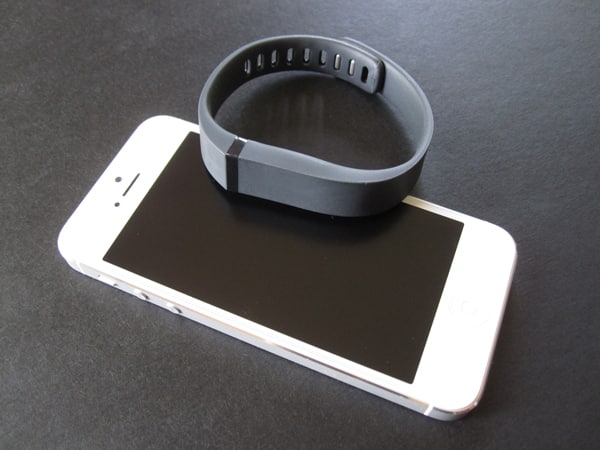
Rather than selling different sizes of its band individually, Fitbit thankfully packs two options in with each Flex, both featuring the same simple, elegant design. The smaller band has an internal diameter of about 7.5 inches, and the larger measures almost 9 inches. A single Flex sensor arrives pre-installed in the large band, with a square plastic latching system in place at one end. If you want to move to the small band, you must remove and reinstall these components, but that’s very easy to do. The sensor fits into a pocket that holds its shape when not in use, but is pliable enough that you can pop the sensor in and out as necessary. It’s a water-resistant accessory, so you can wear it in the shower or rain, but Fitbit advises against swimming with it.


Flex doesn’t have a full-fledged display, although you can still monitor your progress visually.
During charging, one to five white LEDs will shine through the sensor’s front surface, offering an approximation of the current battery level. Fitbit says the battery life is five days, although it recommends that you “remember to charge your Flex every 3 to 5 days to ensure you are always tracking.” The only way to track battery life is a rather imprecise indicator inside of the app, but we found the range estimate to be accurate. Some would consider this to be at the lower end of acceptable battery life—an issue we flagged with Nike’s Nike+ FuelBand, which doubles as a watch—but for a wristband that’s solely an activity monitor, it’s fine. Users comparing Flex to FuelBand need to be aware that Fitbit’s option has no watch capabilities. If you want to be able to tell the time, you’ll either have to wear a separate watch, or rely on your iPhone’s clock.


Using Flex on your wrist is fairly simple. When you double tap the band’s face, the sensor’s white lights shine through a thin translucent plastic window in the wristband, indicating in 20% increments how much of your daily activity goal you’ve accomplished. When you’re ready to sleep, you tap Flex rapidly for 2-3 seconds—a step that helps Flex know that you’re still interested in monitoring, rather than taking the wristband off and leaving it on a nightstand. Upon waking up, you repeat the 2-3 second taps and Flex will return to standard activity monitoring.

Inside of Flex is a three-axis accelerometer that’s used to measure the calories you’ve burned, steps you’ve taken, distance you’ve traveled, and the quality of your sleep. All of this information is stored, minute-by-minute, for seven days—as long as Flex doesn’t lose power—and is transferred to your account when synced with your computer or iPhone. Up to thirty days of daily summaries can be stored as well.
An optional setting in the iOS app allows background syncing. Because Flex uses a Bluetooth 4.0 chip to communicate its data, the power drain is minimal.


Also packed into the sensor is a vibrating motor, which is used for two different tasks. If you reach one of your goals during the day, it’ll go off to alert you. Additionally, if you set an alarm using Fitbit’s app, it can silently wake you, which the company advertises as a great way to avoid waking your partner. Although the vibration isn’t as strong as that of an iPhone, the fact that it’s repeated and right against your wrist guarantees that you will definitely wake up.

The main page of the Fitbit app, which is totally customizable, displays panels of information including the data that’s captured by the band, as well as your weight, water consumption, and more. Icons along the bottom allow you to log activity, your weight, the time you go to bed, and a handful of other categories of information. There’s a social mode, allowing you to share results with your friends, the ability to set the vibrating alarm, and more. Much like the iPhone’s native Music app, you change this row of icons based on what you use the most. And although it’s hidden, there’s also integration with some third-party apps: for example, you’re able to log meals in Calorie Counter & Diet Tracker by MyFitnessPal, and as long as your accounts are synced up, it’ll automatically pop up in the Fitbit app.











