
As we discussed when we reviewed Fiio’s X3 MkIII, using a digital audio player can be a significant lifestyle choice. In an age of convenient streaming music services and Bluetooth headphones, using a discrete music player that requires you to not only maintain a music library but also manage its files manually requires commitment. If you’ve jumped into the DAP life with one of Fiio’s players, the company has a niche-but-useful accessory for you: the K5 desktop amplifier. For $109, users of Fiio DAPs can instantly integrate their device into a desktop system; it’s not for everybody, but it delivers on its promises.
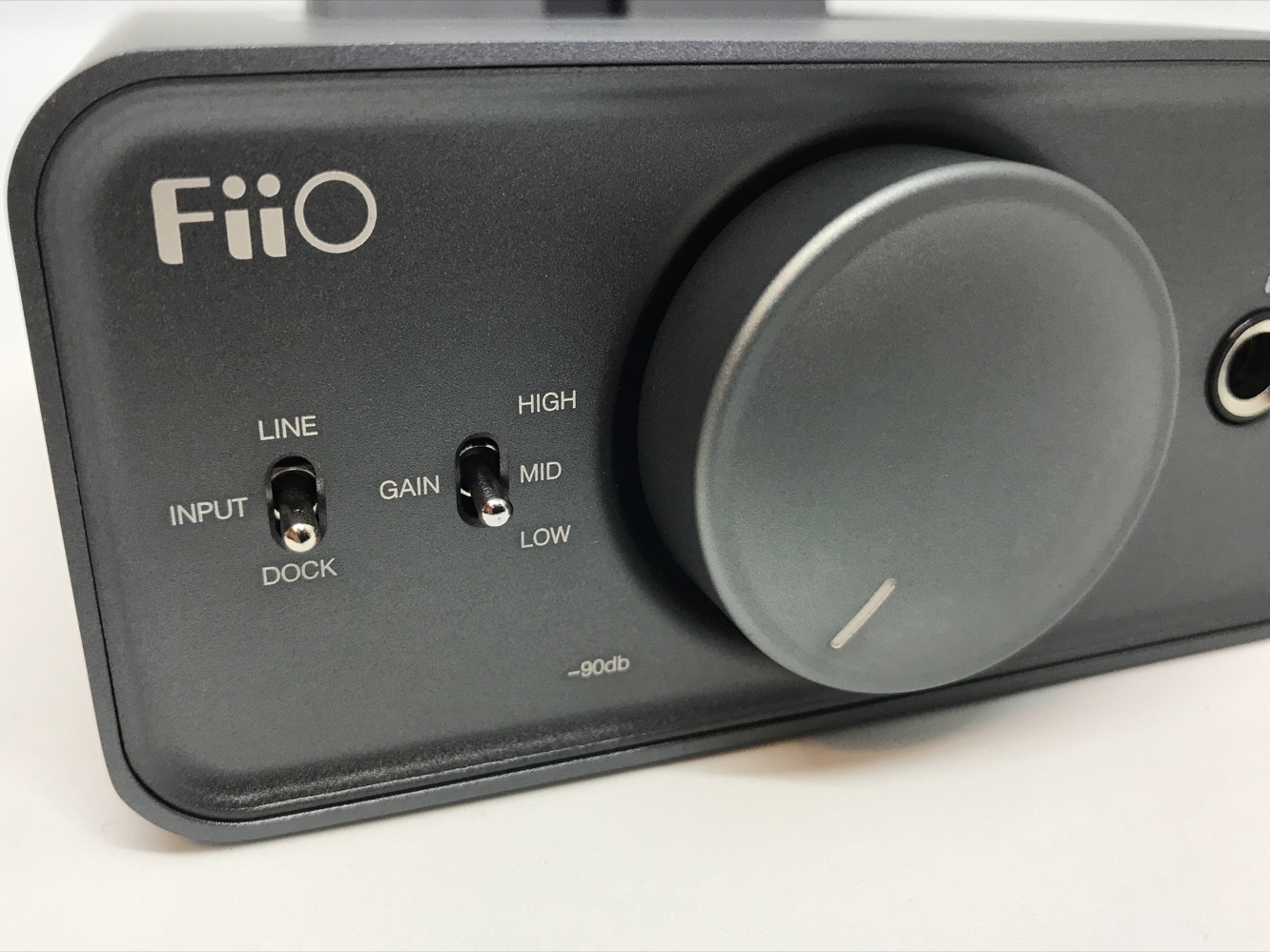
The K5 is small; at just under 4.75” x 5” x 2”, it’s about the size of an old Stephen King novel. Its all-aluminum rounded-rectangle chassis is sturdy, but feels hollow inside. The front of the K5 features a large aluminum knob; the K5 turns on with a click, and a blue ring glows around the knob. Also on the face of the K5 is a 1/4” headphone jack, high/medium/low gain switch, and input selector.
On the rear are inputs for USB input, Line In (single-ended and 3.5mm TRRS balanced), and Line Out.

On top of the K5 is its standout feature — a micro USB dock. The dock will charge a connected device regardless of whether the K5 is turned on or if the dock input is selected. When the K5 is turned on, it unlocks the ability to use a docked device as a USB DAC or to play music directly from a connected DAP. Included in the box are some silicone wedges to improve the fit of Fiio’s smaller players, but the X3 MkIII fit just fine on its own. The dock’s USB plug is tall (and has some flexibility to avoid damage to the DAP’s USB port) but, disappointingly, not tall enough to use with Fiio’s official cases. If you’re using the K5 as a standalone headphone amplifier, the dock can be hidden under a little plastic door.

Inside the K5 is a Class-D amplifier with a maximum power output of 1.7 watts into 16 ohms, or 150 mW into 300 ohms. The K5’s gain switch can add 6 dB or 12 dB of gain in medium or high respectively.
Its output impedance is low, at “under” 1 ohm, which makes it a good pairing for low-impedance IEMs. Though there is a USB port on the back of the K5, it has no DAC of its own — the K5’s USB port is a pass-through for DAPs and portable DACs connected to the dock. As such, the quality and voltage of the K5’s output is entirely dependent on the device connected to it; for example, line out voltage can vary from 1.05 volts to 1.9 volts depending on whether the entry-level X1 or flagship X7 is docked. In our listening tests, the K5 put out nothing but clean power from both its headphone and line out; transparency is the best we can ask for.

Using the K5 is simple enough. If a Fiio DAP is plugged in to the K5’s USB port, it recognizes that the dock is connected; pressing the center button activates the player’s dock mode. When connected to a PC or Mac, the DAP can be accessed as a storage device or, when selected in the device’s settings, a USB DAC. The K5’s volume knob is light, but moves smoothly with a nice even volume slope. It provides clean amplification, but not too much — we found it more than adequate to power IEMs and some ‘mid-size’ headphones.











