
Home accessory maker Fibaro announced earlier this year that it would be introducing a lineup of several HomeKit-compatible sensors and we’ve recently gotten our hands on the company’s new Flood Sensor that represents the first of its kind within Apple’s home automation ecosystem. Designed to detect water leaks in basements, utility rooms, and other key areas, Fibaro’s Flood Sensor also incorporates a temperature sensor and built-in tamperproof protection in a minimalist and modern design.
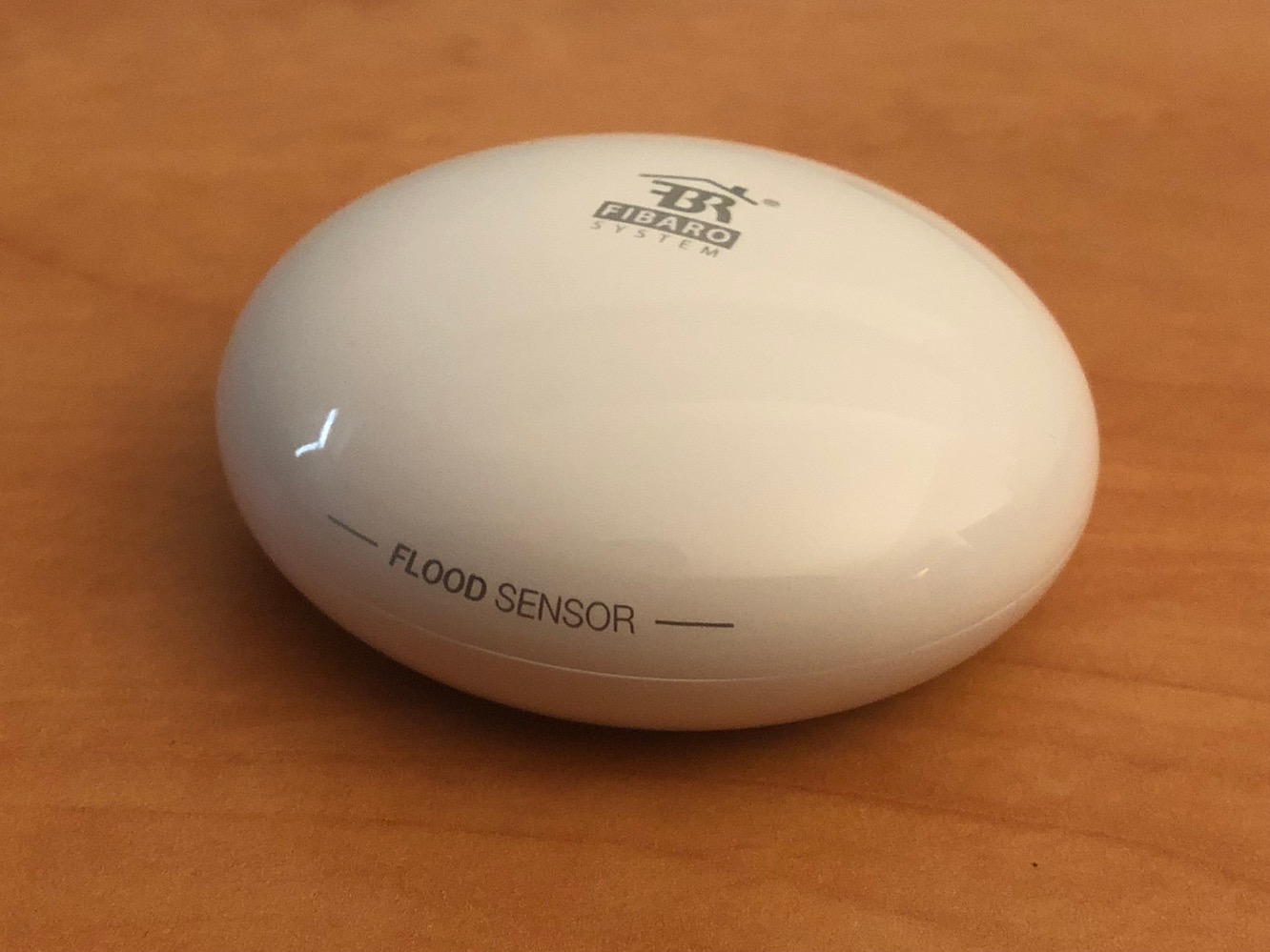
Fibaro’s Flood Sensor is a single-piece unit that ships without any other cables or accessories beyond a quick start guide that also includes the HomeKit pairing code. Three gold telescopic probes on the bottom are used to detect water and also allow the device to be used on slightly uneven surfaces. The Flood Sensor is powered by a pre-installed CR123A battery that promises to deliver up to two years of normal use. It uses Bluetooth LE for connectivity, meaning that for practical purposes you’ll want to have an Apple TV or iPad to act as a Home Hub so you can receive notifications when you’re away from home or simply out of Bluetooth range.

To activate the Flood Sensor you’ll first need to twist off the top half to pull out the battery blocking strip, replacing the top once you’ve done that.
Fibaro provides their own Fibaro for HomeKit Connected Devices app on the App Store (not to be confused with Fibaro’s standard app which is used for controlling the company’s own home automation ecosystem) that can be used to set up the Flood Sensor. It’s worth mentioning, however, that the Apple Home app can also detect and pair the sensor directly, which may save you the trouble of installing Fibaro’s app, which is only necessary if you want to disable the device’s internal tamper sensor or adjust its sensitivity. Although Fibaro’s Flood Sensor is a Bluetooth LE device, we had no issues with range — it worked fine in a far corner of our basement, approximately 50 feet from our Apple TV through several walls and on a separate floor of the house.

Once paired, the Flood Sensor appears in HomeKit as two distinct devices representing the Leak (water) Sensor and the Temperature Sensor. The temperature sensor works in the same way as other HomeKit temperature sensors such as Elgato’s Eve Degree, allowing you to view the room temperature or query it using Siri and include it in automation rules that can control other accessories. Fibaro notes that the sensor checks the temperature at ten-minute intervals, notifying HomeKit when it has changed more than 1 degree Celsius from the prior measurement.

The Flood Sensor also includes a tamper sensor that will sound an audible alert if the device is moved or otherwise disturbed.
Using Fibaro’s HomeKit app you can choose from three levels of sensitivity or disable the tamper sensor entirely. While Fibaro notes that the tamper alarm should also send a notification to the iOS device, this didn’t seem to work in our case — the Fibaro HomeKit app doesn’t register itself for push notifications and the tamper sensor doesn’t trigger HomeKit notifications.

The Leak Sensor on the other hand does support HomeKit notifications, allowing you to receive alerts on your iPhone whenever water is detected, in addition to using it as a HomeKit trigger to perform other actions, such as turning off appliances, turning on lights, adjusting a thermostat, or more. The details for the Leak Sensor in Apple’s Home app will also show the device’s battery life and the state of the tamper sensor. When water is detected by the Flood Sensor, an audible alert is sounded and a push notification is sent out via HomeKit to all configured iOS devices. The alarm will continue sounding until water is no longer detected. The tamper detection sensor is also disabled while the water alarm remains triggered.











