
The economy speaker market is getting pretty crowded these days, with a lot of options vying for your attention and dollars, so needless to say when we initially heard about another $50 speaker by a new player, Fabriq, we expected it to be just another relatively unremarkable entry. However, Fabriq has done quite a few interesting things with its new wireless speaker that make it a huge breath of fresh air and innovation in the sub-$100 speaker market, blending support for Bluetooth, Wi-Fi, AirPlay, Alexa, and more into an attractive and portable package. There’s a lot more to Fabriq’s eponymously-named speaker than you’d expect from its small stature and low price tag.
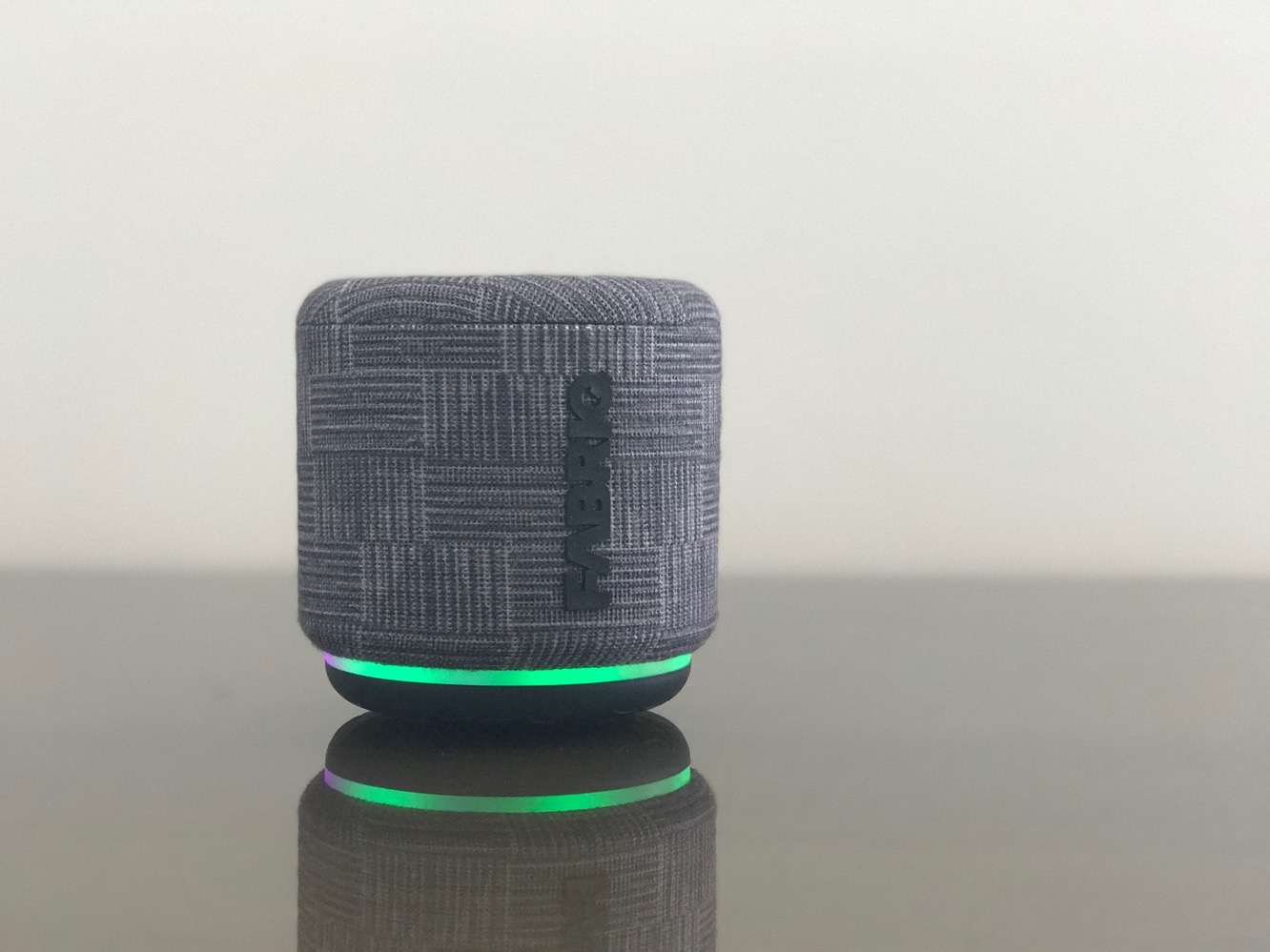
Fabriq’s Riff comes packaged in a cylindrical box not much larger than the unit itself, accompanied by a micro-USB charging cable, a quick start guide, and an instruction manual; you’ll need to supply your own USB power source for charging. The packaging is attractive and it’s also pre-charged and ready to go out of the box for at least some limited use, although we found our unit only gave us about an hour of set up and playback time before we had to plug it in. Fabriq promises five hours of playback time on a single charge, which is somewhat less than we’ve come to expect from battery-powered speakers, but also not entirely surprising considering its size and Wi-Fi support; it’s possible Fabriq might last a bit longer in Bluetooth-only mode, however the company doesn’t make any such claims, and we didn’t specifically test it. Riff comes in at just over 3” in each dimension, and is mostly covered with a fabric material, available in three different patterns. A power button is found on the bottom, while a control panel on the rear — with buttons for volume, play/pause, and Alexa — also flips up to reveal the micro-USB charging port and additional buttons for pairing and controlling the multicoloured LED light ring. Riff can also be used while plugged in, but since the charging port is under the flap that also includes the control buttons, it’s not ideal to use it this way.

Turning Riff on results in a series of welcome status and voice prompts with some dulcet musical tones while it gets up and running. Likely due to the smart technology in Riff, it will take about 3-5 seconds to be ready for operation each time you power it on. On initial power up, you’ll be prompted to install the Fabriq app from the App Store to set up the speaker; if you want to get going with Riff right away, you can pair it with Bluetooth simply by using the pairing button under the rear control flap, but you’ll need to use the Fabriq app to join Riff to your Wi-Fi network for AirPlay support and to pair it with Alexa. The set up process is relatively straightforward, although we were a bit disappointed that the app required us to type in our Wi-Fi network password, as opposed to taking advantage of the iOS APIs that simply allow you to grant permission for the app share your device’s Wi-Fi network settings. Once the app joins the speaker to your Wi-Fi network, the setup assistant will ask you to name the speaker, choose your preferred language for Alexa, and offer to log you into the Amazon service to associate the speaker with your Amazon account. The process went without a hiccup for us and we were up and running in a couple of minutes, although it’s worth noting that the app-based set up doesn’t pair Riff to your iOS device as a Bluetooth speaker — Riff works over AirPlay on your Wi-Fi network, so most users will likely only need to use Bluetooth if you’re taking it out with you, but you’ll have to complete the Bluetooth pairing process manually from the iOS Settings app; this works in the same way as for any other Bluetooth speaker.

Once set up, Riff will automatically join up with your Wi-Fi network whenever you turn it on, making itself available as an AirPlay speaker on your network, allowing you to stream music to it from just about any iOS app. Fabriq’s own app can also read your Apple Music library and stream music directly, but we couldn’t get this to work reliably — most tracks simply came up with a playback error — but we don’t consider it a real problem as we expect most folks will prefer to use the iOS Music app anyway. The main benefit of using the Fabriq app during playback is support for multi-room speaker setups — since Riff uses AirPlay, you can stream audio to any of your AirPlay speakers, however unless you’re streaming from iTunes on your Mac or PC, AirPlay only lets you send audio to one speaker at a time; the Fabriq app overcomes this limitation and allows you to stream audio to multiple Fabriq speakers simultaneously.
Two Fabriq speakers can also be paired to provide stereo music playback. We weren’t able to test this functionality, however as we only received a single speaker,
The Fabriq app also provides support for additional streaming music services, including TuneIn, iHeartRadio, Spotify, Tidal, and Napster. Spotify Connect is natively supported by the speaker, so you can stream to it directly from any Spotify app; the other services can be setup and accessed from within the Fabriq app. It’s worth noting, however, that direct Spotify playback isn’t available via Alexa on the Riff — you’ll be able to play tracks from Amazon Music or station from TuneIn, but requests to Alexa to play music from Spotify will result in a message that “Spotify Music is not supported on this device.”

There’s not much point in getting into an in-depth analysis on sound quality in a $50 speaker, beyond simply mentioning that Riff sounds surprisingly good for speaker of its price, size and design. It packs a 5W 2” driver and a 2” radiator, and has a maximum output of 92dBA, so it’s not going to fill a large room, but should produce more than adequate volume for most casual listening environments, and doesn’t suffer from any noticeable distortion even at top volume. While this isn’t going to be a primary speaker for anybody who is even a bit serious about audio quality, much less audiophiles, we think that the majority of casual music listeners will appreciate it, and it definitely exceeded our expectations.
As noted earlier, Amazon Alexa support is also baked into Riff, although you’ll need to initiate it using a button on the speaker rather than simply being able to call out “Alexa.” We expect this is mostly to conserve battery life, although some users may also appreciate the privacy aspects of not having an always-on microphone, as Fabriq points out in their FAQ. The button requirement arguably makes the Alexa feature somewhat less useful, although it’s an understandable tradeoff in our experience; when Invoxia’s Triby gained Amazon Alexa support last year, enabling the feature resulted in our battery life dropping from about a month to less than a day. Other than the need to push a button, however, Alexa works well; Riff clearly heard and responded to all of our Alexa requests quickly and efficiently.











