
iLoungeiLounge
  • News
    • Apple
      • AirPods Pro
      • AirPlay
      • Apps
        • Apple Music
      • iCloud
      • iTunes
      • HealthKit
      • HomeKit
      • HomePod
      • iOS 13
      • Apple Pay
      • Apple TV
      • Siri
    • Rumors
    • Humor
    • Technology
      • CES
    • Daily Deals
    • Articles
    • Web Stories
  • iPhone
    • iPhone Accessories
  • iPad
  • iPod
    • iPod Accessories
  • Apple Watch
    • Apple Watch Accessories
  • Mac
    • MacBook Air
    • MacBook Pro
  • Reviews
    • App Reviews
  • How-to
    • Ask iLounge
Font ResizerAa
iLoungeiLounge
Font ResizerAa
Search
  • News
    • Apple
    • Rumors
    • Humor
    • Technology
    • Daily Deals
    • Articles
    • Web Stories
  • iPhone
    • iPhone Accessories
  • iPad
  • iPod
    • iPod Accessories
  • Apple Watch
    • Apple Watch Accessories
  • Mac
    • MacBook Air
    • MacBook Pro
  • Reviews
    • App Reviews
  • How-to
    • Ask iLounge
Follow US

Reviews

Reviews

Review: Design by a knife Pennies

Last updated: May 13, 2021 7:32 am UTC
By Charles Starrett
Review: Design by a knife Pennies

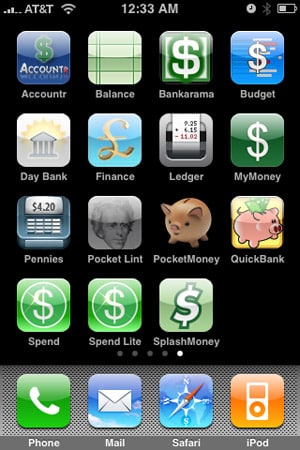
On August 25, 2008, we reviewed a collection of 15 different personal finance applications for the iPhone and iPod touch in a roundup entitled iPhone Gems: Every Personal Finance Application, Reviewed. This review contains a review of one application from that roundup; additional comparative details can be found in the original full story.

Review: Design by a knife Pennies

Possessing what is by far the most aesthetically pleasing interface of any currently available personal finance applications for the iPhone and iPod touch, Pennies ($3) from design by a knife aims to offer simple balance and spending information for one account. Using a tabbed interface, it offers a quick view of this month’s spending, a listing of individual transactions, and a view of past months’ spending history.


Review: Design by a knife Pennies

The tab labeled “this month” offers a single widget-style box with a fuel-style gauge that goes from full to empty, reflecting the amount of money remaining in that month’s budget.


Setting the monthly budget amount is as simple as clicking on the top of the gauge and moving a slider. Next to the gauge is a listing of the three top expense categories, as well as stats showing the average amount spent per day and the total number of expenses thus far that month.


Review: Design by a knife Pennies

A large add expense button at the bottom lets users add transactions, selected from pre-determined categories including general, food, amusement, travel, household, auto, hobby, electronics, personal, and groceries, each with its own related icon.

The amount is entered using a numeric pad below the category listing. Expenses are listed in their own view on graphical representations of slips of paper, one for each day’s transactions. Clicking on an individual expense allows the user to enter notes related to that expense.



Latest News
The Apple Watch Series 11 42mm GPS is $100 Off
1 Min Read
Apple Launching A New Education Hub In India Teaching Robotics and Swift Programming
1 Min Read
Women’s and Men’s Golf Added to Apple Sports
1 Min Read
Apple Adding Civilization VII and Other Games To Apple Arcade
1 Min Read
AirPods 4 ANC Is $59 Off
1 Min Read
Apple Using 2NM Process For Their M6 and A20 Chip
1 Min Read
iPhone 18 Models Will Not Have a Big Redesign
1 Min Read
Launch of MacBook Pro M5 Pro and M5 Max Models is Approaching
1 Min Read
Get the iPad Mini 7 256GB Wi-Fi at $99 Off
1 Min Read
Mozilla Now Allows Turning AI Features Off
1 Min Read
Barcelona Passeig de Gràcia Apple Store Temporarily Closing
1 Min Read
Apple’s Plans to Enter the Smart Glasses Market is Changing the Industry
1 Min Read

iLounge logo

iLounge is an independent resource for all things iPod, iPhone, iPad, and beyond. iPod, iPhone, iPad, iTunes, Apple TV, and the Apple logo are trademarks of Apple Inc.

This website is not affiliated with Apple Inc.
iLounge © 2001 - 2025. All Rights Reserved.
  • Contact Us
  • Submit News
  • About Us
  • Forums
  • Privacy Policy
  • Terms Of Use
Welcome Back!

Sign in to your account

Lost your password?








