
Though Australian third-party developer Cygnett has released some creative cases for Apple’s devices, it’s at least a little behind the curve with its iPad stands. At a time when solid plastic stands can be had for under $20 and excellent metal stands start at $30, Cygnett is promoting a $30 plastic option called FlexiView and a $40 metal stand called Platform. While neither design is poor, they collectively represent a missed opportunity to trump well-established rivals with a single, smarter alternative, and both fall short of being recommendable.
Though it’s the more expensive model, Platform is actually the less versatile of the stands. Made substantially from silver aluminum, this stand is like a larger version of Elago Design’s P2 Stand for iPad and other designs we’ve seen before, featuring two wide L-shaped grips to hold an iPad in place, with a gap in the middle for Dock Connector access, plus a hole in the back for cable pass-through access. Apart from its larger size, the most substantial departure from P2 is the addition of gray rubber padding on all the points that might rub against the device; Elago instead used thin clear stickers.
Both Platform and P2 buck common trends by lacking any sort of adjustability; it’s up to you to place your iPad in either a horizontal or vertical orientation, and then live with the single fixed angle Platform supports. This angle—a roughly 22-degree recline—is totally fine for most purposes save typing, but quite a few less expensive stands provide a wider choice of angles. Platform’s only advantage over some of these alternatives is its height: it lifts an iPad two inches off the surface of a desk, whereas some stands provide only an inch or less of elevation. However, at over seven inches tall and more than five inches deep, it’s also a lot larger than many rivals, and not portable in any real way.

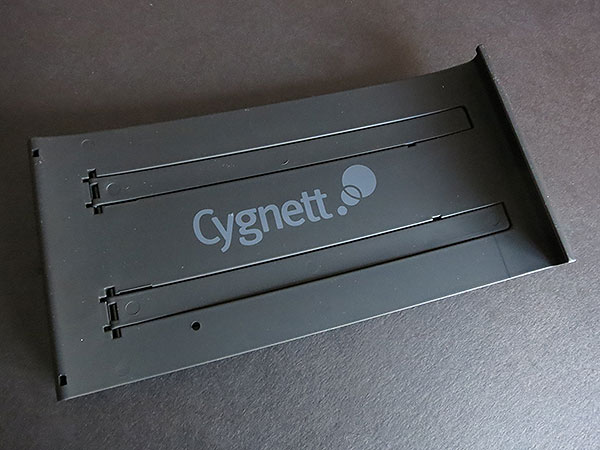
FlexiView is a completely different design with its own features and issues. Measuring 7.75” tall by 3.9” wide by roughly 1” deep when folded up, it’s an abnormally tall but at least semi-portable iPad stand made almost entirely from matte-finished black plastic.
Two separate legs fold out of the main frame, one thin metal, the other larger plastic, in order to achieve the different angles; at maximum it’s 9.5” deep, versus around 8” when in typing orientation—just a little deeper than the iPad it’s supporting—and just over 4” when at its shallowest, most upright position. Cygnett identifies three angles as “typing,” “viewing,” and “presentation,” though the larger leg can lock in three different angles, plus one angle for the smaller leg.

Compared against Belkin’s FlipBlade Adjust, it’s the same width but always taller and often deeper; FlipBlade Adjust stays at a 5” depth at all times when folded open, and feels even more stable thanks to its very substantial use of metal. Moreover, FlexiView only elevates the iPad a few millimeters above the surface of a table, providing neither space nor a place to connect the Dock Connector when the Home Button is facing down; you’ll have to flip the iPad upside down or on one of its sides to charge it while it’s inside the U-shaped holder.

To Cygnett’s credit, neither Platform nor FlexiView feels cheap. There are small rough spots on Platform’s metal edges that could have benefitted from additional polish.











