
iLoungeiLounge
  • News
    • Apple
      • AirPods Pro
      • AirPlay
      • Apps
        • Apple Music
      • iCloud
      • iTunes
      • HealthKit
      • HomeKit
      • HomePod
      • iOS 13
      • Apple Pay
      • Apple TV
      • Siri
    • Rumors
    • Humor
    • Technology
      • CES
    • Daily Deals
    • Articles
    • Web Stories
  • iPhone
    • iPhone Accessories
  • iPad
  • iPod
    • iPod Accessories
  • Apple Watch
    • Apple Watch Accessories
  • Mac
    • MacBook Air
    • MacBook Pro
  • Reviews
    • App Reviews
  • How-to
    • Ask iLounge
Font ResizerAa
iLoungeiLounge
Font ResizerAa
Search
  • News
    • Apple
    • Rumors
    • Humor
    • Technology
    • Daily Deals
    • Articles
    • Web Stories
  • iPhone
    • iPhone Accessories
  • iPad
  • iPod
    • iPod Accessories
  • Apple Watch
    • Apple Watch Accessories
  • Mac
    • MacBook Air
    • MacBook Pro
  • Reviews
    • App Reviews
  • How-to
    • Ask iLounge
Follow US

Reviews

Reviews

Review: Connor Wakamo Balance

Last updated: May 13, 2021 7:32 am UTC
By Charles Starrett
Review: Connor Wakamo Balance

On August 25, 2008, we reviewed a collection of 15 different personal finance applications for the iPhone and iPod touch in a roundup entitled iPhone Gems: Every Personal Finance Application, Reviewed. This review contains a review of one application from that roundup; additional comparative details can be found in the original full story.

Review: Connor Wakamo Balance

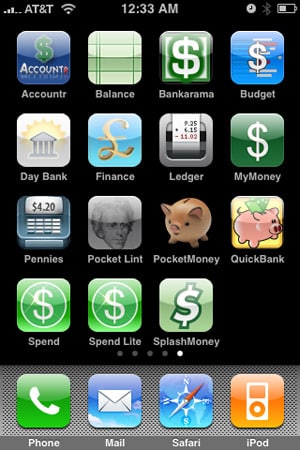
Balance (Free) from Connor Wakamo is a simple one-account finance application, functionally similar to a digital check register. The application’s main screen lists recent transactions, with deposits in black and debits in red, each with its name, date, and amount.

Hitting the add button brings up the new transaction screen, where users can enter a name, amount, date, type (deposit or withdrawal), and notes for the transaction; hitting the edit button allows the user to delete transactions. Tapping on a transaction lets the user view and edit the entry’s information.


Review: Connor Wakamo Balance

Balance’s action menu presents the user with two options: export transactions and add password. When the user taps export, he or she is taken to the iPhone’s Mail application, where a new email has been opened containing both the exported data and brief instructions on how to save it into a .csv file.

In our testing, we were able to successfully export and save the data supplied by Balance; the file opened in Excel without issue.


Review: Connor Wakamo Balance

The app’s add password command brings up a numeric keypad to set a password; this can be changed to an alphanumeric keyboard in Balance’s section of the iPhone’s main Settings menu. Passwords can be changed and removed from within the app’s action menu. From the app’s section in the Settings menu, users may also choose to sort transactions by most recent first or earliest first.



Latest News
The Apple Watch Series 11 42mm GPS is $100 Off
1 Min Read
Apple Launching A New Education Hub In India Teaching Robotics and Swift Programming
1 Min Read
Women’s and Men’s Golf Added to Apple Sports
1 Min Read
Apple Adding Civilization VII and Other Games To Apple Arcade
1 Min Read
AirPods 4 ANC Is $59 Off
1 Min Read
Apple Using 2NM Process For Their M6 and A20 Chip
1 Min Read
iPhone 18 Models Will Not Have a Big Redesign
1 Min Read
Launch of MacBook Pro M5 Pro and M5 Max Models is Approaching
1 Min Read
Get the iPad Mini 7 256GB Wi-Fi at $99 Off
1 Min Read
Mozilla Now Allows Turning AI Features Off
1 Min Read
Barcelona Passeig de Gràcia Apple Store Temporarily Closing
1 Min Read
Apple’s Plans to Enter the Smart Glasses Market is Changing the Industry
1 Min Read

iLounge logo

iLounge is an independent resource for all things iPod, iPhone, iPad, and beyond. iPod, iPhone, iPad, iTunes, Apple TV, and the Apple logo are trademarks of Apple Inc.

This website is not affiliated with Apple Inc.
iLounge © 2001 - 2025. All Rights Reserved.
  • Contact Us
  • Submit News
  • About Us
  • Forums
  • Privacy Policy
  • Terms Of Use
Welcome Back!

Sign in to your account

Lost your password?








