
As any of our regular readers will know, we spend a great deal of time here at iLounge looking at relatively pedestrian accessories such as speakers, cases and chargers, punctuated by the occasional HomeKit accessory — which is pretty much the normal state of affairs in the Apple ecosystem these days. So needless to say, we were definitely enthusiastic about the opportunity to look at something quite a bit different. Cinemood Storyteller is a fully portable, battery-powered LED projector that can convert any flat surface into a 12-foot screen, with a library of preloaded content aimed at keeping families with young children entertained, but also offering direct YouTube and Netflix streaming over Wi-Fi.
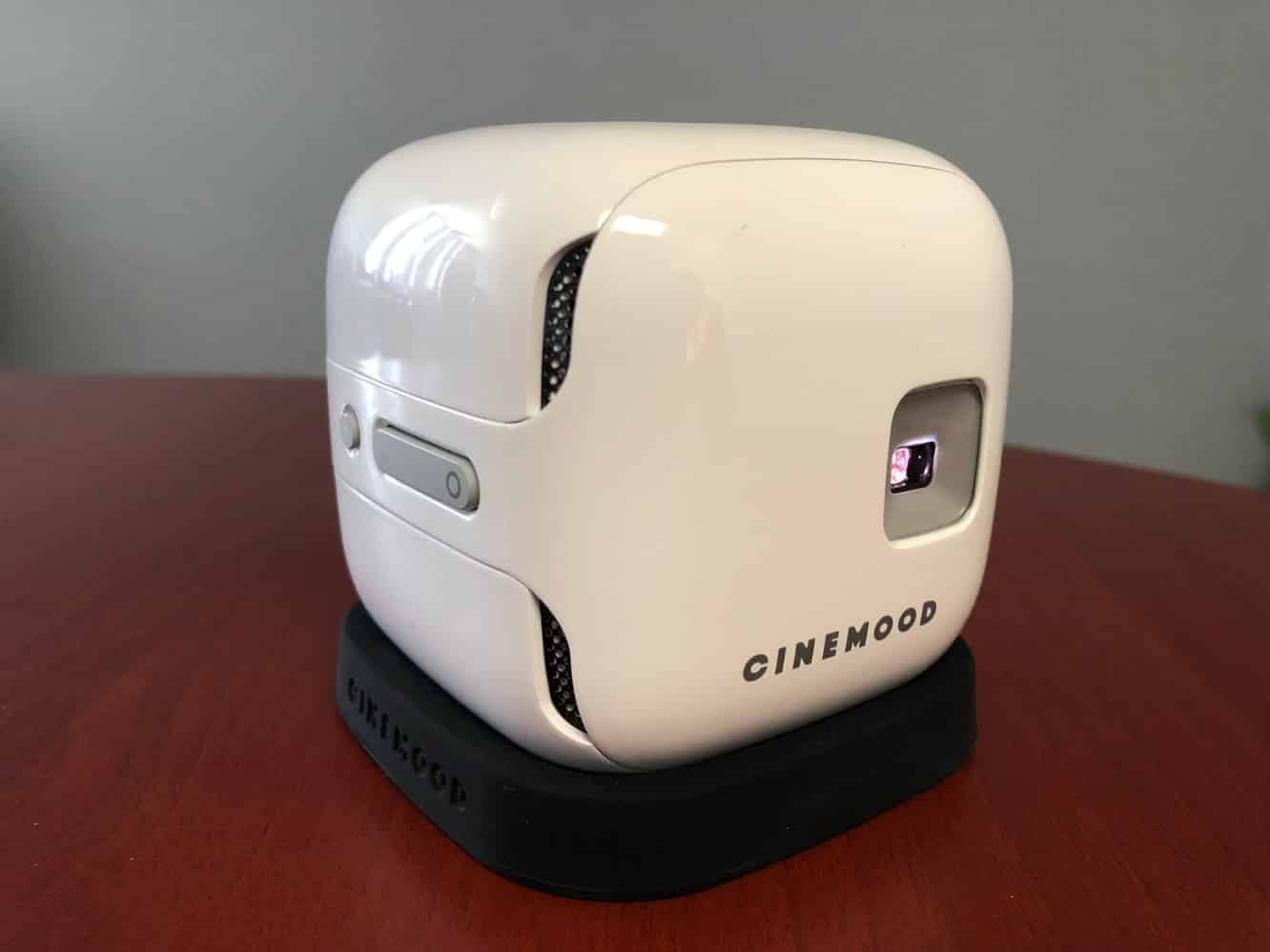
Cinemood is a small cube-shaped device that measures approximately three inches on each side. A lens on the front is used to project Cinemood’s output on a nearby wall, with speaker grilles found at the front corners and on the rear. A lighting bolt power button is found on one side next to a 3.5mm audio output and micro USB port, while the other side has buttons for adjusting focus or using Cinemood as a simple flashlight. A four-way D-pad on the top is used for navigating through menus and performing other user interface functions.
The box also includes a USB to micro USB cable, two-amp USB wall plug, and silicone base for the projector. An internal battery provides approximately five hours of play time between charges, although you can also use it plugged in whenever possible. An internal LED bulb promises 30,000 hours of life.

As one might expect, Cinemood presents its user interface on the projection screen, so you’ll need to configure it in a reasonably dim room to see the necessary settings. There’s a companion iOS app, but it mostly just serves as a remote control, and doesn’t provide direct access to any settings, although it’s a handy way to do things like enter Wi-Fi passwords; Cinemood supports Bluetooth as well as Wi-Fi so that you can connect to it with your iPhone even before it’s paired to your Wi-Fi network. There’s also an Apple Watch app so you can control Cinemood from your wrist,

Cinemood includes 32 GB of internal storage, and comes with some content preloaded. Additional content can be downloaded over Wi-Fi and stored locally, making it a useful way to entertain kids on trips, but you’ll get the most benefit out of Cinemood when it’s joined to a Wi-Fi network, since content can be streamed directly over Wi-Fi, both from Cinemood’s own content library — which actually includes 20 Disney short films and 45 storybooks — as well as YouTube and Netflix.
A few simple games are also thrown in for things like shadow puppets, and there’s a store where additional downloadable content can be purchased. Notably, Cinemood does not appear as a standard USB mass storage device, but rather uses Android transfer protocols, so Mac users will need to download the Android File Transfer utility to load content directly onto Cinemood — all of the usual video, audio, and image formats are supported, and you can even load PDFs on to be displayed as e-books. Cinemood can also read content directly from external flash drives connected to the micro USB port using an USB-OTG cable.

The canned content is a great way to entertain children, making Cinemood a great solution for family vacations, but it’s the YouTube and Netflix support that we found particularly interesting. In addition to built-in apps for both of these services, which are functional but limited, Cinemood presents itself as a YouTube and Netflix “casting” device, meaning that you can start playback on your iPhone, iPad, or even in a web browser, and then “cast” that playback right over to Cinemood, which will begin receiving the stream directly, taking your iPhone out of the loop, although it can still be used for remote control and play queue management. In this respect, Cinemood basically provides the same capabilities as the YouTube app on many smart TVs, game consoles, and streaming set-top boxes.

Cinemood is a very cool little device, although it’s not without its limitations. Streaming from your iPhone is limited to YouTube and Netflix — there’s no AirPlay or Chromecast support here — and as a projector, you’ll need to be in a relatively dim room to use it to project anything larger than an iPad-sized screen.











