
iLoungeiLounge
  • News
    • Apple
      • AirPods Pro
      • AirPlay
      • Apps
        • Apple Music
      • iCloud
      • iTunes
      • HealthKit
      • HomeKit
      • HomePod
      • iOS 13
      • Apple Pay
      • Apple TV
      • Siri
    • Rumors
    • Humor
    • Technology
      • CES
    • Daily Deals
    • Articles
    • Web Stories
  • iPhone
    • iPhone Accessories
  • iPad
  • iPod
    • iPod Accessories
  • Apple Watch
    • Apple Watch Accessories
  • Mac
    • MacBook Air
    • MacBook Pro
  • Reviews
    • App Reviews
  • How-to
    • Ask iLounge
Font ResizerAa
iLoungeiLounge
Font ResizerAa
Search
  • News
    • Apple
    • Rumors
    • Humor
    • Technology
    • Daily Deals
    • Articles
    • Web Stories
  • iPhone
    • iPhone Accessories
  • iPad
  • iPod
    • iPod Accessories
  • Apple Watch
    • Apple Watch Accessories
  • Mac
    • MacBook Air
    • MacBook Pro
  • Reviews
    • App Reviews
  • How-to
    • Ask iLounge
Follow US

Reviews

Reviews

Review: Cards v1.0.2 by Michele Balistreri

Last updated: May 16, 2021 5:07 pm UTC
By Jesse Hollington
Review: Cards v1.0.2 by Michele Balistreri

This review originally appeared within iLounge’s iOS Gems series within the compilation article, iPhone Gems: All 22 Wallet Apps, Reviewed. Additional details may be found in the original article.


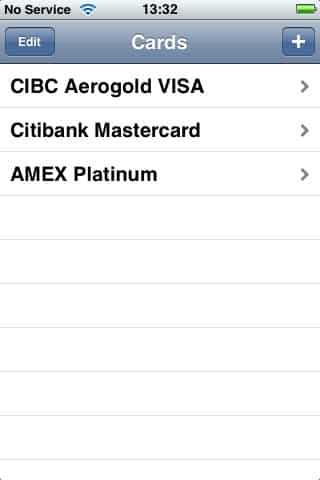
Cards (Free) is one of only three free wallet applications available on the App Store at this point. For the price tag, it offers reasonable, albeit very basic functionality.
Review: Cards v1.0.2 by Michele Balistreri

Cards is designed to store credit card, ATM card, and bank account information only, and provides fixed fields for these three item types, with no ability to support customized fields for either these existing item types or any ability to create new item types. Existing fields include information such as standard credit/ATM card or bank account information, PINs, customer service phone numbers and a security question/answer.


Review: Cards v1.0.2 by Michele Balistreri

Within each item, cards does provide context-appropriate fields, with a numeric entry pad for numeric fields, a date browser for date fields, and hidden/masked fields for information such as CVV (credit card security codes), PIN numbers and security question answer fields. These fields are masked when viewing a record, and you must actually enter “edit” mode to see their content.

Note that these fields are also not masked during actual data entry, only after the record is actually saved. Interestingly, multiple PIN numbers are supported.


Review: Cards v1.0.2 by Michele Balistreri

Cards does not support any kind of intruder detection, meaning that somebody could load up the application and repeatedly try to guess your password. This is further complicated by the fact that the application doesn’t actually provide any means for changing your password—if you decide you want to use a new password, you basically have to uninstall and reinstall the application, losing all of your actual data in the process.

As a free application for storing only bank account and credit card information, Cards would be a reasonable choice for the price were it not for the absence of any kind of password management capabilities.



Latest News
The Apple Watch Series 11 42mm GPS is $100 Off
1 Min Read
Apple Launching A New Education Hub In India Teaching Robotics and Swift Programming
1 Min Read
Women’s and Men’s Golf Added to Apple Sports
1 Min Read
Apple Adding Civilization VII and Other Games To Apple Arcade
1 Min Read
AirPods 4 ANC Is $59 Off
1 Min Read
Apple Using 2NM Process For Their M6 and A20 Chip
1 Min Read
iPhone 18 Models Will Not Have a Big Redesign
1 Min Read
Launch of MacBook Pro M5 Pro and M5 Max Models is Approaching
1 Min Read
Get the iPad Mini 7 256GB Wi-Fi at $99 Off
1 Min Read
Mozilla Now Allows Turning AI Features Off
1 Min Read
Barcelona Passeig de Gràcia Apple Store Temporarily Closing
1 Min Read
Apple’s Plans to Enter the Smart Glasses Market is Changing the Industry
1 Min Read

iLounge logo

iLounge is an independent resource for all things iPod, iPhone, iPad, and beyond. iPod, iPhone, iPad, iTunes, Apple TV, and the Apple logo are trademarks of Apple Inc.

This website is not affiliated with Apple Inc.
iLounge © 2001 - 2025. All Rights Reserved.
  • Contact Us
  • Submit News
  • About Us
  • Forums
  • Privacy Policy
  • Terms Of Use
Welcome Back!

Sign in to your account

Lost your password?








