
This review originally appeared within iLounge’s iOS Gems series within the compilation article, iPhone Gems: Good Games with Familiar Names. Additional details may be found in the original article.
As the world’s most respected game designer, Shigeru Miyamoto has been known to spend the initial development process of a new title doing little more than making the character controls feel “right.” His famous characters, Super Mario and Link from The Legend of Zelda, were extremely straightforward to control: you quickly and intuitively knew how and when they could walk, turn, jump or strike with a sword. Getting the control right was key to making his action games successful; the graphics were always secondary.
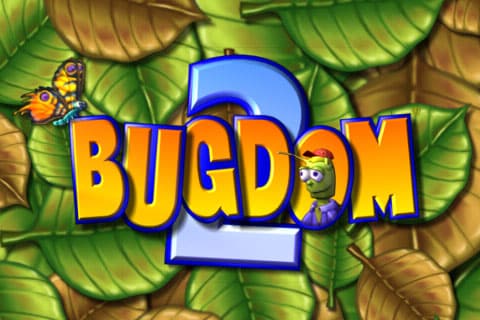


By comparison, Pangea Software’s new Bugdom 2 is a stunning example of what the iPhone OS hardware can offer aesthetically to 3-D action-platforming developers, and an equally disappointing example of how the device’s controls can utterly wreck an otherwise pleasant 3-D gaming experience. Your character, a grasshopper, wanders throughout massive natural landscapes filled with plants, castle walls, and moving enemies. He can jump, hover in the air with his wings, and pick up items, which he’s often called upon to do by creatures he meets in the levels—quests to keep the game progressing.
Explore an area enough, for instance, and you’ll realize that you need a key to open a gate to move along; to get the key, you’ll need to fetch a shell for a snail or something of the sort. This could have been an ideal game for kids.

The sheer scope of Bugdom 2 is impressive by iPhone game standards. You’ll feel like the levels are massive—perhaps a bit too massive and not landmarked enough, as it’s often hard to know where to go next—but the real surprise is in seeing differences in ground elevation, such as hills, valleys, walls and buildings, as well as variable character sizes. Small butterflies are accompanied by huge, roughly screen-height gnomes and woodland creatures, placing your character in perspective as an insect, and definitely differentiating Bugdom 2 from typical 3-D platform titles. Even if some of the characters, including yours, are on the ugly side—a fairly consistent issue with Pangea’s games, despite their strong 3-D engines—the sense of scale and the smoothness of the graphics here are great; there’s also a real soundtrack, which is a little grating but gets points for ambitiousness.
Clearly, the iPhone OS is capable of handling games comparable to the awesome Super Mario 64 in scope.

Once again, however, poor controls drag down what otherwise might be a fun experience. The game requires you to use the accelerometer for movement, and apparently understanding that this isn’t a brilliant idea, places a “re-orient the device” button in the bottom left corner so that you can constantly try and adjust the controls to the angle you’re playing from. Even with this button, we found the character a pain to control, and objectives way more difficult to accomplish than they would have been with a joypad and a better-automated camera. The “user, fix it yourself” approach actually begins with the game’s introduction, which lets you know in a dialog box that big iPhone OS apps such as this one really benefit from a complete iPhone reboot. Blame this on Apple or Pangea, but it goes without saying that users shouldn’t have to deal with these sorts of warnings and issues; similarly, saving the game at any time rather than at the end of a long level should be a no-brainer on this platform.











