
Very few companies successfully scale small designs up to considerably larger sizes or vice-versa — ergonomics and other considerations often dictate that what works for a big item won’t necessarily look or feel right in a tiny one. So we were initially impressed that Brookstone succeeded in maintaining a consistent look across its two new and different wireless speakers: the compact, glossy black Big Blue Live ($100) differs primarily from the large, glossy white Big Blue Studio ($150) in color, featuring similarly perforated silver speaker grilles and reflective metallic circular dot accents. Then we heard both units and were even more pleased: Big Blue Live is a serious challenger to Jawbone’s Jambox at half the price, while Big Blue Studio is a much more powerful speaker with equivalent price aggressiveness given its brawnier components. While neither accessory includes an iPod, iPhone, or iPad dock, they’re both stream music from every iOS device save the first-generation iPod touch and iPhone using Bluetooth, and feature rear-mounted aux-in ports if you want to connect to other devices for wired audio.
The smaller Big Blue Live system measures 4.9” wide, 2.5” deep, and 2.25” tall—a little taller and noticeably narrower than the Jambox, but somewhat deeper. There’s just enough space on its top to rest your iPhone or iPod touch directly on top without having anything hang off the sides, and once the system is completely turned on with its volume set to your preferred level, you could actually do this; otherwise, you can use your iOS device at a 33-foot distance, controlling it and the speaker with six buttons found on Live’s top.

Volume and track back/forward controls are obviously marked, while a play/pause button is labeled with a telephone icon, signaling its dual purpose as a call start/end control when used with an iPhone. Brookstone has built Live with two front-firing speakers, a passive down-firing bass radiator, a 4-Watt amplifier, and a microphone, as well as a six-hour rechargeable battery. It includes both a USB cable and a detachable wall adapter so you can refuel the system from either a computer or wall outlet, as you prefer.

Big Blue Live’s controls have only a few oddities. Brookstone wisely went with pressure-sensitive buttons here rather than capacitive ones, but for aesthetic purposes notched them out of the top shell, and the front and rear buttons require a little extra force to depress—not a major issue.
Additionally, Voice Control and Siri are inaccessible from the speaker, as the telephone button doubles as a Bluetooth pairing control when you hold it down. And there are actually two power controls: one is a switch on the unit’s back, labelled “Main PWR” to suggest that you’ll want to limit battery drain by turning it off. Active power use is indicated by two blue lights that shine in the hole between the silver speaker grille and the glossy black base; you’ll see them reflecting off of the base alongside the large bass radiator.

We were frankly surprised by just how capable Big Blue Live turned out to be. As little as we like the hugely overused pitch that “you’ll be blown away by the big sound from this little speaker,” it’s hard to think of a better way to describe a $100 speaker that very nearly approximates the $200 Jambox during music playback, and surpasses it as a speakerphone. Big Blue Live and Jambox both are in the “small but capable enough” speaker category, which is to say that they can’t rival considerably larger speakers in the $150-$200 range, but unlike Jambox, the less expensive Big Blue Live doesn’t have to. Heard alone, it sounds extremely similar to the Jambox, performing flat but stereophonic, mid-bass-rich sound at levels that are louder and clearer than what any of Apple’s devices can produce on their own.

It comparatively lacks only a hint of treble detail and—solely at its highest volume level, and then only on slick surfaces—“walks” a little when the lowest bass notes play through its down-firing subwoofer. Turn down the volume just a little or make sure the rubber feet are on a slightly textured surface and it stands still on the same notes. We’ve seen much worse from other down-firing speakers in the past, and would describe this one’s issues as very mild and limited by comparison.
It’s also trivial that Big Blue Live lacks the spoken voice prompting and chimes found in Jambox; they’re really not missed given the price differences.

Normally our tests of small speakerphones find only modest improvements over Apple’s own hardware—extra volume from the speaker and rough parity, at best, from the microphone. Callers said that Big Blue Live’s microphone sounded considerably better than even the ones in the iPhone 4 and 4S, delivering superior clarity and volume, while Live’s peak speaker volume offered enough additional volume over the iPhone 4S to be preferable as well.

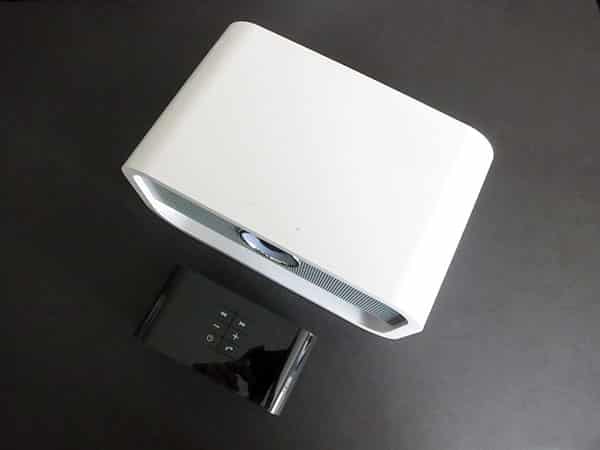
Big Blue Studio looks highly similar to Live, but it’s a different animal, partially because there’s no microphone or speakerphone functionality inside. You still get the 33-foot Bluetooth wireless feature and the option for auxiliary wired audio input, found alongside an unusual “aux out” wired port and a button to turn on or off the ring-shaped blue light on Studio’s face. This light is surrounded by a nice circle of chrome, and unlike Studio, the blue circle in the center doubles as an intuitive power and pairing button, while top-mounted volume controls are capacitive.

The size difference between these models is considerable. Brookstone’s larger chassis is big enough to hold any iPad safely on top, albeit with the tablet’s edges hanging off of the sides: Big Blue Studio measures 9.4” wide, 5.6” deep, and 5” tall, feeling as substantial as one would hope given its size and shape. Armed with a 30-Watt amplifier, Studio packs larger front-firing speakers than live, an active down-firing subwoofer, and a passive radiator, plus bass and treble knobs on the back. It’s worth noting that very few $150 speakers include bass and treble knobs, which makes Studio a particularly nice budget pick if you hope to tweak sound levels to your personal preferences.

These audio hardware differences place Studio in a very different league from Live, despite the mere $50 price difference between them.











