
Previewed on the same day as Apple’s announcement of the third-generation iPad, Belkin’s new YourType Folio + Keyboard ($100) is the latest iterative take on iPad Bluetooth keyboard cases for both the newer model and the iPad 2. The case includes features we’ve been seeing from other companies over the past several months, and it’s also clearly an evolution of the company’s earlier Keyboard Folio, itself derived from the Slim Folio Stand. Belkin has much tougher competition in the market now then it did a year ago, so although it has made strides relative to prior designs, the improvements it’s made don’t stand out as much as they might have otherwise.
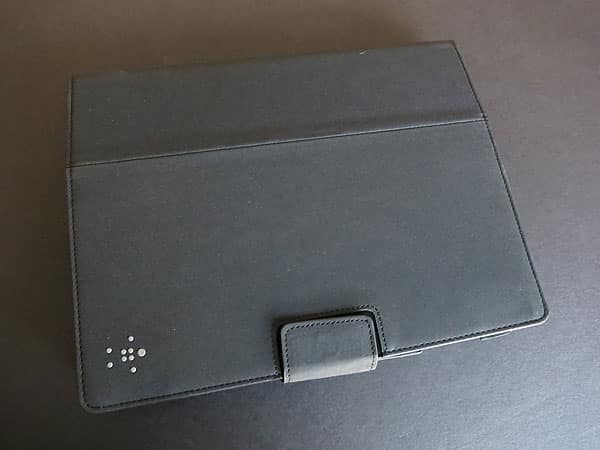
Designed with a folio-style setup, YourType uses the same soft fabric frame as its predecessors to hold the iPad in place. The neoprene material is sporty feeling, and while better than the boxy frames we’re still seeing from some less inspired developers, it doesn’t have the same premium look and feel as molded hard plastic shells. A few ragged edges on our review unit didn’t help either. Of course there are the necessary openings for access to all of the ports and buttons along the three sides, but as the iPad doesn’t always stay perfectly centered, neither do the holes. The partial bezel coverage exhibits the same problem, with the Home Button sometimes becoming partially covered.


Thankfully, Belkin refined the monstrous foldout system found in Keyboard Folio.
Now the keyboard is attached to the inside of the front cover, as opposed to hiding in its own flap. This significantly reduces the size of the case in both closed and open positions. Also new to this revision is a fully removable keyboard design, held onto the cover with Velcro tabs in the four corners, each saddled up against rubber feet. The feet fit into recessions within the lid, allowing users to line the keyboard up squarely. This feature means that users can also use the case alone when the keyboard’s not necessary. Five sets of ridges inside the lid allow for a number of viewing angles when the the case is propped up, and we were surprised by just how sturdy they are. When it’s closed, a magnetic tab keeps the case shut. Belkin was smart and also built a magnet into the back of the case so that the tab doesn’t hang over the iPad while it’s standing up.
Speaking of magnets, the company chose to not include the automatic locking/unlocking feature found in many cases today, which enables YourType to avoid some of the problems faced by early third-generation iPad case designs.


The layout of YourType’s keyboard is almost identical to that of Keyboard Folio’s, save for the removal of the Fn key; in its place is a screen saver-activating button. In our review of the prior model, we called the keyboard “one of the best” at the time, and this updated version is still very impressive. With the keys in the same layout as standard desktop keyboards, touch typists will be able to go to work immediately. They’re also well-sized. While smaller than those on Apple’s Wireless Keyboard, Belkin’s keys are reasonably large considering the keyboard is designed to be even more portable. The top row of keys is reserved for special functions such as iPad screen locking, cut, copy, paste, and audio playback controls. In the far right top corner is a very clearly labeled Bluetooth pairing button, making the syncing process easy. We wrote this entire review with the keyboard, and found it to be quite comfortable, with no missed keystrokes due to either the mechanics of the keys or the layout.











