
Premium-priced iPad keyboard cases face a substantial obstacle: there are so many good or great sub-$100 options that it’s hard to justify a $130 or $150 MSRP. That hasn’t stopped developers from trying, however, and the results have been consistently interesting, though rarely worth recommending. Last year, Belkin came up with an exception called the Qode Ultimate Keyboard Case for iPad Air, and now it’s back with a sequel called Qode Ultimate Pro Keyboard Case for iPad Air ($150). The key question is whether any of its “Pro” features merits a premium, particularly since the accessory is hitting stores only days before Apple replaces the iPad it was built for.
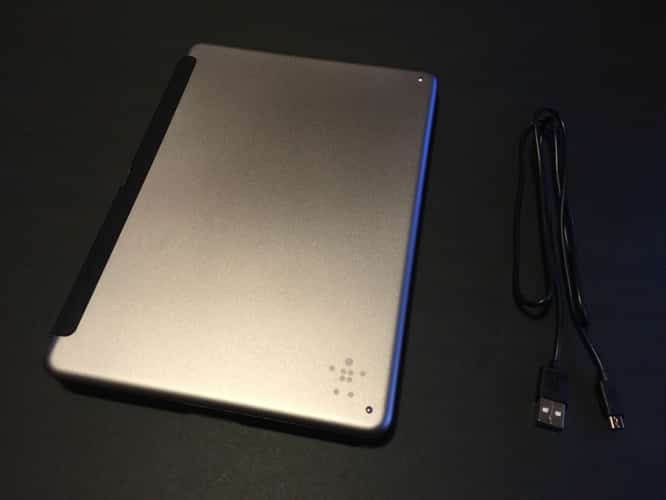
As is the norm for iPad keyboard cases, Qode Ultimate Pro uses a Bluetooth wireless connection to pair its physical typing surface with the iPad, and a hinge system that props the iPad upright on a convenient viewing angle while you’re typing. When it’s closed, the case is relatively slender, and adds only millimeters of additional thickness to the iPad Air’s footprint. Buttons, switches, ports, microphones, speakers, and the rear camera are all left exposed, each with enough space to make access and/or accessory use uninhibited. Apart from Qode Ultimate Pro’s nice selection of materials, combining handsome gray aluminum with black plastic and faux leather, there’s nothing particularly unusual about the way it typically works.

Yet Qode Ultimate does have several stand-out abilities that differentiate it from common iPad Air keyboard cases.
The first is that the keyboard and case can be physically separated from one another, such that the iPad remains inside a substantially hard plastic frame, protected on all sides save for its left edge. This is accomplished using a soft leather and magnetic hinge that attaches to the case’s back, easily detaching when you want to use either of the pieces separately. Alternately, the hinge can also be used to mount the iPad on your choice of portrait or landscape modes, a fairly uncommon ability amongst iPad keyboard cases.

Even though an automatic power-off feature in the keyboard kills the Bluetooth connection when the iPad is detached, you can restore the keys’ power and connectivity by flipping the hinge’s magnet forward on top of the keyboard. You can also pair the keyboard with a second device using separate Bluetooth buttons, which could be useful for typing on an Apple TV or iPhone. (Qode Ultimate Pro uses Bluetooth 4 wireless technology, though there aren’t any obvious signs of this during regular use or initial pairing.)

Some users will love the convenience of using the iPad on its own as needed, and serious typists may also really appreciate the ability to type with a traditional tall page format, which works quite well regardless of which of two magnetically supported typing angles you select. Apart from a rare unwanted detachment of the hinge, Belkin’s magnet system works exceptionally well to automatically manage Qode Ultimate Pro’s powering on, pairing, and unlocking of the iPad screen.

Another uncommon benefit is the presence of a four-setting backlighting system for the keyboard.
Using a function key and the 5 key, you can toggle keyboard backlighting off, low, medium, or high, complete with the ability to see the actual letters, numbers, and key icons glowing in dark light. While it’s not the strongest backlit keyboard we’ve seen, it works well enough if you need it, and can be switched off otherwise. Belkin promises up to a year of “active use” battery life between recharges, a fantastic run time, though that assumes the backlighting will remain off. You will need to use the included micro-USB to USB charging cable more often if you want your keys to glow in the dark.

Despite all of the benefits offered by Qode Ultimate Pro, there are a couple of things that aren’t fantastic, though whether they’ll matter to you is a question of personal preference. First, while the keys feel a lot like Apple’s, they’re both a bit smaller overall and noticeably compromised on each of the keyboard’s sides. Belkin has used half-width bracket and slash keys, for example, while removing and remapping the function keys atop the number and symbol keys. Rare incidents of seemingly stuck or non-responsive keys were difficult to replicate, but we did occasionally notice them.











