
When Apple announced Qi-compatible wireless charging for this year’s slate of iPhone models, the company also highlighted a new iPhone-specific lineup of wireless charging accessories from key accessory partners. Belkin’s new Boost Up Wireless Charging Pad is the first of these accessories, a reasonably attractive circular platform measuring just under five inches in diameter that allows users of the new iPhone models to simply lay their devices on top for simplified charging.
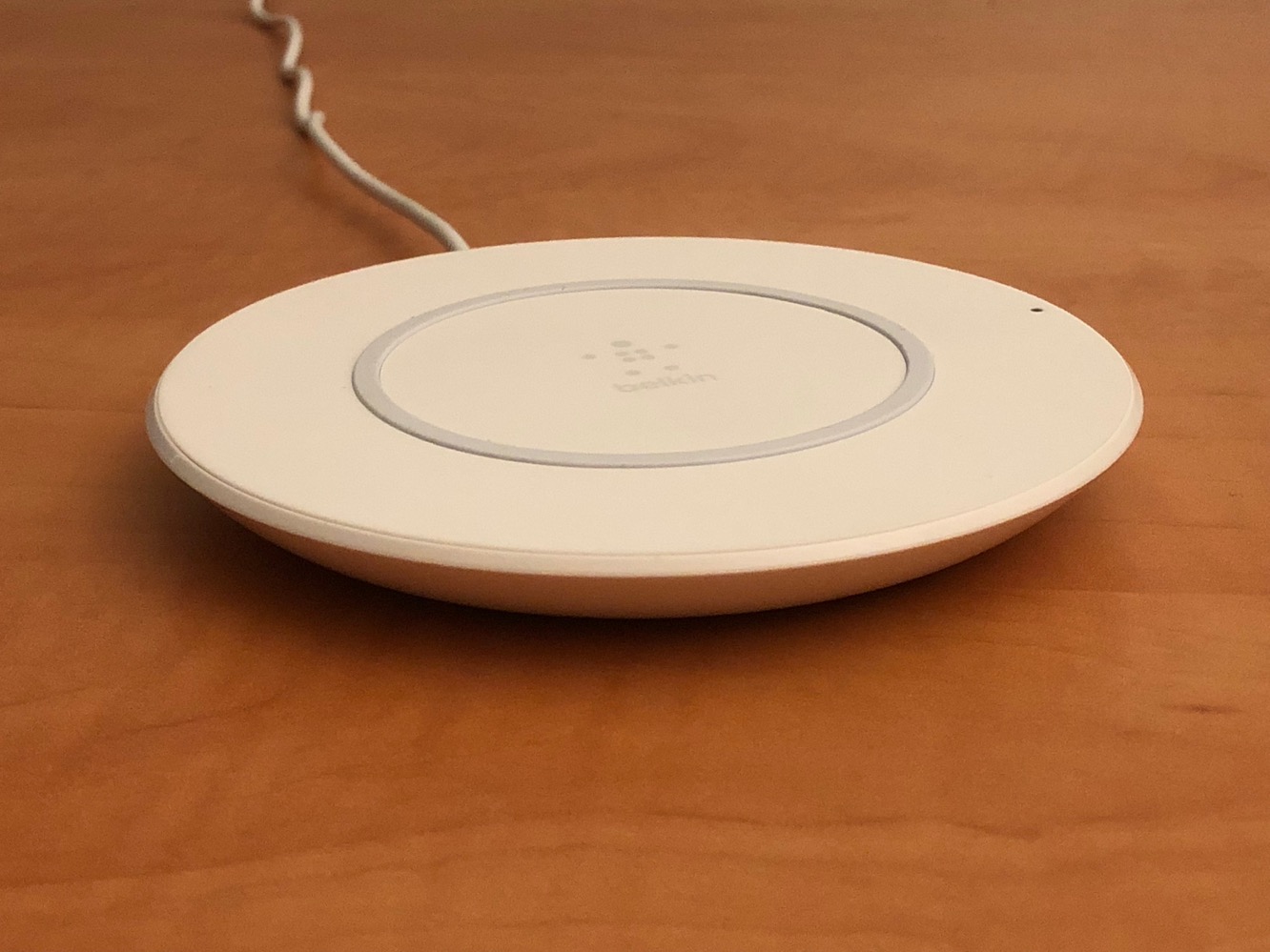
The Boost Up package includes the charging pad itself and a standard AC power adapter with a five-foot cable. The power cable connects to the wireless charging pad using a small barrel connector with an end that flush mounts into the curvature of the disc, which we thought was a really nice design touch. The top of the pad features the Belkin logo in the center with a concentric rubber ring that helps to keep the iPhone from sliding around.
A green LED on the outer right edge lights up when an iPhone or other Qi-compatible device is charging on the pad.

There’s not much to say about using Boost Up, as it’s simply a matter of plugging it in, putting it on a flat surface, and laying your iPhone on top; the LED should light up and charging should begin almost immediately.If you’re using a case, chances are good you’ll have no problem charging your iPhone with the case on; although Belkin suggests that “most lightweight cases” should work fine, we did extensive testing with over a dozen different cases, some of which even included metallic components, and the only cases we found that didn’t work were those that already incorporate their own Qi support, such as Bezalel’s Latitude, although these cases will work with Boost Up as well if you connect them to the iPhone Lightning port, basically overriding the built-in wireless charging features in favor of the case’s Qi capabilities. Cases also did not appear to affect charging performance in any noticeable way.

Boost Up is capable of providing 7.5 watts of power, however at this point the iPhone 8 and iPhone 8 Plus only draw five watts, meaning that Boost Up won’t be able to charge your iPhone any faster than the USB power adapter that Apple includes in the box, although Apple apparently plans to increase this speed with a future iOS update. Notably, however, some third-party Qi-compatible cases can take advantage of the full 7.5-watt charging performance with Boost Up, as these feed power into the iPhone via the Lightning port. Ultimately, however, it’s only a 50 percent boost, and those looking for high- speed charging on the new iPhones would be better off taking advantage of a wired connection and a Fast-Charge capable adapter such as Apple’s 29W USB-C Power Adapter.

That said, however, we don’t think the slower charging speeds diminish the usefulness of Boost Up in any significant way, as the convenience of wireless charging means you’re more likely to leave your device charging without having to give it much thought — keep a Boost Up on your desk at work, for example and you can simply set your iPhone down on top of it while you’re working (just don’t mistake it for a cup-warmer). Similarly, a Boost Up on your bedside table simplifies charging when you go to bed as well as picking up your iPhone in the middle of the night. Note as well that common worries like overcharging and battery wear from topping up are urban myths and have never been a problem for iPhones even with wired charging, and wireless charging is no exception — you can top-up your iPhone charge as often as you need to and leave it on the wireless charger as long as you’d like with no ill effects.

Although Qi charging pads have been around for years, Belkin’s Boost Up has the advantage of being specifically designed with the new iPhones in mind, with Belkin noting that it “worked closely with Apple to engineer an efficient and high-speed charging pad” for the new models.











