
Automatic Labs isn’t the first company to attempt a car accessory that plugs into the OBD-II data port to deliver information back to your iPhone — developers have been working on them for several years, with some success. However, Automatic Link ($100) has a surprising amount of mass market appeal. Nicely designed for something that will be hidden away, it’s a small plastic box that plugs into most cars made since 1996. Using Bluetooth 4.0, it communicates data back to any iPhone since the 4S, passing along information such as feedback on how your driving is impacting fuel consumption, with audio cues to help correct inefficient driving, as well as detailed information about your trips. While our excitement has waned a little after extended testing, we still feel Automatic Link is a valuable product.
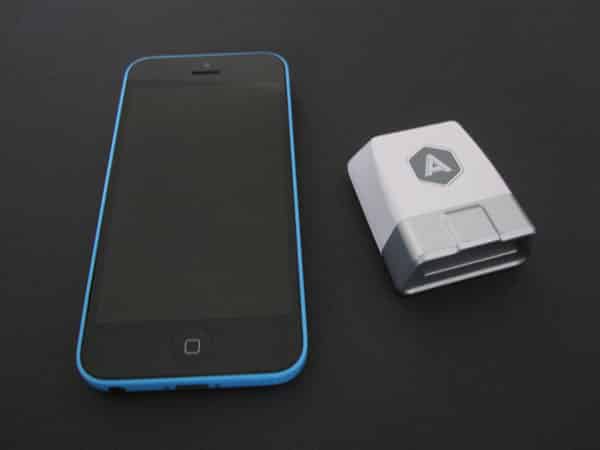
Made of white and silver plastic, Link could easily have a place on a desk if it wasn’t designed to stay in a car. It easily fits into the standard OBD-II port, which is usually located somewhere beneath the steering wheel. In our test car, the door to the port wouldn’t shut with Link installed, but it hung out of the way enough that it didn’t interfere with driving.


Automatic’s app designers deserve credit for releasing a truly easy to use, nicely designed piece of software. It all stars with the setup, which walks you through three simple steps.
It’s just a matter of following straightforward instructions, including entering a six-digit PIN specific to your Link, and turning the car on. Because Bluetooth 4.0 is used, there’s no need to go through the Bluetooth menu, although the receiver does need to be toggled on.

From there, Link comes into play both when you’re driving, and after each trip. While on the road, it can audibly alert you to three inefficient driving situations: hard braking, hard accelerating, and driving over 70MPH. Automatic doesn’t present any of these as an issue of safety, but rather indicates that they have a negative effect on fuel mileage. Each situation has a different tone, and they can granularly be toggled on and off.

Then, after each trip ends, the data is analyzed and sent to the iPhone, where you’re presented with a breakdown. It shows distance travelled, the approximate cost of gas used, and how many instances of the inefficient driving scenarios there may have been.
Tapping on the trip brings up a map, showing where you started and ended, as well as the gas mileage for that specific trip. It’s all summarized at the top of the app, with a weekly breakdown showing total distance traveled, fuel cost, time on the road, miles per gallon, and a cumulative score based on driving techniques. During our testing, only one trip wasn’t recorded, and that might have been be attributable to poor cellular service at our destination. Also cool: Link automatically sends the car’s location to the app when the trip ends, so that you can find where you parked the car. We found this to be pretty accurate.

Link has two features that we were (thankfully) not able to test during our evaluation. One details what’s wrong with the car when the “check engine” light comes on. Instead of having to head to a mechanic or car parts store, you can simply look at your phone to evaluate the issue.











