
Though it has a pretty great track record with iPad, iPhone, and iPod hardware, Apple has earned a reputation for releasing seriously overpriced and not particularly impressive cases — iPod Socks and Leather Cases, iPhone 4 Bumpers, and the original iPad Case were all examples of “cases” that sold well only because of Apple’s significant marketing support and distribution. Add to that list the just-released iPad Smart Cover, available in either polyurethane plastic ($39) or dyed aniline leather ($69), which despite its name is compatible only with the iPad 2. Given unusual prominence at the iPad 2’s introduction event, Apple’s website, and retail stores, this add-on lid has unusually been touted as if it’s an asset of the iPad 2 itself, even though it’s sold separately. In truth, it’s unfair to call this solution a “case;” it’s simply a front cover, leaving the top, bottom, right side, and back exposed. Apple has claimed that these are deliberate omissions, but they dramatically reduce Smart Cover’s value as a protective solution.
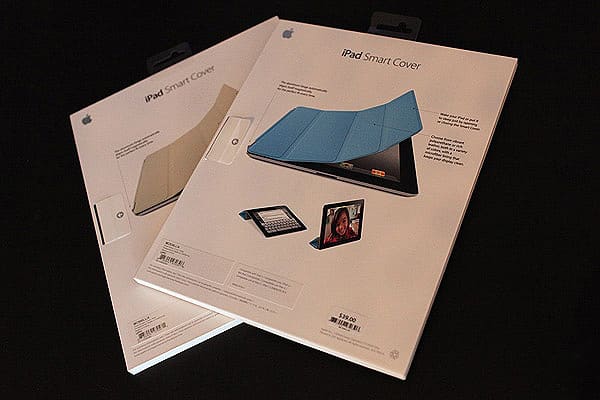
The front side of iPad Smart Cover is colored plastic fabric or cowhide, with the plastic coming in gray, blue, green, orange, or pink versions, and the leather in grey, tan, brown, black, or red versions; red turns out to be Apple’s most recent PRODUCT (RED) offering. Smart Cover’s interior is lined with microfiber, which the company has suggested can be used to clean smudges off of the iPad 2’s screen. The cover is divided into four stripes, alternating between metal and plastic. Off to the far right is a set of hidden magnets; along the left side is a magnetic spine, roughly six inches long, situated between articulating nubs. Printed on the inside is a “Designed by Apple in California. Assembled in China” legend, along with a PRODUCT (RED) logo that’s solely on the red leather version.
Interestingly, there’s also what appears to be a serial number located on the righthand side of the metal spine, something generally not seen on such accessories. The material used for the polyurethane Smart Cover feels very similar to that of Apple’s iPad Case for the original iPad, but a bit smoother, while the leather version does not feel significantly different—thin, and not especially “leathery” or luxurious. Unlike its predecessor, there is no Apple logo anywhere on the Smart Cover.

For the most part, the magnetic system works as advertised. Move the Smart Cover within about half an inch of the left hand edge of the iPad 2 and it bolts right on automatically. The placement isn’t always perfect—if the Smart Cover is oriented over the top of the screen during placement it often latches onto the bezel rather than the side—but most of the time, it’s close or spot-on. When the orientation is correct, it is perfectly square with the iPad 2’s face, and removing the Smart Cover simply requires a little bit of force. Laid flat, the magnets in the right hand stripe of the Smart Cover are attracted to ones that are hidden inside the iPad 2, automatically putting the tablet to sleep with the same satisfying locking noise heard at the press of the Sleep/Wake button. Lift up the cover at the right edge, and the iPad 2 wakes instantly without the need for the traditional sliding gesture to unlock.

You can disable this feature in the iPad 2’s Settings under iPad Cover Lock / Unlock, but if you’ve purchased the Smart Cover, you probably won’t want to. The sleep/wake feature is genuinely cool, and a thoughtful feature on Apple’s part—something that third-party developers will hopefully leverage as quickly as Apple leveraged the multi-segmented front lid design that companies such as Incase and Speck incorporated into first-generation iPad cases.
We’ve already received reports of developers promising to use the same mechanism in their offerings for iPad 2, though it should be noted that when the Smart Cover is folded behind the iPad 2, the back-facing camera is covered, an issue that a rival product may or may not address.

The iPad Smart Cover does work well as a video or typing stand, using a variation on the folding mechanism seen in Speck’s and Incase’s earlier designs. Folded along the quadrants, the metal sections of the lid bond magnetically to one another, forming a triangle. Articulation in the hinges provides two angles for typing, a reclined angle for video viewing in landscape orientation, and a straight up angle for portrait orientation FaceTime calling; the angles are almost identical to those of the original iPad Case. Both of the typing angles felt sturdy and comfortable; the landscape angle was also sturdy. By comparison, the portrait video angle did feel more precarious, although it stayed standing on a shaky coffee shop table. If we had not seen the same folding stand incorporated into fully protective cases already, we might have been more impressed with this design. Additionally, the microfiber interior doesn’t do a great job of eliminating smudges from the iPad 2’s glass display; it works when repeatedly rubbed on odd angles against the screen, but you’re better off with a cloth—or anti-glare screen film.

Somewhat comically, Apple’s CEO suggested that users might buy more than one Smart Cover for fashion reasons, and while this is certainly possible, most users who aren’t on Forbes’s list of the world’s wealthiest people won’t be doing so. The less expensive Smart Cover sells for $39, the same amount as the original iPad case, itself overpriced based on the quality of the materials Apple used. As was the case last year, some users will tolerate the expense of the plastic version because it looks cool. But the leather Smart Cover is offensively overpriced. To charge $69 for a simple front flap, even one made from leather, feels inexcusable, especially after you actually touch the Smart Cover in person.











