
When asked by a conference participant about the performance of the iPad Dock Connector to VGA Adapter ($29) — specifically its remarkable inability to play movies purchased through the iTunes Store on an external monitor — Apple CEO Steve Jobs literally threw up his hands, deflecting blame onto Hollywood for the copy protection it enforces. “We didn’t invent this stuff,” he said, adding a Clintonesque “I feel your pain” at the end in sympathy. “But you did deploy it,” responded the questioner, hammering home a point that has been grumbled about by numerous purchasers of the VGA Adapter: why bother even selling a $29 high-resolution output cable if it can’t output high-resolution videos to a monitor? Update: Apple subsequently renamed this accessory “Apple VGA Adapter.”
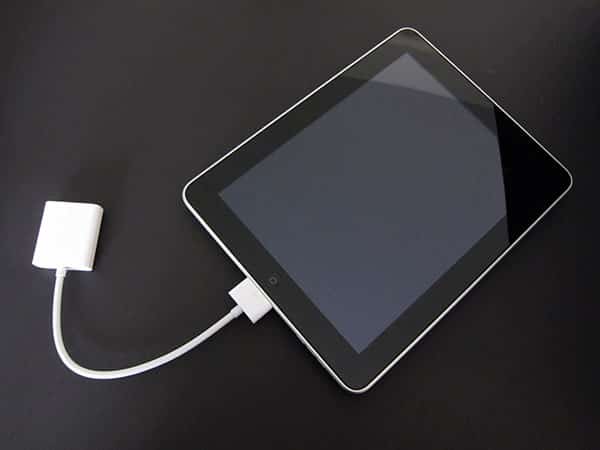
The truth behind the iPad Dock Connector to VGA Adapter is actually more complex than that: it can output high-resolution videos to monitors, specifically ones with VGA ports, so long as they aren’t movies that were purchased through iTunes or locked with Apple’s Fairplay copy protection scheme. Home videos we encoded with other programs and even free podcasts downloaded through iTunes play just fine through the Apple cable, as shown in the photos below.


But somewhat ridiculously, even iTunes-locked movies that aren’t high-definition won’t play through the cable on an “unauthorized” display. When trying to play a DVD-quality digital copy of The Dark Knight purchased at a retail store and authorized via iTunes, the iPad put up a “Cannot Play Movie: The connected display is not authorized to play protected movies.” message, despite flashing a still image from the film briefly on the monitor.
In other words, the iPad can do it, but Apple’s not allowing it to happen. DVD-quality films purchased outside of iTunes worked just fine with the cable, and interestingly, iTunes TV shows aren’t necessarily blocked.


A few other points regarding the iPad Dock Connector to VGA Adapter’s functionality, pro and con, are worth mentioning as well. On the pro side is its ability to transform the iPad into a controller for a connected monitor: Apple’s own Keynote application for iPad is capable of displaying its slideshow presentations on the monitor while turning the iPad’s screen into a laser pointer surface—whatever you touch and hold gets illuminated on the connected monitor with a bright red laser-style light for emphasis. Output from Keynote is 1024×768, but developers have suggested that Apple permits applications to output their video from the iPad at up to 1280×720 (720p) resolution, matching the device’s support for 720p movies. At some point, more apps will be capable of using external displays, which could potentially be exciting for future games, but it bears mention that the iPad does not automatically mirror its own 1024×768 content on a connected display; individual applications have to be specifically written or updated to use an external monitor, and as of now, only a handful of notable titles do so.


Prospective users will also have to contend with a few cable-related idiosyncrasies.
Apple’s cable is only a little more than 10 inches long from end to end, so you’ll need to rely on your existing VGA cable not only to connect to the Adapter’s female VGA connector, but also to reach over to your iPad—wherever you may hope to use it for control purposes. A third-party Dock Connector cable extender we tried would not work to extend the VGA Adapter, either. Additionally, Apple’s Dock Connector end of the cable is unusually large by the company’s standards, which made the physical and electrical connection less than ideally reliable when we used the Adapter with our own encased iPads. This will vary based on the specific case you use, however, and may not be an issue at all with some cases.

The last issue? Well, the Apple iPad Dock Connector to VGA Adapter is solely for video purposes, not for audio, yet it blocks the entire Dock Connector port—the place where the iPad’s highest-quality audio typically comes from. This means that you’ll have to rely upon the iPad’s built-in speakers or connect a separate headphone cable to the device for louder, clearer sound, both reasons that an Apple HDMI cable or a wireless video-ready AirPort Express-style receiver (Apple TV 2, perhaps?) would be much better suited for getting AV output from the iPad. Frankly, even Apple’s earlier, overpriced Composite and Component AV Cables do a better job than this: they handle both audio and video, simultaneously supply at least some power to the iPad, and don’t put up error messages with standard- or high-definition iTunes-purchased videos.











