
As a rule, wireless routers are a well-established product category, and there traditionally hasn’t been a lot of consumer-facing innovation in this space — advances found in the latest Wi-Fi routers each year are usually confined to the realm of technical specs such as new wireless standards, better antennas, and increased range, and few companies have ever paid a great deal of attention to the actual user experience. As a result, we were a bit intrigued by Amped Wireless’ new ALLY Wi-Fi System, which makes not only the usual promises of fast Wi-Fi speeds and extended range, but is also set up and managed through an iOS app and adds features like malware protection via AVG and parental controls.
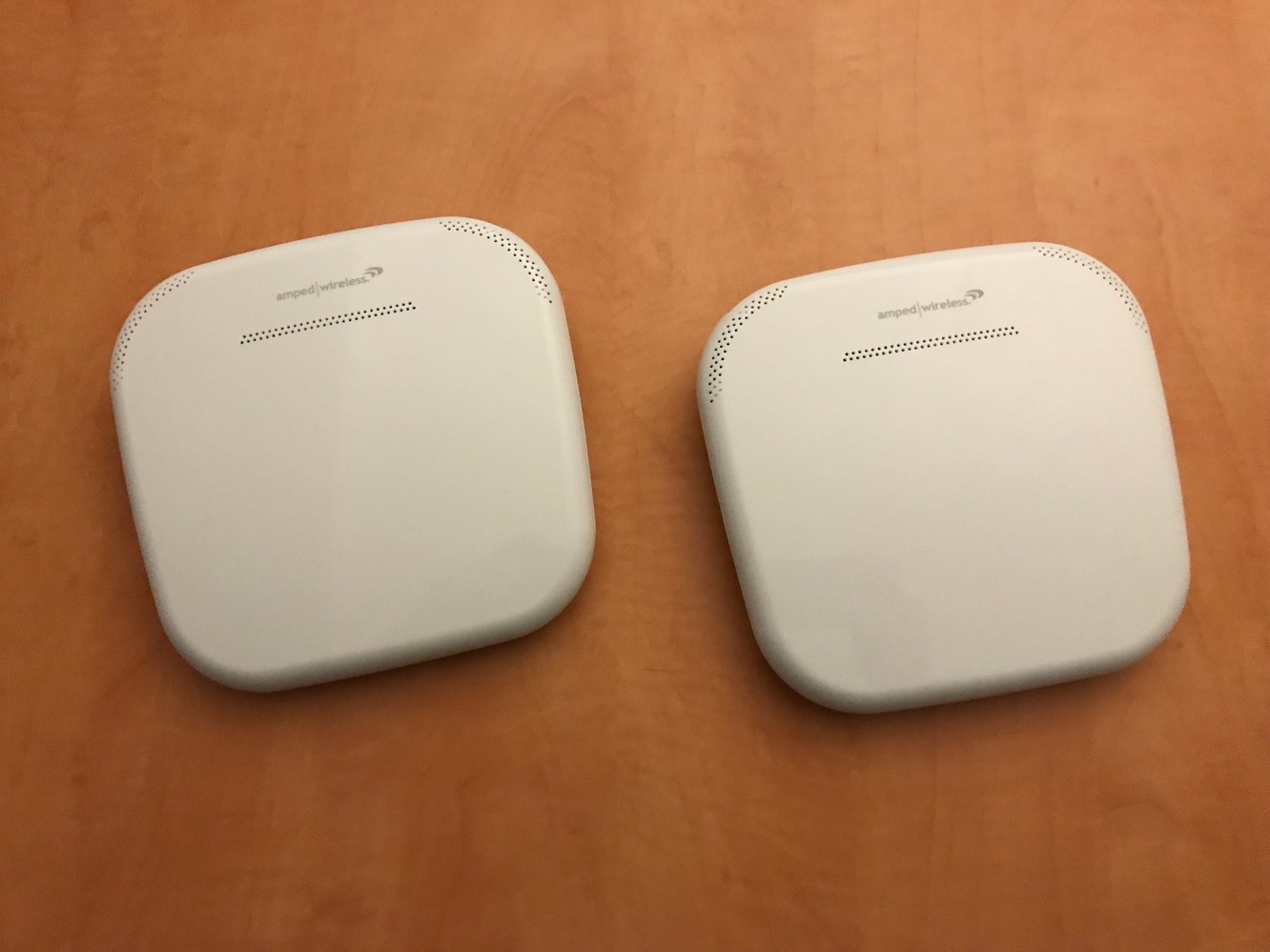
Amped Wireless offers the ALLY in two configurations — the main router sells by itself for $180, while the “Whole Home” system includes a wireless extender for $300, promising up to 15,000 square feet of coverage, although as with any set of Wi-Fi routers, individual performance will vary based on a whole lot of factors such as building materials, wireless obstructions, and neighbourhood interference. We received the full system for the purposes of our review, which contained the router and extender along with the necessary power cables and a single Ethernet cable for connecting to a modem.

The router and extender have an identical footprint, and in fact are virtually indistinguishable from each other except by looking at the ports on the rear. The main router includes a WAN port for connecting to a modem along with three gigabit Ethernet ports for wired LAN devices, and a USB port for connecting an external storage device. The extender includes a single gigabit Ethernet port for connecting a wired LAN device on the extender end. Both devices also feature a pair of buttons on the back used for turning off the front status LED and syncing the two devices or engaging WPS push-button pairing mode.
Setting up and connecting the two devices is extremely straightforward, and Amped Wireless clearly labels and color codes the power adapters and the Ethernet cable just to make it very clear what gets plugged into where. A quick set up guide is also provided in the package with clear visual instructions.

Once plugged in, the preferred configuration process for ALLY is to load up the companion iOS app onto your iPhone, iPad, or iPod touch, which will take you through setting up an account with ALLY, ensuring that your cable or DSL modem is properly connected, and then having you visit the iOS Settings app to connect to ALLY’s temporary Wi-Fi network. Once you’ve connected to the ALLY network, returning to the app will prompt you to name your Wi-Fi network and establish a password, after which you’re pretty much ready to go. It’s also worth adding that the extender doesn’t need to be connected during the initial set up process. ALLY also allows the same SSID to be used for both the 2.4GHz and 5GHz networks, which is a nice feature considering how many routers force you to use a different SSID for each.

Unfortunately, the ALLY app enforces some unusual limitations on Wi-Fi network names and passwords, requiring the Wi-Fi network name (SSID) to be longer than three characters, and Wi-Fi passwords to be shorter than 16 characters. There are also some odd restrictions on which characters are acceptable in the Wi-Fi network password; we found, for instance, that the dash was not allowed, while it had no problem with an octothorpe (#) in a password. This will obviously create a problem for some users looking to replace an existing Wi-Fi router with the ALLY router, but fortunately the good news is that these limitations exist only in the ALLY iOS app — the ALLY still has a more traditional web-based configuration interface which will happily accepted shorter SSIDs and longer passwords without any issues. The catch, however, is that although you can perform the complete initial set up of ALLY from a web browser, if you want to take advantage of the advanced features of the ALLY such as AVG malware protection and parental controls, you’ll need to configure the ALLY via the iOS app first so that it can associate the router with your ALLY account.
Once you’ve done the initial set up through the ALLY app, working within its limitations on SSID and password length, you can then subsequently go into the web-based configuration portal from your Mac or PC and change the SSID and password as needed.
It’s a slightly cumbersome workaround in a product that promises an easy set up process, and it’s made more annoying by the fact that there’s really no valid reason for the ALLY app to enforce these limitations. When we reached out to Amped Wireless, they explained that the app limitations were for “security, usability and simple functionality” and “optimized for the most common SSID and password structures” but we still remain unconvinced that these limitations are necessary or even particularly logical, and it’s certainly possible for a novice user to be replacing an older Wi-Fi router such as an AirPort Extreme where they could have been using a shorter SSID or longer password. Fortunately, since this isn’t a limitation in the ALLY itself, it’s also something that can easily be fixed in an app update, so we’re definitely hoping that Amped addresses this.

Other than that particular set up issue, we were generally impressed with the ALLY iOS app, which provides a convenient and user-friendly way to manage basic settings such as enabling a guest Wi-Fi network, but more importantly to also configure advanced user-facing settings such as AVG protection and parental controls. AVG protection takes the form of a simple toggle to enable the “Online Shield” which will automatically block against harmful websites, while parental controls allow you to set up users and associate devices with them, allowing you to establish filters on websites, block apps, and establish a curfew; a “pause” button also allows you to temporarily block all browsing from that particular user’s devices, and an activity report can show attempts to access blocked sites. The implementation is similar in concept to the Circle with Disney system that we looked at earlier this year, although it’s slightly less sophisticated — there’s no way to set up time limits or off times, for instance. Note that the ALLY app doesn’t provide direct access to more advanced router settings, however — for this you’re directed to use the browser-based interface, but we think that’s fair considering how rarely most users will need to tweak the more technical settings once it’s initially been configured.

As an individual router, ALLY performed well within our expectations. The range and signal strength of the base router was about on par with Apple’s 802.11ac AirPort Extreme, and we were able to get similar performance from both.











