
On August 8, 2008, we reviewed a collection of eight different Flickr applications for the iPhone and iPod touch in a roundup entitled iPhone Gems: Every Flickr Application, Reviewed. This review contains a review of one application from that roundup; additional comparative details can be found in the original full story.
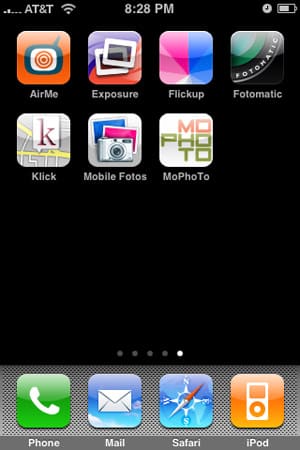
Yahoo!‘s Flickr service is the top photo-sharing site online; its large userbase, friendly, clean interface, and open API have allowed it to grow to storing over 2 billion photos, and developers have created iPhone and iPod touch apps that work directly with the service. Note up front that all of the apps share two common limitations: iPhone OS 2.0 currently limits uploads of previously stored-in-iPhone or -iPod photographs to a maximum resolution of 640×480, with in-application camera functionality available as a workaround. Additionally, in order to show a preview but maintain a full-resolution image, the preview image shown after taking a photo with an in-application camera is normally cropped in one manner or another.
Again, all of the apps are affected by these limits; it’s only a question of whether the developers find smart ways around them.
AirMe is a minimalist camera application with the ability to upload photos to either AirMe’s site or to Flickr. It sports a single-screen interface for browsing through pictures taken with the application, along with a non-standard camera button above the bottom menu, which holds navigation buttons, a “tool” button which offers photo options, a tag and title menu, the ability to change upload sites, an “action” button that allows users to send the current picture out via email, and a trash button for deletion of the current photo.

Unfortunately, AirMe is hampered by a longer setup process than its peers, a sometimes confusing interface, and limited photo tagging and size options. To get AirMe ready to post on Flickr, one must first either have an AirMe account or sign-up for a new account; this adds an extra step on top of the standard Flickr authentication, which in turn takes a step longer with AirMe than it does on other competing apps due to the entry of an authorization code.
Once set up, AirMe’s other shortcomings become apparent. In order for a photo to be properly tagged and titled, the user must do so before taking the photo — it gives no warning about this limitation, and does not warn the user that the photo will be immediately uploaded after it is taken, without title and tag information.
Title and Tagging options are accessed with a tap of the “tools” button; the app does offer a toggle switch to turn on its Auto Title feature, but gives no further detail of how it goes about said titling. The app also lacks the ability to upload files from the iPhone’s Camera Roll or stored photos; some users mightn’t mind, as they will want to upload in the highest resolution possible, but others might be bothered by this omission.

In addition, users are left to select from a long list of tags; only after tapping the “Edit” button is the user given the option of adding their own, and even then, they must be entered from that screen, one at a time, which is labor-intensive. On a positive note, AirMe does offer correct geotagging of photos, but that feature must be turned on prior to snapping a photo, and it also offers users the ability to smart tag the photo with written location and local weather information. From within a separate “Photo Options” menu, users are given the option to make photos public or private, toggle the Use Location feature on and off, and select from four different photo sizes ranging from 320×240 to 1024×768.











