
We’ve been working hard over the past few years to bring reviews of high-quality audio gear, but some of our readers have pointed out that we have been mostly focused on headphones. They have asked for reviews of other parts of the audio signal chain — amplifiers, DACs, and wireless receivers. We have a bunch in the works, and here’s the first: the Advanced Mezger aptX Bluetooth Receiver ($100). Though it’s limited by Bluetooth bandwidth and USB power, the Mezger is a solid performer.
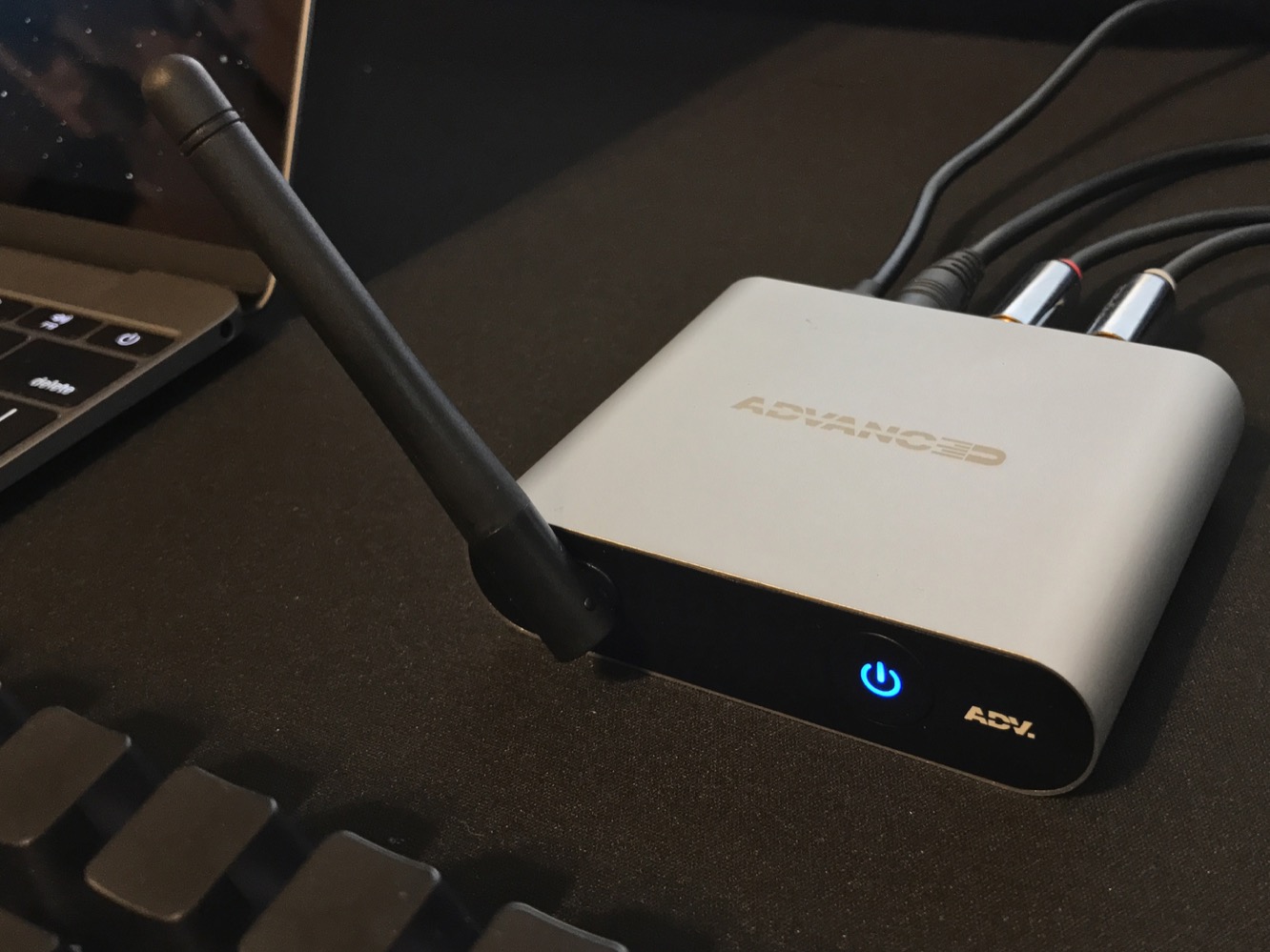
The Mezger has an attractive design – its rounded light gray aluminum housing and matte black faceplate are classy, with tight tolerances and no visible fasteners. Using the Mezger is dead simple – there’s only one button. Press the power button to activate the Mezger, double-press for pairing mode, and single-press to play/pause the music. The device can be powered via any 5V DC micro-USB source that puts out at least 200mA of power – we had no problems running it from an iPhone wall charger or even a portable battery.
Though the Mezger ships with a nice list of accessories – long microUSB cable, RCA-to-3.5mm audio cable, and soft storage pouch – it seems odd that they would not include a power adapter to complete the package.

For a device just slightly larger than a deck of playing cards, the Mezger packs a lot of functionality. Music is streamed over Bluetooth 4.1 using either the SBC or the preferable aptX Low Latency codecs, depending on your device’s capabilities. From there, the user can choose digital output (optical), analog output, or both. If analog is used, the Mezger decodes the audio stream using an internal 24-bit AKM AK4396 DAC. No setup is required beyond connecting the Mezger to your existing playback gear.
In short, the Mezger works. We found it easy to pair, easy to set up, and competent in transmitting music from a computer or phone to an amplifier wirelessly. We had no hiccups streaming music to the Mezger, and we were able to switch between our phone and laptop without having to re-pair the device.
Its external antenna seems to boost its range significantly – we had no problems streaming music even across the house.

The Mezger functions as advertised, but does it sound any good? We wanted to know whether aptX was worth getting excited about, and whether we could get even better sound by connecting its optical output to an even better DAC. We devised a test:
- Starting with a 2016 Macbook, we paired the Mezger over Bluetooth and connected high-end DAC & headphone amplifier, the MyTek Brooklyn, over USB (our review of the Brooklyn is coming soon).
- In macOS’ Audio Midi Setup, we created a Multi-Output Device so that music could be played to both the Mezger and Brooklyn simultaneously.
- We connected both the Mezger’s optical and analog outputs to the Brooklyn, and used the Brooklyn’s Mac app to switch sources quickly.
- We tried a wide variety of tracks in different formats, including CD-quality and high-res lossless, AAC and MP3. At all times, we made sure that the aptX codec was in use.
- All listening was done with a Sennheiser HD800 using the Brooklyn’s balanced connection to minimize noise, take advantage of all the power the amp had to offer, and get the most revealing sound possible.
One of the advantages of the Brooklyn for this test is that has lots of inputs and can be controlled with software, making it the fastest way to switch inputs. We admit that this isn’t the most scientific test possible – it’s not double-blind, and there is an unavoidable slight interruption in the signal when switching digital inputs – but it’s about the most controlled signal chain we could come up with.

Using this setup, we spent hours listening closely and switching between the direct USB connection, the Mezger’s optical output, and the Mezger’s analog output. To our ears, there is an audible difference between the transcoded Bluetooth signal and the unadulterated USB signal played on the same amplifier. Music sounds good either way, but we did hear some slight harshness and less detail/atmosphere with the Bluetooth stream.











