
Originally launched as a Kickstarter project for the original iPad, Adonit has updated the Writer ($100) keyboard and case for the iPad 2. It’s pretty different than most combination keyboard cases that we’ve seen before: although it maintains a folio-style design, the keyboard is attached by a hinge to the frame that holds the tablet in place. It’s undoubtably one of the most unique cases we have seen in the category, with a major asset and a couple of major weaknesses.
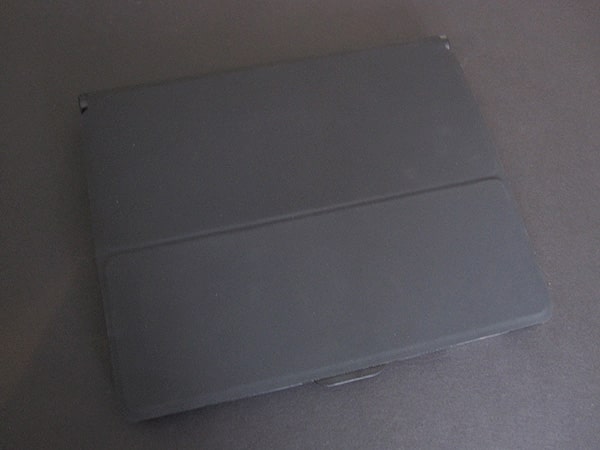
The iPad 2 snaps into a plastic frame that is partially attached to Writer’s rear cover. As the case’s back is completely flat, the buttons and ports are a bit recessed in the otherwise well-shaped holes, and they’re luckily all still accessible without much added difficulty. There’s also an opening along the edge that is used for pushing the tablet out of the frame. Adonit chose to incorporate magnets in the front cover, which keep the case shut and activate the iPad 2’s automatic locking feature. When closed, the whole thing does look a little bit strange because of the bump from the keyboard, but it’s thinner in places than some of its rivals.


To save space on the keyboard, Adonit repositioned some of the functions that would otherwise normally be located right away. The power switch is actually hidden on the underside of the keyboard, not labeled at all—not great unless you know what you’re looking for.
Similarly, the sync button is also in a different location than normal; it’s located on the edge of the battery compartment, similar to Apple’s Magic Trackpad and Wireless Keyboard. It also does double duty as a nice little ring-styled battery indicator, with green, yellow, and red LEDs indicating different levels of charge.

Unlike recent keyboards such as Targus’ Versavu Keyboard and Case and Belkin’s Keyboard Folio, Writer’s keys are very small and cramped together; there’s no space between them, and they’re dramatically reduced in size relative to a full-sized keyboard. If the layout looks familiar, that’s because it is very similar to that of Apple’s iPad Keyboard Dock. All the same iPad-specific function keys are present, and even the font is the same. Adonit added a function key and crammed the arrow keys and right shift keys closer together, but otherwise everything else is where you would expect it to be.


Writer’s single biggest positive is that the keys feel very good. They’re slightly textured and extremely responsive—we really liked the tactile feedback they provide. Regrettably, they’re just too small. Our hands felt very cramped while using it, and our typing was consequently less accurate than on other models.
Sentences we tried to type came out as completely unreadable messes unless we hunted and pecked in an unnatural manner. We appreciated that Adonit was attempting to maintain as slim a footprint as possible, but in this case, it was just too much. There was one oddity in our testing, as well: the virtual keyboard popped up and went away a few times in our testing when the keyboard wasn’t even being touched. Bluetooth interference? A weak wireless signal? We weren’t entirely sure.

Because both the keyboard and front cover have magnets built in, Writer provides you with a wide array of angles that can be used, depending on what angle you like the screen at. We also liked that the keyboard’s frame was made of metal; it feels gives the typing surface a very sturdy feel, akin to Apple’s own keyboards. Three raised bumpers prevent the keys from damaging the screen when the case is shut.

Apart from key size, the biggest obvious competitive omission in Writer is that it has no integrated rechargeable batteries, a feature found in all of its rivals, and instead requires three AAA cells that you have to supply yourself and then replenish as needed. This is a problem for the obvious reason that having to carry around spares or a charger is just plain inconvenient, but then, if you turn the keyboard on and off, you mightn’t need to do replacements all that often.











