
New Apps
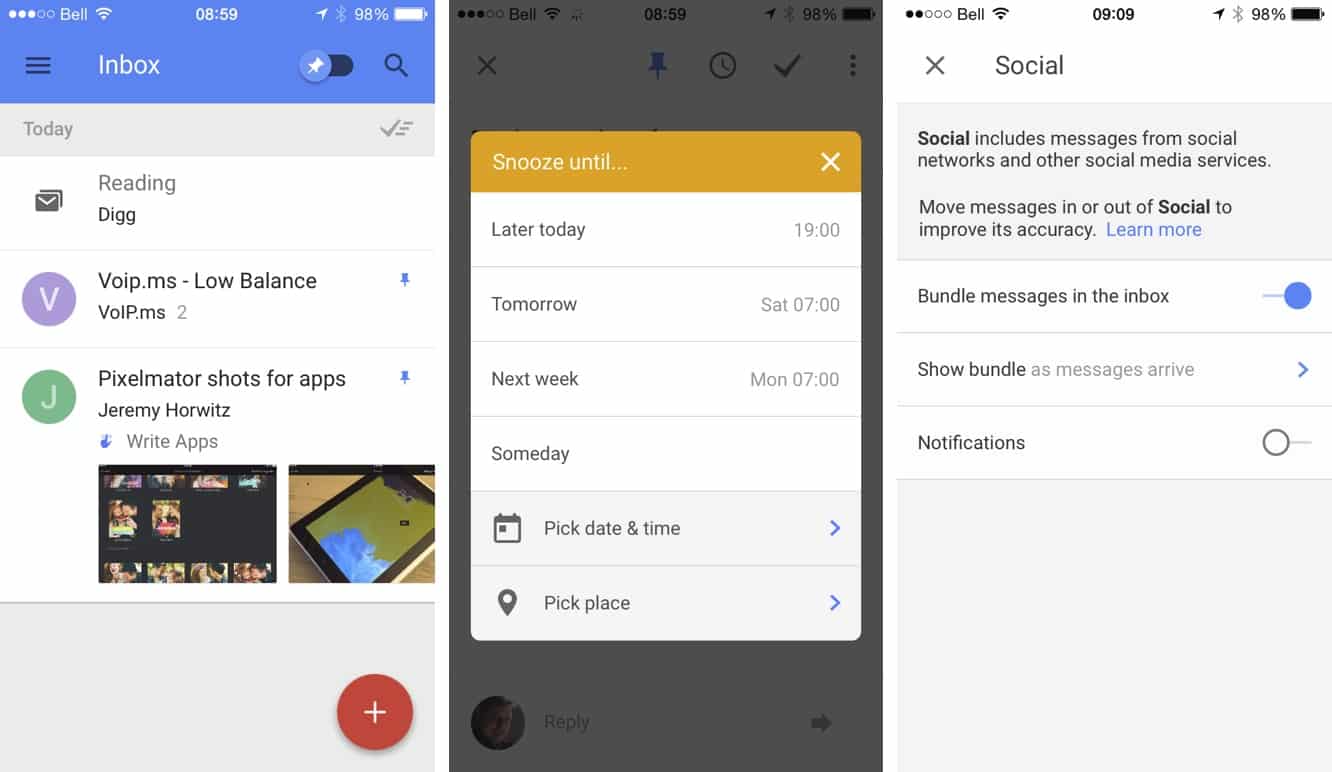
Inbox by Gmail (Free*) — A new app by Google has been getting a lot of buzz this week for its approach to reinventing the way that e-mail is managed. The key benefit here is Google using its algorithmic magic to try and group your incoming e-mails into bundles based on categories like Travel, Finance, Purchases, Social, and so forth to make it easier to manage your incoming flow. You can pin individual items to mark them as important, and then sweep the rest away into your archive or trash at the push of a button. Each bundle gets its own notification settings, and you can create your own and automatically file messages based on the usual search criteria. Inbox also borrows a page from Dropbox’s Mailbox app, allowing you to snooze individual items to return to your inbox later, but takes it a step further with location-based snoozes, so you can file away that e-mail about getting that TPS report done until you actually get back to work on Monday.
Right now the iOS version of Inbox is available for the iPhone only, and you’ll need a golden ticket in the form of an invite to play. However, Google employees have been given stacks of invites to hand out, and those who have been invited already should get more to share, so it should only be a matter of days before anybody who really wants access can get it. Google is no stranger to this game, of course, pioneering an arguably revolutionary new approach to e-mail when it first debuted Gmail ten years ago.
While only time will tell whether Inbox has the same impact, what Google has done here is definitely a very interesting approach to handling a decades-old technology.

Pixelmator ($5) — When Pixelmator debuted on the Mac a few years ago, it turned out to be a very popular choice for many users who might have otherwise defaulted to simply going with the considerably more expensive Photoshop, providing almost all of the functionality that most users really needed in an image editor in a seriously inexpensive package. The Pixelmator Team has now brought that same power to the iPad version in a $5 app that provides a plethora of image editing tools in a user-friendly app that feels right at home on iOS. Right out of the box, Pixelmator provides a nice collection of templates to get you started, and then takes you into an intuitive collection of tools for doing everything from adding effects to painting, color-correcting, retouching, and repairing.
As with its Mac counterpart, Pixelmator also provides full support for layer-based editing on the iPad, allowing you to select any part of an image and apply corrections or effects to it, or remove it entirely. You can also cut and paste objects between different images, and add non-destructive layer styles and change them any time. A huge collection of effects is also included to help you give your images that extra artistic punch, from vintage effects to bokeh lights. All of the typical image file formats are supported, including opening PSD files with layers intact.
Best of all, Pixelmator is built specifically to take advantage of the latest-generation iPads for high performance, and it integrates nicely into the iOS environment, providing full iCloud Drive support rather than trying to get you to use its own cloud service, syncing your work across your Macs and iPads.
New Games

NHL 2K ($8) — The popular hockey game returns this year, optimized for the latest Apple devices and adding a few new tricks. A Career mode allows you to take one player from rookie to NHL superstar by earning skill points to build up ratings over multiple seasons, or if you just want to jump right into the action, a mini-rink 3-on-3 mode provides fast-paced arcade-style play. Turn-based Game Center support has also been added for a new multiplayer penalty shootout mode, and the game includes live roster updates and iOS controller support.

Updates
Google Play Music (free*) — While we’re eager to see what Apple plans on doing with Beats Music, there’s no shortage of good third-party music subscription options worth considering in the meantime. Google’s cloud-based music player gets a nice iOS update, particularly for those users who subscribe to its All Access service. The update adds mood- and activity-based radio stations to the “Listen Now” section that provide quick access to a curated playlist for whatever you might be doing or feeling. The Now Playing queue has also been improved and now displays what source you are playing from for more intelligent queue management. The app is free, and the service includes the ability to upload up to 20,000 of your own tracks to Google’s cloud at no additional charge; the All Access unlimited subscription will run you $10/month, but has the nice advantage of allowing you to mix it in with your own collection.











