
iLoungeiLounge
  • News
    • Apple
      • AirPods Pro
      • AirPlay
      • Apps
        • Apple Music
      • iCloud
      • iTunes
      • HealthKit
      • HomeKit
      • HomePod
      • iOS 13
      • Apple Pay
      • Apple TV
      • Siri
    • Rumors
    • Humor
    • Technology
      • CES
    • Daily Deals
    • Articles
    • Web Stories
  • iPhone
    • iPhone Accessories
  • iPad
  • iPod
    • iPod Accessories
  • Apple Watch
    • Apple Watch Accessories
  • Mac
    • MacBook Air
    • MacBook Pro
  • Reviews
    • App Reviews
  • How-to
    • Ask iLounge
Font ResizerAa
iLoungeiLounge
Font ResizerAa
Search
  • News
    • Apple
    • Rumors
    • Humor
    • Technology
    • Daily Deals
    • Articles
    • Web Stories
  • iPhone
    • iPhone Accessories
  • iPad
  • iPod
    • iPod Accessories
  • Apple Watch
    • Apple Watch Accessories
  • Mac
    • MacBook Air
    • MacBook Pro
  • Reviews
    • App Reviews
  • How-to
    • Ask iLounge
Follow US

News › Apple

Apple

Apple’s new ‘Families’ page provides a unified collection of tips for parents

Last updated: May 16, 2021 11:37 am UTC
By Jesse Hollington
Apple’s new ‘Families’ page provides a unified collection of tips for parents

Apple has set up a new Families page on its website providing a one-stop collection of tips on all of the parental controls and other options that are available to support parents in helping their kids use their Apple devices safely and responsibly.
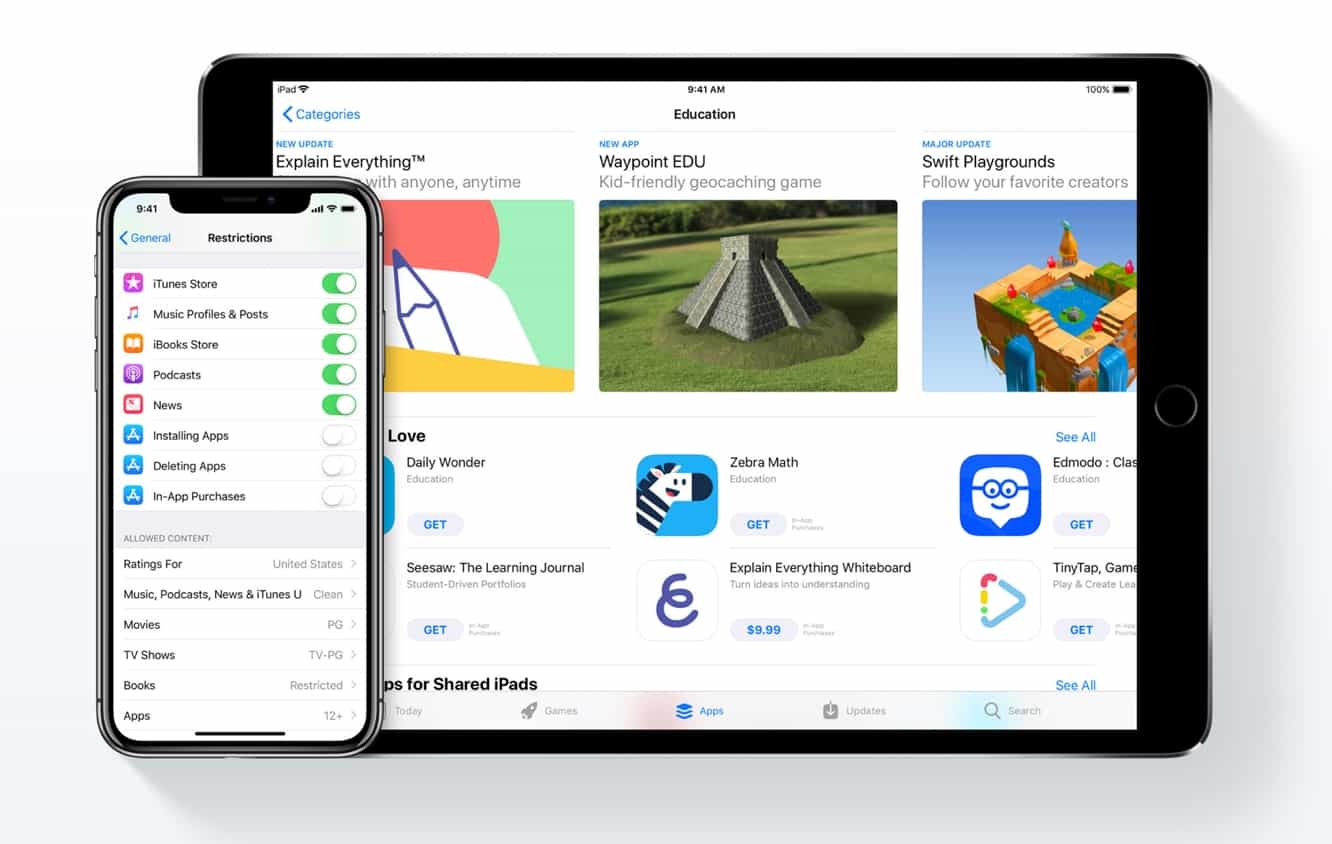

Apple’s new ‘Families’ page provides a unified collection of tips for parents

The new page appears following recent concerns from investors that the company hasn’t been doing enough to protect children from the negative effects of increased device use, and the new Families page emphasis the efforts Apple has put into designing its products with families in mind, noting that the company has “put a lot of thought into helping parents choose what their kids can do with their devices.”
The new page includes sections outlining the tools that are available to let parents know what their kids are doing, highlight the App Store’s carefully curated “Kids” section that highlights apps suitable for children and allows apps to be filtered or even restricted by age range, describes the “Ask to Buy” feature to ensure that only apps explicitly approved by parents can be installed, and ways to block in-app purchases and limit web site access and media content.

The page also includes tips on using Find My Friends, Find My iPhone, and iMessage group chats to keep track of where kids are, how to share media content with the entire family, and how to use health and safety features such as Do Not Disturb While Driving and Emergency SOS and Medical Info.



Latest News
The Apple Watch Series 11 42mm GPS is $100 Off
1 Min Read
Apple Launching A New Education Hub In India Teaching Robotics and Swift Programming
1 Min Read
Women’s and Men’s Golf Added to Apple Sports
1 Min Read
Apple Adding Civilization VII and Other Games To Apple Arcade
1 Min Read
AirPods 4 ANC Is $59 Off
1 Min Read
Apple Using 2NM Process For Their M6 and A20 Chip
1 Min Read
iPhone 18 Models Will Not Have a Big Redesign
1 Min Read
Launch of MacBook Pro M5 Pro and M5 Max Models is Approaching
1 Min Read
Get the iPad Mini 7 256GB Wi-Fi at $99 Off
1 Min Read
Mozilla Now Allows Turning AI Features Off
1 Min Read
Barcelona Passeig de Gràcia Apple Store Temporarily Closing
1 Min Read
Apple’s Plans to Enter the Smart Glasses Market is Changing the Industry
1 Min Read

iLounge logo

iLounge is an independent resource for all things iPod, iPhone, iPad, and beyond. iPod, iPhone, iPad, iTunes, Apple TV, and the Apple logo are trademarks of Apple Inc.

This website is not affiliated with Apple Inc.
iLounge © 2001 - 2025. All Rights Reserved.
  • Contact Us
  • Submit News
  • About Us
  • Forums
  • Privacy Policy
  • Terms Of Use
Welcome Back!

Sign in to your account

Lost your password?








