
iLoungeiLounge
  • News
    • Apple
      • AirPods Pro
      • AirPlay
      • Apps
        • Apple Music
      • iCloud
      • iTunes
      • HealthKit
      • HomeKit
      • HomePod
      • iOS 13
      • Apple Pay
      • Apple TV
      • Siri
    • Rumors
    • Humor
    • Technology
      • CES
    • Daily Deals
    • Articles
    • Web Stories
  • iPhone
    • iPhone Accessories
  • iPad
  • iPod
    • iPod Accessories
  • Apple Watch
    • Apple Watch Accessories
  • Mac
    • MacBook Air
    • MacBook Pro
  • Reviews
    • App Reviews
  • How-to
    • Ask iLounge
Font ResizerAa
iLoungeiLounge
Font ResizerAa
Search
  • News
    • Apple
    • Rumors
    • Humor
    • Technology
    • Daily Deals
    • Articles
    • Web Stories
  • iPhone
    • iPhone Accessories
  • iPad
  • iPod
    • iPod Accessories
  • Apple Watch
    • Apple Watch Accessories
  • Mac
    • MacBook Air
    • MacBook Pro
  • Reviews
    • App Reviews
  • How-to
    • Ask iLounge
Follow US

News › Apple

AppleiPhone

Apple issues iOS 9.2.1 patch to fix ‘Error 53’ problem

Last updated: May 16, 2021 2:49 pm UTC
By Jesse Hollington
Apple issues iOS 9.2.1 patch to fix ‘Error 53’ problem

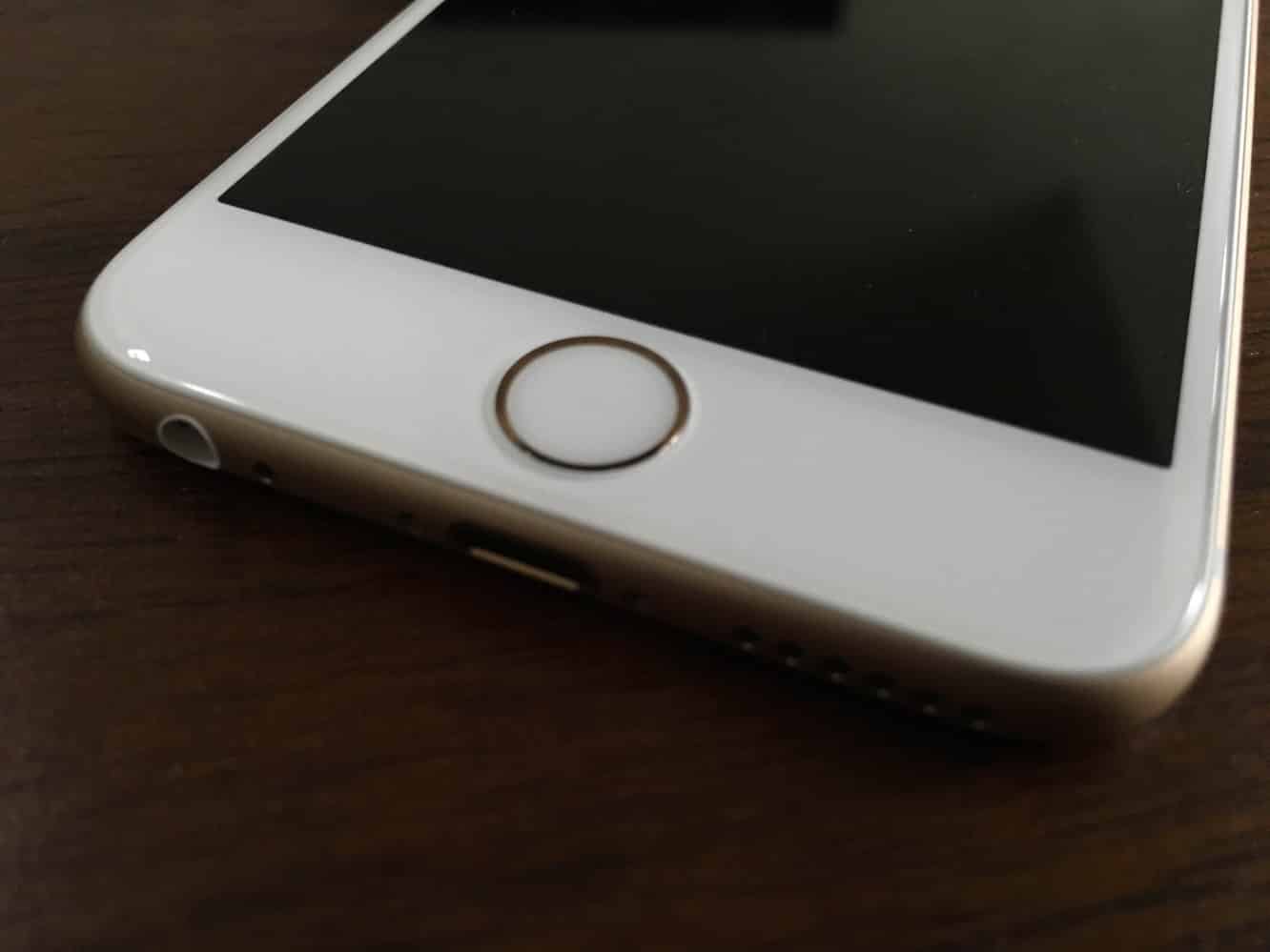
Following reports earlier this month that certain unauthorized repairs made to iPhones were causing device failures,  Apple has now issued an updated version of iOS — version 9.2.1 — that will restore any iPhones that have been “bricked” with this error message as well as preventing future iPhones from being disabled in the event of third-party repairs. Apple has also issued a support document detailing the error and the process to update or restore devices that are affected by the issue.

Apple issues iOS 9.2.1 patch to fix ‘Error 53’ problem

Earlier reports and comments from Apple suggested that the problem was related to Touch ID security, and the authentication process used between the Touch ID sensor and the secure enclave used to store sensitive information such as fingerprint and Apple Pay data. Improper repairs to the Touch ID sensor have, in the past, disabled all Touch ID and Apple Pay features on an affected device, but the recent “Error 53” issues are the first time that an iOS update has actually resulted in a device completely failing to operate.


Affected users will need to download and apply the update over a USB connection using iTunes in order to restore their iPhone functionality; the report notes that users who get their updates over-the-air from Apple should not have been affected by the issue in the first place. Although the iOS 9.2.1 update will not restore basic iPhone functionality, Touch ID will continue to be disabled, as it would have been prior to applying the problematic iOS update — users wishing to restore Touch ID will need to have their Touch ID home button replaced directly by Apple.


Apple also issued a statement to TechCrunch, clarifying the situation, apologizing for the inconvenience, and suggesting that customers who were required to pay for out-of-warranty replacements for their devices can contact AppleCare to be reimbursed.

Some customers’ devices are showing ‘Connect to iTunes’ after attempting an iOS update or a restore from iTunes on a Mac or PC.

This reports as an Error 53 in iTunes and appears when a device fails a security test. This test was designed to check whether Touch ID works properly before the device leaves the factory.

Today, Apple released a software update that allows customers who have encountered this error message to successfully restore their device using iTunes on a Mac or PC.

We apologize for any inconvenience, this was designed to be a factory test and was not intended to affect customers.



Latest News
The 14-inch MacBook Pro with M5 Chip 16GB RAM/512GB is $250 Off
1 Min Read
Noise and Static on AirPods Pro 3 Still Unfixed
1 Min Read
New iMac with 24-inch OLED Display May be Brighter With 600 Nits
1 Min Read
The 15-inch M4 MacBook Air 256GB Is $250 Off
1 Min Read
Internal Kernel Debug Kit from Apple Reveals Tests for a MacBook with A15 Chip
1 Min Read
Apple Currently In Talks With Suppliers for Chip Assembly & Packaging of iPhones in India
1 Min Read
Apple Allows Easier Battery Replacement For M5 MacBook Pro with 14-inch Display
1 Min Read
The Apple Watch SE 3 44mm GPS is $50 Off
1 Min Read
20th Anniversary iPhone May Launch in Two Years
1 Min Read
Better Image Generation Capabilities and Apple Music Integration Coming to ChatGPT
1 Min Read
A20 Pro Chip Coming to Next Gen iPad Mini OLED
1 Min Read
Amazon has the AirTag 4 Pack Marked $29 off
1 Min Read

iLounge logo

iLounge is an independent resource for all things iPod, iPhone, iPad, and beyond. iPod, iPhone, iPad, iTunes, Apple TV, and the Apple logo are trademarks of Apple Inc.

This website is not affiliated with Apple Inc.
iLounge © 2001 - 2025. All Rights Reserved.
  • Contact Us
  • Submit News
  • About Us
  • Forums
  • Privacy Policy
  • Terms Of Use
Welcome Back!

Sign in to your account

Lost your password?








