
iLoungeiLounge
  • News
    • Apple
      • AirPods Pro
      • AirPlay
      • Apps
        • Apple Music
      • iCloud
      • iTunes
      • HealthKit
      • HomeKit
      • HomePod
      • iOS 13
      • Apple Pay
      • Apple TV
      • Siri
    • Rumors
    • Humor
    • Technology
      • CES
    • Daily Deals
    • Articles
    • Web Stories
  • iPhone
    • iPhone Accessories
  • iPad
  • iPod
    • iPod Accessories
  • Apple Watch
    • Apple Watch Accessories
  • Mac
    • MacBook Air
    • MacBook Pro
  • Reviews
    • App Reviews
  • How-to
    • Ask iLounge
Font ResizerAa
iLoungeiLounge
Font ResizerAa
Search
  • News
    • Apple
    • Rumors
    • Humor
    • Technology
    • Daily Deals
    • Articles
    • Web Stories
  • iPhone
    • iPhone Accessories
  • iPad
  • iPod
    • iPod Accessories
  • Apple Watch
    • Apple Watch Accessories
  • Mac
    • MacBook Air
    • MacBook Pro
  • Reviews
    • App Reviews
  • How-to
    • Ask iLounge
Follow US

News › Apps

Apps

Pixelmator Team Pixelmator 3.5

Last updated: May 16, 2021 2:40 pm UTC
By Jesse Hollington
Pixelmator Team Pixelmator 3.5

Pixelmator Team’s Pixelmator ($30) has become a go-to app when it comes to editing photos — it’s significantly cheaper than the 800 lb. gorilla that is Photoshop, and delivers most of the functionality that the typical user would need. Further, Pixelmator Team keeps enhancing it, and version 3.5 adds smarter selection tools and deeper integration with the OS X Photos app.

Pixelmator Team Pixelmator 3.5

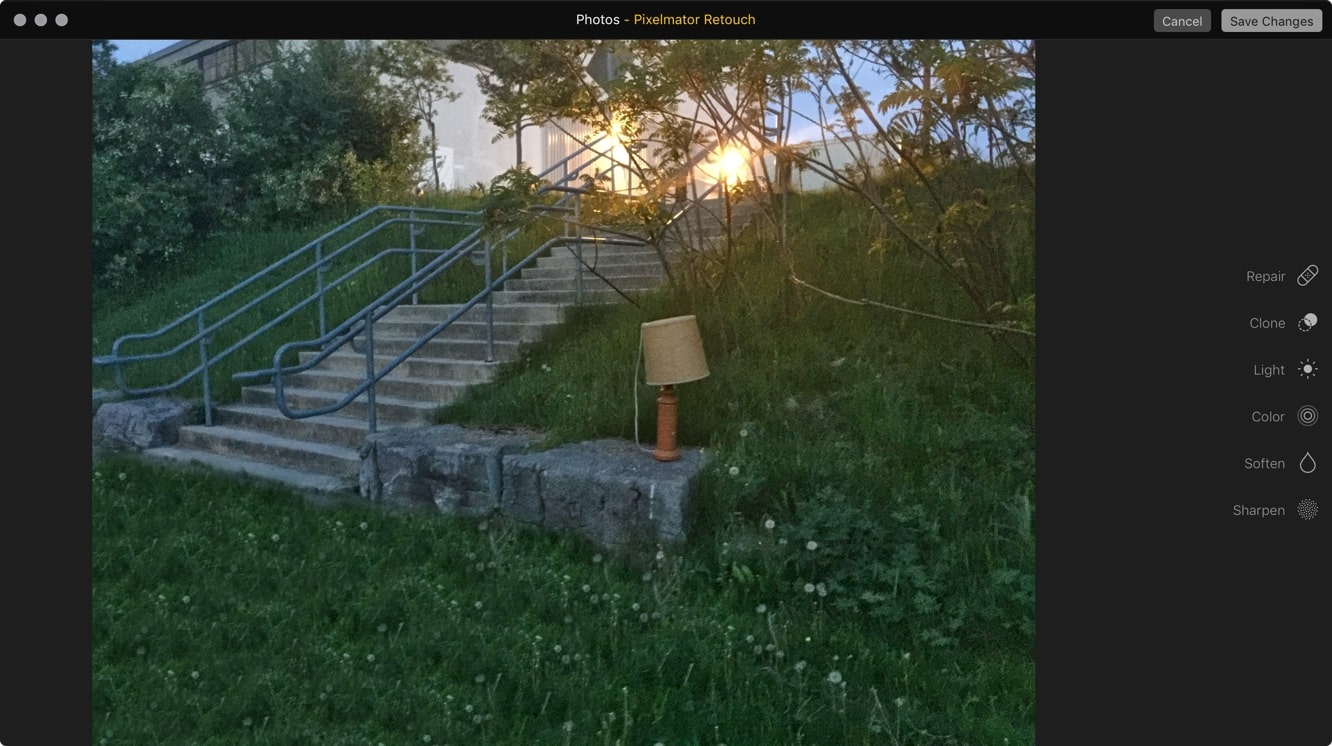
The Quick Selection Tool and Magnetic Selection Tool have both been improved to make it easier to make detailed and precise selections, and a new Retouch Extension for Photos lets you take advantage of seriously advanced retouching tools without having to leave the Photos app.

That’s not all, though: Pixelmator 3.5 has a whole list of other performance improvements, fully optimized for OS X El Capitan. The Stroke effect is much faster and smoother than ever before, as is the Refine Selection dialog.

Outlines with the Color Selection Tool, Paint Bucket Tool, and Magic Eraser Tool are also smoother and more precise for El Capitan users, and a long list of other small problems have been addressed with various tools to improve the overall experience. Yosemite and Mavericks users have also gotten some fixes and improvements, and the Pixelmator Distort Extension for the OS X Photos app has also been polished up and fixed.

.


Latest News
The 14-inch MacBook Pro with M5 Chip 16GB RAM/512GB is $250 Off
1 Min Read
Noise and Static on AirPods Pro 3 Still Unfixed
1 Min Read
New iMac with 24-inch OLED Display May be Brighter With 600 Nits
1 Min Read
The 15-inch M4 MacBook Air 256GB Is $250 Off
1 Min Read
Internal Kernel Debug Kit from Apple Reveals Tests for a MacBook with A15 Chip
1 Min Read
Apple Currently In Talks With Suppliers for Chip Assembly & Packaging of iPhones in India
1 Min Read
Apple Allows Easier Battery Replacement For M5 MacBook Pro with 14-inch Display
1 Min Read
The Apple Watch SE 3 44mm GPS is $50 Off
1 Min Read
20th Anniversary iPhone May Launch in Two Years
1 Min Read
Better Image Generation Capabilities and Apple Music Integration Coming to ChatGPT
1 Min Read
A20 Pro Chip Coming to Next Gen iPad Mini OLED
1 Min Read
Amazon has the AirTag 4 Pack Marked $29 off
1 Min Read

iLounge logo

iLounge is an independent resource for all things iPod, iPhone, iPad, and beyond. iPod, iPhone, iPad, iTunes, Apple TV, and the Apple logo are trademarks of Apple Inc.

This website is not affiliated with Apple Inc.
iLounge © 2001 - 2025. All Rights Reserved.
  • Contact Us
  • Submit News
  • About Us
  • Forums
  • Privacy Policy
  • Terms Of Use
Welcome Back!

Sign in to your account

Lost your password?









