
iLoungeiLounge
  • News
    • Apple
      • AirPods Pro
      • AirPlay
      • Apps
        • Apple Music
      • iCloud
      • iTunes
      • HealthKit
      • HomeKit
      • HomePod
      • iOS 13
      • Apple Pay
      • Apple TV
      • Siri
    • Rumors
    • Humor
    • Technology
      • CES
    • Daily Deals
    • Articles
    • Web Stories
  • iPhone
    • iPhone Accessories
  • iPad
  • iPod
    • iPod Accessories
  • Apple Watch
    • Apple Watch Accessories
  • Mac
    • MacBook Air
    • MacBook Pro
  • Reviews
    • App Reviews
  • How-to
    • Ask iLounge
Font ResizerAa
iLoungeiLounge
Font ResizerAa
Search
  • News
    • Apple
    • Rumors
    • Humor
    • Technology
    • Daily Deals
    • Articles
    • Web Stories
  • iPhone
    • iPhone Accessories
  • iPad
  • iPod
    • iPod Accessories
  • Apple Watch
    • Apple Watch Accessories
  • Mac
    • MacBook Air
    • MacBook Pro
  • Reviews
    • App Reviews
  • How-to
    • Ask iLounge
Follow US

News › Apps

Apps

Adobe Photoshop Lightroom Migration From Aperture Guide

Last updated: May 14, 2021 4:51 pm UTC
By Jeremy Horwitz
Adobe Photoshop Lightroom Migration From Aperture Guide

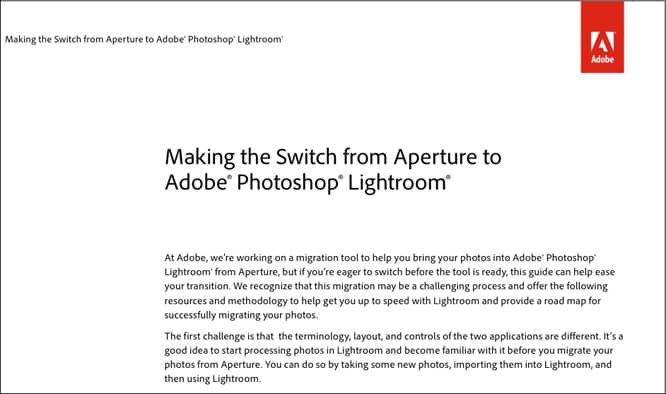
Apple’s abrupt discontinuation of the photo editing and library management tool Aperture—software designed to hold hundreds of thousands of photos—left many professional users without many options, other than to convert their photo libraries to competing apps. As the chief beneficiary of Aperture’s impending demise, Adobe has released a migration guide from Aperture to Adobe Photoshop Lightroom, walking through a manual export of photos from Aperture, then importation into Lightroom.

Adobe Photoshop Lightroom Migration From Aperture Guide

An automated migration tool is currently being worked on, as well, so you can skip the guide if you’d rather wait for Adobe to release the app.

If the idea of switching from Aperture to Lightroom wasn’t jarring enough, just wait until you read the part of the Adobe guide that explains how already-applied Aperture photo adjustments can’t be read by Lightroom; the workaround is to “export adjusted versions as high-quality 16 bit .tiff files,” then organize the original and adjusted photos to appear next to each other.

Expect your exported photo library to swell in size as a result. You’ll also have to manually apply some keywords to images, because Lightroom can’t read Aperture’s color labels, flags, or custom metadata fields.



Latest News
The 14-inch MacBook Pro with M5 Chip 16GB RAM/512GB is $250 Off
1 Min Read
Noise and Static on AirPods Pro 3 Still Unfixed
1 Min Read
New iMac with 24-inch OLED Display May be Brighter With 600 Nits
1 Min Read
The 15-inch M4 MacBook Air 256GB Is $250 Off
1 Min Read
Internal Kernel Debug Kit from Apple Reveals Tests for a MacBook with A15 Chip
1 Min Read
Apple Currently In Talks With Suppliers for Chip Assembly & Packaging of iPhones in India
1 Min Read
Apple Allows Easier Battery Replacement For M5 MacBook Pro with 14-inch Display
1 Min Read
The Apple Watch SE 3 44mm GPS is $50 Off
1 Min Read
20th Anniversary iPhone May Launch in Two Years
1 Min Read
Better Image Generation Capabilities and Apple Music Integration Coming to ChatGPT
1 Min Read
A20 Pro Chip Coming to Next Gen iPad Mini OLED
1 Min Read
Amazon has the AirTag 4 Pack Marked $29 off
1 Min Read

iLounge logo

iLounge is an independent resource for all things iPod, iPhone, iPad, and beyond. iPod, iPhone, iPad, iTunes, Apple TV, and the Apple logo are trademarks of Apple Inc.

This website is not affiliated with Apple Inc.
iLounge © 2001 - 2025. All Rights Reserved.
  • Contact Us
  • Submit News
  • About Us
  • Forums
  • Privacy Policy
  • Terms Of Use
Welcome Back!

Sign in to your account

Lost your password?








