
The iPod touch has arrived, and as always, we immediately started to put it through its paces. In advance of our comprehensive review, we wanted to help early potential buyers get some quick important facts on how it performs and compares with other iPods, and the iPhone.

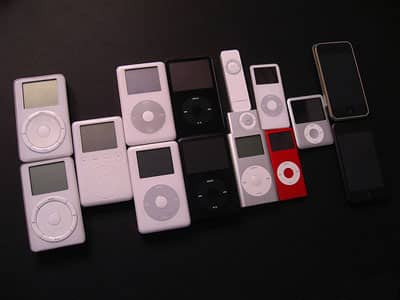
(10) Screen Differences: Though it shares the same resolution and size, the screen isn’t exactly the same as iPhone’s. The screen’s contrast initially seems a bit better, with darker blacks, but it’s easier to make blacks go negative on the wrong viewing angle—more so than on recent hard disk-based iPods, too. Like iPhone, iPod touch still has a brightness sensor with automatic adjustment as an option; there still aren’t contrast or color controls.

Top, Bottom: iPod touch, iPhone screens; iPhone looks better when viewed off-angle, as shown here
(9) Control Differences: iPod touch’s home button is a little smaller than the iPhone’s. As reported earlier today, double-clicking it brings up a music control menu that looks a little different on iPod touch’s home screen, where it blends into the time and date bar, than it does elsewhere, where it floats as a window. This feature is supposed to act as a substitute for iPod touch’s lack of side volume control buttons, which made automatic level adjustments easy without having to dig through menus.

(8) Synchronization: iTunes synchronization is iPod-style, not iPhone style. You can still activate manual management of songs, videos, and TV shows rather than being forced to synchronize playlists a la iPhone. We noticed that transfers are on the very slow side relative to the iPod classic and nano.

(7) No Disk Mode: Disk Mode is gone. Consequently, you won’t be able store data files on the iPod touch without third-party software. Mac users also don’t have to wait for the iPod touch to be reformatted as a Mac-ready disk, like the iPod classic.

(6) Sound Quality: We’ll have more to say on this soon, but the iPod touch is more like the iPhone than the iPod classic, with a higher level of background hiss than the classic.

(5) Better Accessory Compatibility, Save Video: The remaining combination car charging and audio kits that were hassled by the iPhone work properly with iPod touch. We really hope that the same support is added to the iPhone, as it really detracts from that device. However, video docks fare no better here than with the iPod classic and new iPod nano: there’s not even a TV-out setting to resist toggling. And the iPod Radio Remote does not work with the iPod touch. It comes up as an unsupported accessory, just as it does with the iPhone.
(4) Applications, with Tweaks: iPod touch ships with software version 1.1, which is obviously subject to change over time. As shown in our videos, iPod touch’s first slate of applications look almost exactly like iPhone’s, minus e-mail links, the occasional absence of editing buttons, and tiny changes.
For instance, the Clocks application has a number of new alarm tones that, unlike the iPhone, aren’t based on ringtones. Checkmate, Jump, Time Passing, Time’s Up, and Up Down are all simple beeps passed through the headphone port and tiny built-in clicker speaker, and it would be generous to call them anything but annoying. The odd Safari Developer option we discovered at the Apple Special Event is still in the iPod touch menus, too. There are no other surprises we could find in the Settings.
(3) iTunes Wi-Fi: The iTunes Wi-Fi Music Store seems to be working pretty well right out of the gate. Though page loading responsiveness isn’t what it should be, previewing and buying clips is as simple as can be, and the iPod touch automatically grabs your iTunes Store account data from your computer for purchases. Hope you’re not prone to losing your iPods (or having them stolen).

(2) Battery: With Wi-Fi entirely off, our first battery test of iPod touch suggests that its video run time is not going to touch the iPod classic’s. After four hours of pure (not multi-tasking) video playback with our test iTunes Store videos—the same ones, and under the same conditions that saw 6 hour, 46 minute run times on the 80GB iPod classic and 9 hour, 28 minute times on the 160GB model—the iPod touch put up its “10% battery capacity remaining” warning window. After 4 and a half hours, it died, underperforming Apple’s 5 hour promised run time. More on this, soon.











