
Q: My wife and I each have iPhones and I’m worried about losing information on one or the other when I enable iCloud. How does the syncing work? For example, if we have the same names in our contacts list, but the information is different (mine is not as complete, for example), then is there a chance that information will be lost when they are synced? Or, is it strictly an additive type sync?
– David
A: Firstly, just to be clear if you’re using two completely separate Apple IDs and iCloud accounts then there would not be any risk of information being lost when enabling iCloud synchronization since each iPhone would only synchronize to its own account. This is generally the standard way of configuring iCloud on devices for different users, although there are advantages to using a common iCloud account for some features, such as sharing a common Photo Stream or a common address book. However, you can actually configure more than one iCloud account on a single device, allowing you to share a single iCloud account for some information while keeping other information separate. See Sharing iTunes & iCloud Accounts in a Family for more details on how this works.
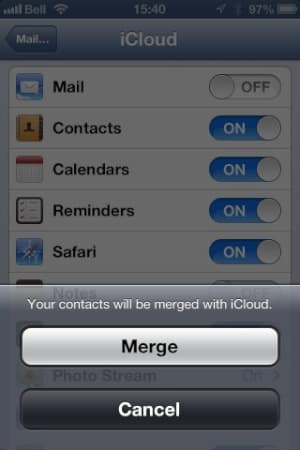
When enabling an iCloud account that already has Calendar or Contact information stored in it on a device that also has Calendar or Contact information stored locally, the local information is merged with the information in iCloud. Any items that exist only on the iPhone are added to iCloud and synchronized from there, and in situations where an item exists in both places, iCloud does the best it can to merge the two records.
For Contacts, this is usually pretty straightforward as multiple fields are available for things like street address, phone number and e-mail address so a given record can easily aggregate such information from both sides. For single-value fields, however, such as title and notes, the iCloud sync process will try to pick the most recent version. Reminders and Safari Bookmarks work in a similar manner as well.
Note that once iCloud has been enabled for Contacts, Calendars, or Reminders you will no longer have a local, on-device-only section for this information; iCloud effectively becomes your core Contact, Calendar or Reminders. However, you can configure more than one iCloud account and enable Contacts, Calendars and/or Reminders for both. In this case, iOS keeps the information for each account organized separately—it will not merge the data from separate iCloud accounts.
Keep in mind that merging only occurs for Contacts, Calendars, Reminders and Safari Bookmarks. Other types of iCloud information are handled differently.
Mail and Notes will neither merge nor overwrite information already on the device—your existing mail accounts will be left as-is and any notes on your device or being synced from other mail accounts will be left under their own accounts.
A Photo Stream will not exist on your device until it has been enabled in your iCloud settings, and it can only be enabled on the primary iCloud account. Turning on Photo Stream simply downloads whatever content is already in the cloud, and any new photos taken after that on any device will be uploaded to the single, common Photo Stream. Note that photos already on your device are not added to Photo Stream when you first enable it—only those photos taken after Photo Stream has been enabled.
iCloud Backups are always maintained separately for each device regardless of which iCloud account they are configured for. Like Photo Stream, only the primary iCloud account can be used for backups.
The iCloud Documents and Data feature presents a special case that you will especially want to watch out for, as this becomes largely dependent on how individual applications handle the storage and merging of data.











