
Q: With MobileMe Galleries going away very soon, I’m wondering if there is any way to use iCloud to actually share photos on the web with other people? The MobileMe Gallery service was my main way of sharing pictures with my friends and family as it was easy to get photos up there from my Mac or iPhone and really easy for them to use. I can’t seem to find any way to do the same thing with iCloud. I know I can share my Photo Stream to an Apple TV or iPad, but how do I view it on the web or send a link out to my friends? It’s stupid to force all of my friends to buy Macs or iPads just so they can see my pictures. Has Apple actually removed the ability to share my photos? If so, is there another way I can do this with iCloud or am I going to need to sign up for some other service? I’d be happy just to share my Photo Stream as it’s usually only the most recent pictures I’m sending out to my friends anyway, but it’s frustrating that Apple wants to make all of my friends and family buy new hardware just so they can look at my photos.
– Dominic
A: Unfortunately, iCloud’s photo-related features are not really designed for sharing at all, but merely for personal use between your own devices. There is no way to share a Photo Stream between different iCloud accounts, so even if all of your friends and family had Macs or iOS devices the only way to share your Photo Stream with them would be to give them your own personal iCloud Apple ID and password. While there are ways to make this work for close family members, it’s probably not something you would want to share with a larger group of friends and family.
At this point, there is no web interface at all for Photo Stream, since it’s designed primarily for personal use and doesn’t even support long-term storage of photos.
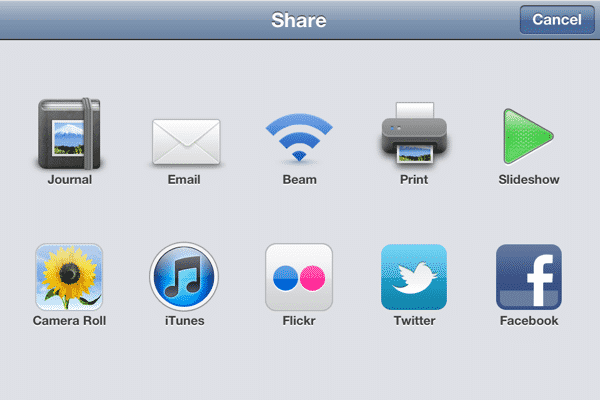
From your Mac using iPhoto or Aperture you can manually publish items from your Photo Stream to another service such as Flickr or Facebook, which works in much the same way in these apps as publishing photos to MobileMe. You can also do this from an iOS device; although the native Photos app doesn’t include publishing to anything other than MobileMe at this point, Apple’s $5 iPhoto app for iOS does include the ability to publish to these services, and more.
In fact, the iPhoto app on iOS also includes a feature known as “Journals” which will allow you to publish photos directly from your iOS device to a journal that can be stored on iCloud and shared by e-mailing or posting a link to the journal page that can be opened from any modern web browser. Long, obscure links are used for privacy, meaning that only those that you actually share the link with will be able to see your photo journals.

You can also choose to include your journals on an automatically generated home page. An obscure URL is also used for the home page in order to keep it private, however sharing this link with friends and family can be an easy way to give them access to all of your shared photo journals from a single point of access instead of having to send out individual links to each journal.

Once you’ve created a journal in iPhoto on iOS you can continue to add photos to it and reorganize the individual photo and page layouts from within the iPhoto app with these changes automatically uploaded to the web-based journal. These journals provide a partial replacement for the MobileMe Gallery, although the main limitation at this point is that you can only create and modify them from the iOS iPhoto app.
It’s also worth noting that while the journals do sync across multiple iOS devices that share the same iCloud account, you can only modify or add photos to a journal on the device that it was originally created on—it can only be viewed on the other devices.
As an alternative, if you’re simply looking for a way to quickly and automatically share your Photo Stream on the web, it’s possible—and relatively simple—to roll your own solution for this, although it requires that your computer be on in order to transfer the photos from the Photo Stream to another online web service.
One very simple way to do this is to use a free third-party utility, PhotoStream2Folder, to transfer your Photo Stream to a folder on your computer and then use Dropbox to publish those photos as a web gallery.
Normally, Mac users must use either iPhoto or Aperture to download photos from the iCloud Photo Stream to their computer, however in reality the iCloud components in OS X 10.7 actually download your photos into a library folder and iPhoto/Aperture simply pick up your photos from there rather than interacting with iCloud directly. This background Photo Stream download occurs regardless of whether iPhoto or Aperture are running or not (although one of them does need to be installed on your Mac), so it’s a relatively straightforward task for a third-party tool such as PhotoStream2Folder to simply fish out these photos and copy them to a user-specified location.

The free Dropbox file synchronization service includes a useful, albeit basic photo gallery service that works by simply making any photos stored under the default Dropbox/Photos folder available as galleries in the Dropbox web interface.

Private links are used for each gallery which can be obtained by right-clicking on one of the photo folders in your Dropbox and choosing Copy Public Gallery Link from the Dropbox sub-menu on the context menu. This copies the public folder link onto your clipboard, which you can then share simply by pasting it into an e-mail message or social media post.











