
Q: I came across an article you wrote in September, entitled “Transferring your iTunes Library” and I was wondering if you could help me. I have an interesting scenario and, upon visiting my local Apple store today, discovered that it may be a challenge to do what I had planned. I want to buy an iPad, install some iPad Apps on it and then send it as a surprise to my sister on the opposite side of the country. While I’m technically inclined and use a PC, I’ve never actually used iTunes (I know – shocking). My sister already has an iTunes account and has her iTunes Library on her home computer. What I discovered today is that if I buy an iPad, the first thing it will do when I turn it on is request that I connect it to a computer – thereby making my computer the location for the iPad’s iTunes Library. Of course the problem is that my sister’s iTunes Library is on her computer and the iTunes Library for the new iPad will be on my computer. How can I merge the two iTunes libraries onto her local system? I can ask my sister for her iTunes store login without giving away the surprise, so I’m confident I’ll be able to install iTunes on my computer and just login to her iTunes Store account and buy the Apps on it – thereby assuring that the Apps are associated with her and not me. My sister is -not- technically inclined, but if I give her clear, non-intimidating instructions (along with her surprise iPad), she’ll work it out.
Any help for resolving this would be extremely appreciated.
– Mark
A: If you’re only planning on storing purchased content on the iPad, such as applications, this actually isn’t as big of a problem as it may seem.
The key is that you will need to purchase the applications using an iTunes Store account that can be set up on the other computer. This can either be her iTunes Store account, your iTunes Store account, or an entirely new account that you set up for this purpose.
Obviously, purchasing the apps with your sister’s account may not be the ideal way to go, since you would either be spending her money, or you would need to add credit to her account. In either case, you would likely tip her off to the surprise since any receipts or notifications would end up going to her e-mail address. Fortunately, since you can store content on an iPad from up to five different iTunes Store accounts, it’s not a big problem to use a different account that you set up expressly for this purpose, or simply purchase them with your own account, if you have one.
In this case, what you will need to do is to provide your sister with the user ID and password for this account once you’ve given her the iPad.
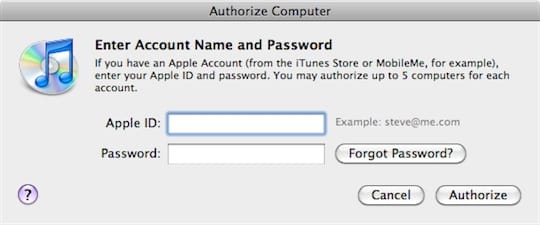
Before she connects the iPad to her own computer for the first time she will need to authorize her computer for the iTunes Store account that was used to purchase these applications. She can do this by going to the Store menu in iTunes and selecting Authorize Computer. A dialog box will come up asking her to enter the iTunes Store user name and password for the account that she would like to authorize.

Once she’s done this she can simply connect the iPad and should be presented with a dialog box from iTunes similar to the following:

The key here is the “Transfer Purchases” option—selecting it will transfer back all content on the iPad that the current iTunes library is authorized for, which will of course include any applications that were purchased by you with the secondary account that she just authorized. The same applies to any music or video content purchased from the iTunes Store.
Once all of the content has been copied back to her computer, she can then use the “Erase and Sync” option to replace all of the content on the iPad with content from her own computer. Contrary to what the option suggests, “Erase and Sync” actually just removes anything from the iPad that is not in the current iTunes library, and adds anything new from the iTunes library that is not already on the iPad. Content that is still the same in both places remains untouched.











