
iLoungeiLounge
  • News
    • Apple
      • AirPods Pro
      • AirPlay
      • Apps
        • Apple Music
      • iCloud
      • iTunes
      • HealthKit
      • HomeKit
      • HomePod
      • iOS 13
      • Apple Pay
      • Apple TV
      • Siri
    • Rumors
    • Humor
    • Technology
      • CES
    • Daily Deals
    • Articles
    • Web Stories
  • iPhone
    • iPhone Accessories
  • iPad
  • iPod
    • iPod Accessories
  • Apple Watch
    • Apple Watch Accessories
  • Mac
    • MacBook Air
    • MacBook Pro
  • Reviews
    • App Reviews
  • How-to
    • Ask iLounge
Font ResizerAa
iLoungeiLounge
Font ResizerAa
Search
  • News
    • Apple
    • Rumors
    • Humor
    • Technology
    • Daily Deals
    • Articles
    • Web Stories
  • iPhone
    • iPhone Accessories
  • iPad
  • iPod
    • iPod Accessories
  • Apple Watch
    • Apple Watch Accessories
  • Mac
    • MacBook Air
    • MacBook Pro
  • Reviews
    • App Reviews
  • How-to
    • Ask iLounge
Follow US

How-to › Ask iLounge

Ask iLoungeiTunes

Recovering lost iPod serial number

Last updated: May 16, 2021 5:01 pm UTC
By Jesse Hollington
Recovering lost iPod serial number

Q: My iPod was stolen and the person I know has it denies it’s mine. I want to prove it is mine by matching the serial number but how can I get my iPod serial number off my computer or from iTunes without plugging in my iPod?


– Monica
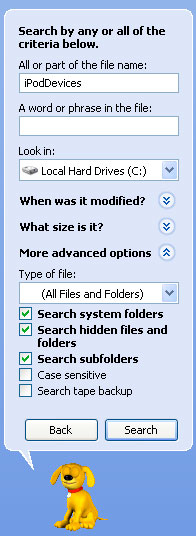
Recovering lost iPod serial number

A: The good news is that iTunes does store your iPod’s serial number within its configuration files. While this information is not particularly easy to find, it is certainly possible.

If you’re using a Mac, the fastest way to do this is to open the Mac “Terminal” application and type in the following command and press ENTER:

defaults read com.apple.iPod | grep Serial

Note that iTunes keeps track of every iPod you’ve ever connected to this computer, so if you have used more than one iPod with this iTunes library, they will all be listed in these results. If you see more than one serial number listed, you may have to go through the preferences in more detail to determine which iPod serial number you’re looking for. In this case, you can issue the following command in Terminal to display the entire contents of the preferences file, one screen at a time:

defaults read com.apple.iPod | more

This will provide a detailed block of information for each iPod you’ve had connected to your computer, similar to the following:

. .   000A27001BEB2E03 . . .  {
. . . . Connected = 2009-05-14 23:58:17 -0400;
. . . .

"Device Class" = iPod; . . . . "Family ID" = 15; . . . . "Firmware Version" = 318; . . . . "Firmware Version String" = "1.0.3"; . . . . "Games Platform ID" = 4; . .

. . "Games Platform Version" = 1; . . . . ID = XXXXXXXXXXXXXXXX; . . . . Language = "en-US"; . . . . "Serial Number" = XXXXXXXXXXX; . . . .


Latest News
The Apple Watch Series 11 42mm GPS is $100 Off
1 Min Read
Apple Launching A New Education Hub In India Teaching Robotics and Swift Programming
1 Min Read
Women’s and Men’s Golf Added to Apple Sports
1 Min Read
Apple Adding Civilization VII and Other Games To Apple Arcade
1 Min Read
AirPods 4 ANC Is $59 Off
1 Min Read
Apple Using 2NM Process For Their M6 and A20 Chip
1 Min Read
iPhone 18 Models Will Not Have a Big Redesign
1 Min Read
Launch of MacBook Pro M5 Pro and M5 Max Models is Approaching
1 Min Read
Get the iPad Mini 7 256GB Wi-Fi at $99 Off
1 Min Read
Mozilla Now Allows Turning AI Features Off
1 Min Read
Barcelona Passeig de Gràcia Apple Store Temporarily Closing
1 Min Read
Apple’s Plans to Enter the Smart Glasses Market is Changing the Industry
1 Min Read

iLounge logo

iLounge is an independent resource for all things iPod, iPhone, iPad, and beyond. iPod, iPhone, iPad, iTunes, Apple TV, and the Apple logo are trademarks of Apple Inc.

This website is not affiliated with Apple Inc.
iLounge © 2001 - 2025. All Rights Reserved.
  • Contact Us
  • Submit News
  • About Us
  • Forums
  • Privacy Policy
  • Terms Of Use
Welcome Back!

Sign in to your account

Lost your password?










