
Having previously reviewed quite a few Internet Radio and On-Demand Radio applications for the iPhone and iPod touch, we’re using today’s iPhone Gems to spotlight two more recent releases: Slacker Radio and ooTunes.
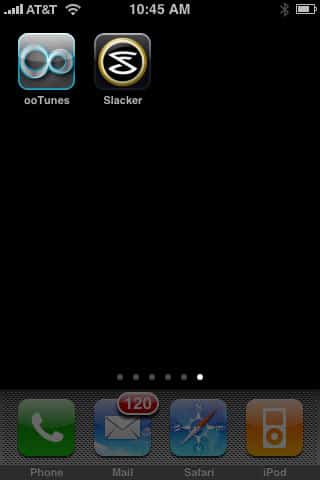
If you’re in the United States and have been using Pandora, Last.fm or another program to find music to hear in your car or at home, Slacker Radio is a must-try, free alternative with a great interface and strong search results. By comparison, ooTunes turns the iPhone or iPod touch into a global radio, tapping into nearly 8000 stations from around the world, including many local and national stations for major and minor cities. Read on for the details.

We’ve previously reviewed and loved Pandora and Last.fm for the iPhone and iPod touch; now they have a similarly impressive rival. Slacker Radio (Free) by Slacker is, in essence, on-demand radio in app form: it starts by playing the specific content you searched for, then takes you on a path of related “music discovery.”

The first part is critically important to Slacker’s appeal. Thanks to a massive collection of music and comedy programming, you can boot Slacker Radio up, enter the name of a song that you want to hear, and have a pretty good chance of hearing it—the right version—right away; the same thing works with artists of your choice. Contrast this with Pandora, which does a good job if you search for an artist, but may or may not hit the specific song you want to hear, or even start by playing the artist whose song you were searching for. Slacker makes you feel like an archer whose arrow goes through the bullseye of one target and keeps cruising down a similar trajectory, while Pandora’s arrow takes its own path, but hits your targets pretty close to dead center. You can also use Slacker as a more generic radio, playing genre-specific “stations” and digging into narrow categories—“smooth jazz (non-vocal)” versus “smooth jazz,” as just one example.
Audio plays back over cellular or Wi-Fi networks, and sounded great in our testing, without any skips or interruptions.

As nice as Pandora’s and Last.fm’s interfaces are, Slacker has come up with something that’s even nicer: a UI that doesn’t just duplicate Apple’s, but rather has its own, attractive multi-pane design, placing track details below album art, while your current “station” information and a button to access the station list are above the art. A simple four-button pane at the bottom of the screen offers play/pause, up to six track skips, a heart button to indicate a favorite track, and a “ban track/artist” button. Double-tapping on the album art adds a volume slider, a button to let you stop the device from going to sleep, and a scaling image of the next album in the song queue, which can be swiped as an alternative to the next track button. It’s very slick—the visual next album preview feature is actually something Apple should include in iPod playback mode. There are, of course, artist and album details, a Buy in iTunes button for songs, and the ability to both save and fine-tune stations you like.

So Slacker looks great, sounds great, and works well; what’s the catch? Well, there are a few. First, like the most recent version of Pandora, the app is ad-supported; Pandora now overlaps text or graphic ads on the screen, while Slacker now inserts an audio and album art ad after every cluster of songs. In addition to being unskippable in the free app, the ads occasionally interrupted Slacker’s audio stream for channels we were listening to, forcing us to hit play to restart playback—a bug. If you want to lose the ads, gain unlimited track skips, and get access to song lyrics, Slacker offers a $4/month service called Radio Plus that expands the program’s functionality.
Finally, Slacker is a U.S.-only application for now, which means that the millions of overseas iPhone and iPod touch users won’t have access to it, a shame given how well it’s designed. As a free application, even with its limitations, this is a highly recommendable application for fans of music and comedy; we’ll keep it on our own devices, for certain. iLounge Rating: A-.

By comparison with Slacker, ooTunes Radio 2.0 ($4) from Oogli takes a very different tack: it is a more traditional aggregator and sorter of third-party Internet Radio streams, providing what might be called a network-savvy interface once you’ve tuned in a station. It provides you with access to nearly 8000 different channels, sortable by genre, country, or U.S. city, then looks up album art, artist, and song details for whatever’s playing. If it succeeds in finding those details, it then tries to provide lyrics, cross-reference a list of similar tracks using Last.FM, and offer you multiple options for purchasing the song or a full album containing it—in digital download or CD form from Amazon, iTunes, eMusic, CDUniverse, Half.com, and Secondspin. Additionally, if you’re willing to buy a $20 program called the ooTunes Media Server for your Mac, PC, or Linux machine, ooTunes can stream your iTunes and other media libraries directly from your computer to your device while you’re on the go—a feature that some users may find worth the $24 total price of admission.

While all of these features are nice, as is the fact that the basic ooTunes app provides wide access to city-level local radio stations and national stations from all around the world, the app is hobbled by the quality of the audio and photos it uses. Most of the stations appear to be streaming at a scratchy 32 or 64kbps, well below the “near CD quality” sound people are accustomed to hearing, though there are some 128kbps stations in the collection. Add to that the stations’ heavy advertising content, which admittedly Oogli doesn’t profit from in any way, and it’s hard not to feel as if you’re paying for the app, then paying again with your time as you listen.











