
Instant messaging should be free for iPhone and iPod touch users. Period. Exclamation point. From iChat to AOL Instant Messenger and numerous other popular products, Mac and PC users have no need to pay for IM apps, and the core feature—text-based messaging—is a very modest use of both Apple’s pocket devices and the wireless networks they depend on. Unlimited data plans shouldn’t require users to buy special apps to enjoy their simplest benefits.
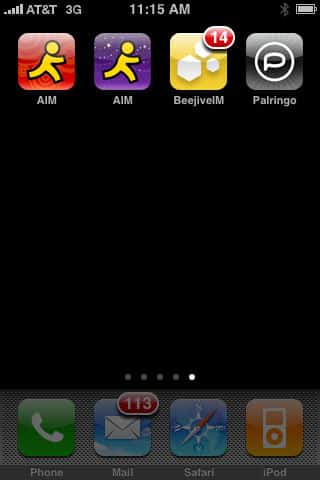
But in the absence of an Apple-developed iChat app for iPhone and iPod touch, third-party instant messaging apps have popped up to fill the gap. We reviewed a number of them last year, and are updating a few of our reviews today to cover recent developments: the free AOL Instant Messenger application AIM has just split into AIM (Free Edition) and AIM ($3), the former now ad-supported and the latter without ads, while leading multimedia IM app Palringo Instant Messenger (Free) has been updated to version 1.2.5, and BeejiveIM ($16) is now at version 2.0.1; at the time of this review, it’s on temporary sale for $10. Each app has reasons that some users will prefer it, but one app stands out from the others on pricing and features.
Versions 2.0.1.35 of AIM (Free Edition) and AIM from AOL are, essentially, the same program with the same basic features we noted in our original AIM review. They are currently limited to connecting to one of three types of accounts—AIM, MobileMe, or .Mac—which all use the same AOL chat servers for sending and receiving text messages, and they do nothing more than that: there’s no audio recording or voice chat feature, no way to send or receive pictures, and certainly nothing with video. While the apps are running, they maintain persistent connections to the network and enable you to instantly receive or send text, but that’s basically it.

New in version 2.0 are two features, one completely trivial, the other useful. The trivial feature is location awareness: AIM can use the iPhone’s GPS or Wi-Fi triangulation to make a really rough determination of where you are, and share it with your buddies. We found it unimpressive: when we travelled through the suburbs of Western New York, it said that we were in “Buffalo, NY,” with a seemingly buggy lag before it later updated to a more precise address.
More importantly, iChat users were unable to even see our location when we said we wanted to share it—it’s apparently an AIM-to-AIM feature only.

The other feature is SMS messaging: both programs now let you send outgoing free SMS messages to cellphones in the US, Canada, and Puerto Rico, as well as receiving messages sent back through SMS to the AOL network. Other than the fact that recipients are initially sent two text messages—one yours, one from AOL asking permission to send them messages at all—the feature worked perfectly in our testing, and helps users avoid unnecessary texting charges in one direction. Your AOL user ID is communicated with each SMS message, so the fact that messages are coming from an unfamiliar AOL telephone number won’t spook most users. This is a nice addition overall to AIM, but still doesn’t make up for the program’s omissions compared to the free Palringo software.

What distinguishes the free and paid AIM versions is the inclusion of a banner ad that pops up at the bottom of your active IMs window and your Buddy List, the same sort of modestly annoying stuff users have been dealing with for years in the free AIM application for PCs. No one will seriously mind these little ads given that the alternative is coughing up a few dollars for a very basic chat service. Stick with the free version for now, assuming that all you’re looking for is AOL network and text messaging functionality. iLounge Rating (AIM (Free)): B+. iLounge Rating (AIM): C.
Many months after our initial review, Palringo Instant Messenger from Palringo Limited remains the iPhone’s instant messaging king of the hill: despite obviously planted or otherwise moronic App Store reviews, the staggering scope of this application remains untouched, enabling iPhone users to send out audio messages, photo messages, and text messages when they’re on the go. In addition to its own network, a free account for which is required to use the app, Palringo also supports iChat, AOL, ICQ, Google, Windows Live, Yahoo, XMPP/Jabber, and Gadu-Gadu services.

As with the latest versions of AIM, Palringo supports location awareness, but here, it’s actually useful: you have the option to actually display your current location in your chat status. Interestingly, if you’re connected to AOL’s server, you can even use the same methodology as AIM to send SMS messages to your contacts; entering in a phone number and hitting send is enough to make it work. Just like AOL, Palringo offsets the services it offers with on-screen advertising—here, banners that appear atop messages, rather than your Buddy List—but again, they’re small and not terribly offensive.

The benefits Palringo offers over AIM are considerable.
Completely simple buttons give you access to your voice recorder, camera, and photo library, effortlessly transferring good audio and 800×600 photo samples to people using either Palringo, other chat apps, or computer-based apps. Depending on the service, they’ll receive the audio and photo content either directly or using web links; it “just works,” and offers a hint as to how awesome future IM-based communications may one day become on the iPhone and iPod touch.
Interface niceties abound, including a smart pop-up dialogue box for the keyboard with an easy emoticon selector, though they’re offset by a below-par master buddy list that aggravatingly loses the AOL icons, nicknames, and group settings you’ve established with non-Palringo services in favor of plain lists of online and offline contacts, which are only nice in that they’re correctly small in size. There’s also a Palringo-developed “communities” feature that lets you create your own multi-message recipients, find their current locations easily on a map—as well as who’s “nearby,” and access a group chatroom… assuming your friends or family are signed into Palringo.

Overall, what Palringo offers in network versatility, multimedia functionality, and pricing so thoroughly offsets its small issues that it’s easy to recommend to iPhone users. While it’s not a perfect application, it does so much, so well by comparison with AOL’s AIM programs that we’d have little reason to go back to AIM at this point aside from the Buddy List interface. The future of iPhone instant messaging is here, and it’s definitely the photo and voice functionality of Palringo. iLounge Rating: A-.
Our original review of BeeJive IM by BeeJive caused a minor uproar: apparently, a handful of RIM Blackberry fans accustomed to paying $20 for their version of this multi-service messaging application thought that the $16 iPhone version was actually a bargain, and felt obliged to make us aware of that. Months later, the app has seen substantial feature additions and is “on sale” for $10, so we went back and took another look at BeeJive to see what all the fuss was about.

Though we’re still not able to get excited about this app given its pricing, there are features here that some users will like. You can conduct instant messaging through eight currently supported services: AIM, MobileMe, Google, Windows Live, Yahoo, ICQ, and Jabber are all the same as Palringo’s list, plus Myspace IM, which isn’t on the list. Since version 2.0’s release, you can now send photos and low-grade audio samples from the app; SMS text messaging is supported as well through AIM and Yahoo’s services. Recipients of photo and audio content said that BeeJive’s audio sounded much worse than Palringo’s—more compressed and quiet—but its 1024×768 photos were larger. Power users may like the fact that BeeJive can also receive incoming images and other types of files supported by the iPhone, including Office and iWork documents, as well as audio and video, as well as forwarding them to others; for obvious reasons, you can’t create videos, and you also can’t select non-photo files that are floating around elsewhere on your iPhone to send to people.











