
Back in October, we reviewed a large collection of useful widget applications—iPhone and iPod touch programs designed to replicate the mini-programs found in Apple’s Dashboard and Yahoo’s Widgets (previously Konfabulator). Today, we’re looking at four different flight trackers for the iPhone, programs that enable you to save and chart the progress of multiple flights while someone you care about is in transit from one city to another.
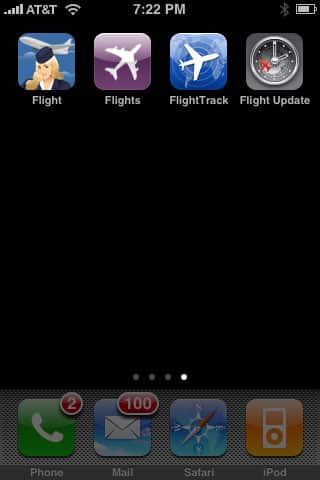
One of today’s apps, Splashdata’s Flight Tracker ($3), was previously reviewed along with Inkling Technology’s Flight Executive; we cover Tracker version 1.3 as a benchmark against which the other three apps are judged. They are Flight Update v. 2.5 ($5) from Silverware Software, FlightTrack v. 2.1 from Appropos Mobile/Ben Kazez ($5), and NibiruTech’s Flight v. 1.1 ($1). We tested all four of today’s programs on the same sets of trans-continental flights yesterday, watching to see which provided the most information, the most accurate information, and the most timely information.

Tied for best overall Flight Tracker app was FlightTrack, for two major reasons: for the way most people use such programs, it presents information in a highly readable way, and though none of these apps is up-to-the-minute in terms of reporting speed, it was also the fastest overall in providing accurate information on flights. FlightTrack lets you add and save individual flights to a calendar-based list that goes years into the future, actually tracking information for each flight starting three days before takeoff. You can easily search flights by number or route, and they’re presented in a very cleanly designed master list.

We loved FlightTrack’s detailed flight information page. Departure and arrival information is provided in a very readable, cleanly organized way, complete with easy to read gate, terminal, and time details, a top-of-screen status indicator while the flight’s in progress, and a map showing the progress while the plane’s en route to its destination. Of all the apps, FlightTrack felt the most streamlined, and it also was the fastest at updating the flight’s takeoff and landing information by a small margin over the second-best pick here.
None of the programs reported the arrival of a flight immediately—there was a lag of at least 8 minutes from when someone on board messaged their arrival, and 6 or 7 minutes from when the airport’s status monitors showed the arrival had taken place, but FlightTrack was the fastest. It doesn’t, however, include user-adjustable automatic updating; it updates on its own schedule and when manually pushed to do so. Still, its results were impressive. A single button press lets you e-mail current flight tracking information to anyone you need to inform.

What FlightTrack lacks by comparison with its strongest competitor, however, was depth. Flight Update’s itinerary scheduling system does a better job of grouping flights and helping with layovers; it also includes in-plane seating charts and a few other useful features that will help serious travelers aggressively manage their flights. We’d highly recommend FlightTrack for casual, occasional travelers or their loved ones, and Flight Update for more serious travelers or trackers. iLounge Rating: A-.

Here’s why some people would prefer Flight Update. Its positives are considerable: it starts by letting you input flights by date in a list-style calendar, even creating itineraries that are years in the future, with your choice of airlines and flight numbers. Each itinerary can contain multiple flights, and Flight Update offers estimated and then actual layover times between the flights, information on arrival terminals and gates, the layout of planes you’re flying on, and a summary page with projected and then actual arrival status. It’s all very well-organized and useful; finding additional flights to add is relatively straightforward, as well. You can also schedule the software to update its information as frequently as every three minutes, or as seldom as every 30 minutes or manually.

Another strength of Flight Update is its approach to certain realities of travel: when things go wrong, and when you need quick communication with the outside world. It has a feature called “alternates” that lets you quickly find alternate flights for one that’s on your schedule but having a delay or cancellation.
There’s also a quick e-mail composer feature that lets you touch-select a contact, send a pre-typed message of various sorts indicating the most common flight status situations, and add any message of your choice. Flight Update provides more information than FlightTrack per page, although you will need to do a little scrolling and tapping to get to all of it.

If Flight Update has any flaw, it’s in speed of updating. On one of our flights, it experienced network issues that didn’t affect FlightTrack, and fell comparatively a little bit behind in reporting flight landing times; neither was instantaneous in reporting results, but FlightTrack was a little faster. A secondary issue is in interface: FlightTrack just presents information in a more attractive, readable way. But in terms of functionality, Flight Update is a very strong offering, and its $5 price is fair for what it offers. We consider it highly recommendable overall. iLounge Rating: A-.

Third on our list was Flight Tracker, which appears as an icon called Flights. We reviewed Flight Tracker in our prior Widgets roundup, noting that it lets you search flights, save multiple flights, and track the progress of flights between points. On the flip side, it had a bland interface. Since October, little has changed, and we actually were relatively disappointed by its overall performance. A manual updating button seemed too often to be required to get it to check for new flight information, unlike the top two programs above.


Surprisingly, flights always seem to be described as “delayed” under status, with bare-bones departure and arrival times that seemed as if they’d been manually adjusted to provide for a little lag time. This app fell behind the others in offering timely takeoff and landing information, running 10 minutes behind in reporting an actual landing even when we were actively using the update button to check for news.











