
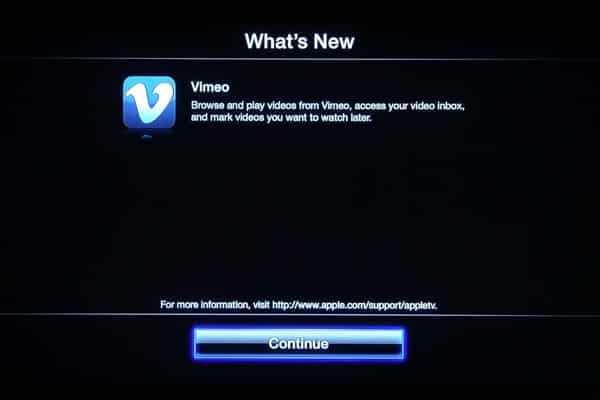
Today Apple quietly released an update for the second-generation Apple TV, adding support for browsing videos stored on the Vimeo service, as well as purchasing and streaming TV shows via iTunes in the Cloud.

Notably, for the first time since the second-generation Apple TV was released last fall, this update also appears to unify the “Apple TV Software” version and “OS Build Version”, which are now both listed as 4.3. Technically speaking, the “OS Build Version” remains the same as it was in the Apple TV Software Version 4.2 released in March, with only the specific build number changing; Apple TV Software 4.2 used OS Build Version 4.3 (8F191m) while today’s update brings the OS Build Version 4.3 number to 8F455. Unifying these two confusingly similar numbers was overdue and is appreciated.

Installing the Update
The Apple TV checks for updates automatically on a regular basis and will notify you if one appears and provide you with the option to download and install it. However, as with previous Apple TV software updates, you can also check for the latest version manually by choosing the “Check for Updates” option from the Settings, General menu.

It is also possible to apply the update through iTunes by connecting the Apple TV to your computer using a micro-USB cable and choosing the “Restore” option. Note that this is intended for recovery purposes rather than normal updates, however, and will reset your device back to its default settings.
The update is around 320MB and may take around 10 minutes to download and install, after which your Apple TV will restart with the new version.
TV Shows in the Cloud
Debuted earlier this year at WWDC, Apple’s iTunes in the Cloud service allows users to easily find and re-download certain previously purchased content from the iTunes Store, but was notably limited to only music, books and apps.
Today’s Apple TV update now adds TV shows to the mix for U.S. users, who can now not only re-download this content from the “Purchases” section in iTunes but also stream previously purchased TV Shows to the Apple TV directly from the iTunes Store, and purchase new shows directly from the Apple TV. This step radically expands the quantity of TV content available to second-generation Apple TV users, who were previously able to rent shows only from a handful of networks.

A new “Purchased” option now appears at the top of the “TV Shows” menu in iTunes, providing users with access to a library of many of the shows they have previously purchased from iTunes, displayed as a grid with the most recent purchases at the top. Interestingly, the grid now varies from 6 to 7 shows per line of selectable images, and includes iOS-style “page” dots to let you swipe through collections of shows at a time, some really nice UI innovations that are making the Apple TV easier to navigate.


Selecting an individual show from the grid presents a list of episodes that have been purchased with the current iTunes Store account indicated with the iCloud logo to the right of the episode title. A menu option at the top of the screen allows users to add the show to their favorites for quick access or view more episodes available for purchase on the iTunes Store. Users can also filter the list by season using the left and right arrow keys on the remote; an indicator at the top displays which season is currently being shown—a nice touch that we hope finds its way to the normal iTunes TV Show listings in the “Computers” section.

Selecting an individual episode will display a summary of the episode with a “Play” button allowing the user to immediately start watching that episode, streamed directly from the iTunes Cloud rather than a local iTunes library.

Users can also now browse, search for and purchase TV shows on the iTunes Store.
TV show rentals remain available from the few studios that were previously providing them in much the same way as before, however these shows will also include an option to purchase them instead at the normal purchase price. With the limited success that Apple has had convincing TV studios to get on board with the TV show rental business, it seems likely that the purchasing model will be the way forward.


As before, the choice between HD and standard definition quality is a global default found in the “iTunes Store” section under Settings, General, now listed as “Video Resolution;” the setting found here will affect all of the purchase, rental and playback options in the Movies and TV Shows sections.

Note that shows can only be played back from the iTunes Cloud in HD if they were originally purchased in that format, however as with streaming from iTunes users can choose to play back the standard definition version of a show that was originally purchased in HD.
As with TV Show rentals, the ability to purchase TV shows on the Apple TV and stream previous purchases from the iTunes Store appears to be limited to users in the U.S. at this time. As of this writing, it also appears that previously purchased content may not be available for streaming from all networks, even if it’s available for purchase. Considering the number of errors we encountered while accessing the purchasing sections on the iTunes Store, it is unclear whether this is merely a technical limitation or a sign that not all TV networks are yet on board with the iTunes in the Cloud features.
Vimeo
The other major new feature in Apple TV 4.3 is the addition of Vimeo support, which can be found in the Internet section, right below YouTube.

Users can browse and watch content from featured Vimeo channels and categories or sign in with their Vimeo account to access their personal Watch Later queue, subscriptions, liked videos, or their own content.











