
Apple first introduced iTunes U to the iTunes Store in late 2006, originally introducing it as a new podcast category focused on educational material from a handful of educational institutions. Users could download audio or video lectures in podcast form, sometimes interspersed with PDF files to serve as supplemental reading materials. When iTunes 9 was released in the fall of 2009, iTunes U gained its own section in the iTunes library and on Apple’s iOS devices, but otherwise continued to be delivered in the same episodic, podcast form.
Today, Apple introduced a new iTunes U app designed to expand the iTunes U concept, though it does not replace the existing iTunes U section on the iTunes Store; users of older iOS devices and traditional Click Wheel iPods can still download iTunes U content available in podcast-style form in the same manner as before.
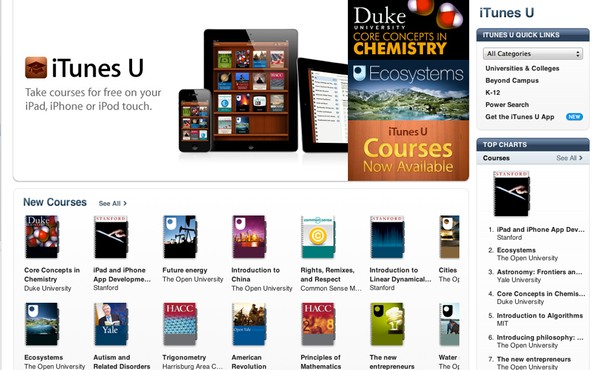

What the iTunes U app provides is a unified “full course” view of content that was previously presented as separate video/audio lectures and supplemental PDF materials. To this mix, the iTunes U app adds links to additional types of content, including relevant iOS apps, iBooks-based course texts, and other related materials.
iTunes U provides a familiar bookshelf display similar to iBooks, presented in a slightly darker mahogany color. Downloaded courses, a catalog of which can be accessed directly from the iTunes Store via a button in the top-left corner, are displayed on the shelves in much the same way as individual books are in the iBooks app.


Opening a downloaded course displays an information page, generally consisting of a course overview and course outline, along with other relevant details such as instructor information, pre-requisites and course credit info. On the iPad, tabs along the right side provide access to posts, course notes, and an index of all course materials; the iPhone and iPod touch use a familiar button bar at the bottom of the screen instead, but otherwise provide the same categories of information.


The bulk of the actual course content is provided in the posts section, which outlines the various course concepts and provides direct, in-line access to the relevant reading materials or lectures, along with checkboxes that the student can use to keep track of their progress within the course material. Course materials in this section can be video or audio lectures, books, or simply links to external web material. Video and audio items are downloaded and stored in the device’s media library and will still appear in the Music and Videos apps under the iTunes U section, but can also be watched or listened to from within the iTunes U app. The app notably provides some enhanced features in this regard, such as allowing videos to be viewed in portrait orientation and providing a button to adjust playback speed—even for videos.


Books are downloaded directly into iBooks, which is used to display course texts in much the same way as any other iBook or PDF file. However, iTunes U has the ability to collect notes and highlights made in a course text, then display them under the Notes section for the course in iTunes U.
This section can also be used to enter free-form course notes that can be e-mailed or printed from directly within the app. All notes are synced via iCloud and can be accessed on multiple iOS devices sharing the same iTunes account.


The materials section provides a master index of all course materials, both those listed in the posts section, and additional supplemental materials. Materials are categories by type (e.g. videos, books, apps, etc.), and an “Edit” button allows the user to view and remove any course materials that have already been downloaded to the device. A settings button in the top-right corner allows the user to enable to disable subscriptions and automatic downloads of course content.


Keep in mind that to take advantage of all of the features of the iTunes U app, the course in question must have been specifically designed with enhanced features; this will be noted in the iTunes U page for the course in question. Older courses that do not include these enhanced features can still be downloaded and will appear in the iTunes U app, but will simply provide a basic list of course materials without any individual sections for course info, notes or posts.











