
Q: Whenever I use the camera app on my iPhone I get an on-screen message telling me that “Camera would like to use your current location. Photos will be tagged with the location where they were taken.” Apart from wasting time when I want to take a quick shot, it is also very irritating. I have never wanted to use this function – I simply don’t see the point of it – and would like to know if there is a way of disabling it.
Obviously I can always press “Don’t Allow”, but I’d like to disable the function entirely so that I don’t see the message every time I use the camera.
– Dave
A: Actually, the message should only prompt you for permission twice—after you choose “Don’t Allow” twice it should no longer bother you unless you go into your iPhone Settings and choose the “Reset Location Warnings” option found under General, Reset.
You can actually try resetting the location warnings to see if that makes the message go away.
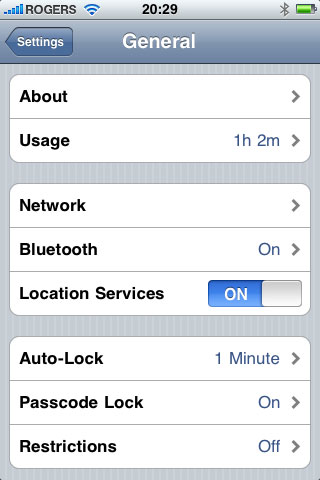
It should still prompt you twice, but should then stop prompting you after that. If this fails, you can disable location-based services entirely by going into your iPhone Settings app, choosing the General option and then toggling “Location Services” to OFF.
Note, however, that this will disable all location services on your iPhone, including finding your current location in the Maps application or any other third-party applications that may rely on location-based services.











