
Q: I just got my girlfriend a new iPhone 6 as a birthday present a couple of weeks ago, but she’s been holding on to an older version of a game that she’s obsessed with (Threes) because she likes the red color scheme that they only had for a short time in an older version. As crazy as it sounds, she actually refuses to switch from her iPhone 4 as she doesn’t want to lose the colors. When I download the game onto the new iPhone, it’s the latest version, without the red scheme. Is there some way I can transfer the older version that’s on her iPhone 4 over to the new iPhone 6?
A: The good news is that there are actually a couple of ways you can do this. If she’s been using iCloud to backup her iPhone 4, you can actually set up the new iPhone 6 to restore from her iCloud account. Despite the fact that an iCloud Restore re-downloads apps from the App Store, it actually tries to re-download the versions that were backed up, not the latest versions available. It’s a “best-effort” basis — Apple can only restore the older version if it’s still available in the App Store archives, but older versions usually are.
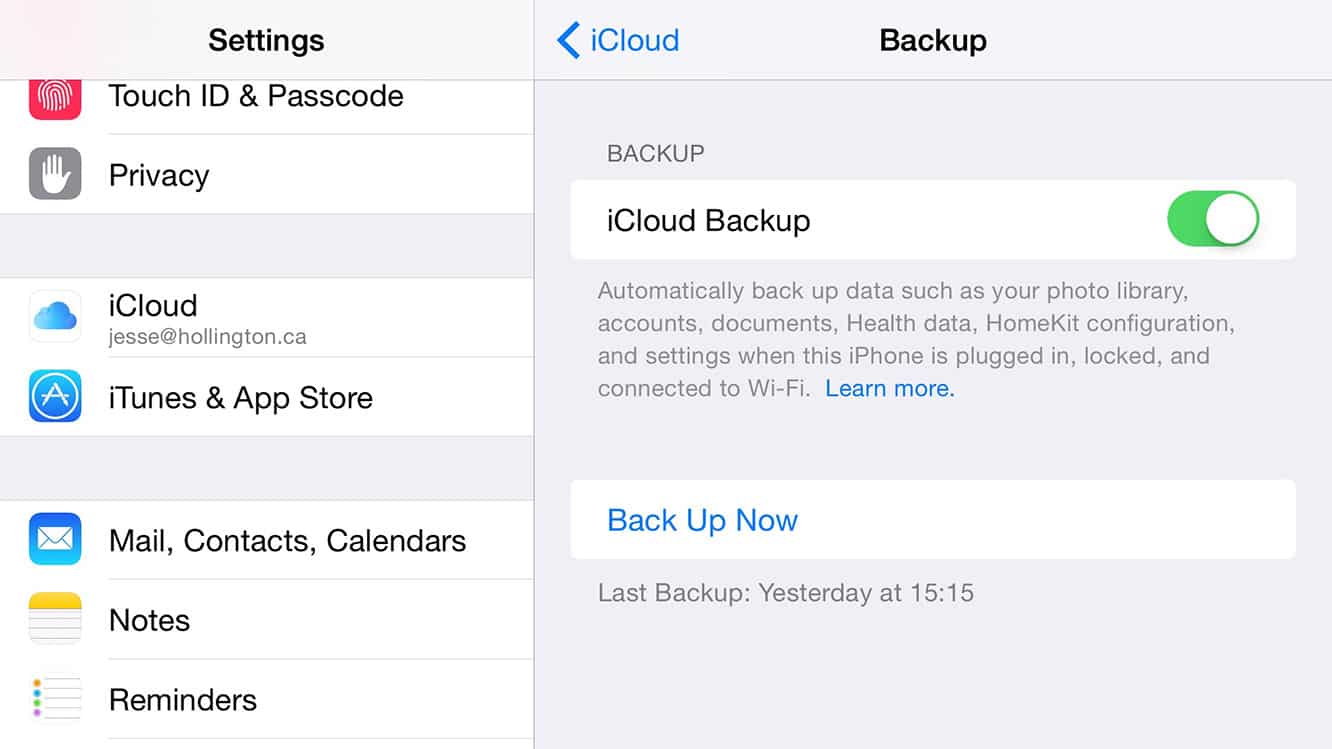
The good news is that you can test this easily enough without affecting her existing iPhone 4. Since the iPhone 6 is a separate device, just make sure you have a current iCloud backup from her existing iPhone — you can check this by going into the Settings app and then choosing iCloud, Backups, and from here you can even initiate a new backup if the previous backup is too old. If she hasn’t been using iCloud to backup her iPhone, you can also simply switch it from here and then initiate a backup.
Once you have a current backup, just setup the new iPhone 6 and choose the option to “Restore from an iCloud Backup” when presented with it. If you’ve already set up the iPhone 6 as a new iPhone, you’ll have to wipe it and start over in order to restore an iCloud Backup. To do this, simply go to Settings on the new iPhone, and choose General, Reset, Erase All Content and Settings. After this process completes, you’ll basically be back to an “out of the box” configuration and ready to set it up as if it were brand new.
The alternative method to transfer the app to the new iPhone is to use iTunes on a Mac or PC and transfer all of your purchased content back from the iPhone onto your computer. First, make sure your computer is authorized for the iTunes Store account that was used to purchase the app in question by selecting Authorize This Computer from the Advanced menu in iTunes. Then, make sure the app in question isn’t already in your library — go ahead and delete it if it is — and then connect the iPhone to your computer, and from the iTunes File menu, choose Devices, Transfer Purchases. This will copy all purchased items from the iPhone back to the connected iTunes library, including not only all apps, but also any music, videos, or books that were purchased on the iPhone. In the process, however, the existing version of the app should also be transferred back to your computer, and you could then reinstall it onto a new iPhone from your iTunes library.

Note that you can also backup your girlfriend’s iPhone 4 to iTunes in this manner as well, and then use iTunes to restore her data, settings, and apps onto her new iPhone 6. Much like the iCloud process, this will transfer all existing versions of the apps in the process also, although you will still need to ensure that your computer is authorized for her iTunes Store account, and it might not be a bad idea to manually transfer the specific app you want to keep before doing the backup-and-restore procedure.











