
iLoungeiLounge
  • News
    • Apple
      • AirPods Pro
      • AirPlay
      • Apps
        • Apple Music
      • iCloud
      • iTunes
      • HealthKit
      • HomeKit
      • HomePod
      • iOS 13
      • Apple Pay
      • Apple TV
      • Siri
    • Rumors
    • Humor
    • Technology
      • CES
    • Daily Deals
    • Articles
    • Web Stories
  • iPhone
    • iPhone Accessories
  • iPad
  • iPod
    • iPod Accessories
  • Apple Watch
    • Apple Watch Accessories
  • Mac
    • MacBook Air
    • MacBook Pro
  • Reviews
    • App Reviews
  • How-to
    • Ask iLounge
Font ResizerAa
iLoungeiLounge
Font ResizerAa
Search
  • News
    • Apple
    • Rumors
    • Humor
    • Technology
    • Daily Deals
    • Articles
    • Web Stories
  • iPhone
    • iPhone Accessories
  • iPad
  • iPod
    • iPod Accessories
  • Apple Watch
    • Apple Watch Accessories
  • Mac
    • MacBook Air
    • MacBook Pro
  • Reviews
    • App Reviews
  • How-to
    • Ask iLounge
Follow US

How-to › Ask iLounge

Ask iLoungeiCloudiPadiTunesReviews

Accessing a large iTunes music library from an iPad

Last updated: May 16, 2021 4:21 pm UTC
By Jesse Hollington
Accessing a large iTunes music library from an iPad

Q: I’m looking for a solution that will allow me to store and play my entire iTunes library from my iPad, without my laptop being switched on. I have considered using the Apple TV, but would much prefer not to use cloud storage for this purpose. My iTunes library greatly exceeds my iPad’s capacity, so I was hoping to use a wireless external drive with the iPad to store all the music, allowing playback without the laptop. Is this possible?


I do enjoy using the remote app with my iPad, so would happily consider investing in a larger capacity device that would work alongside the iPad to achieve this goal.
Accessing a large iTunes music library from an iPad

– Alex

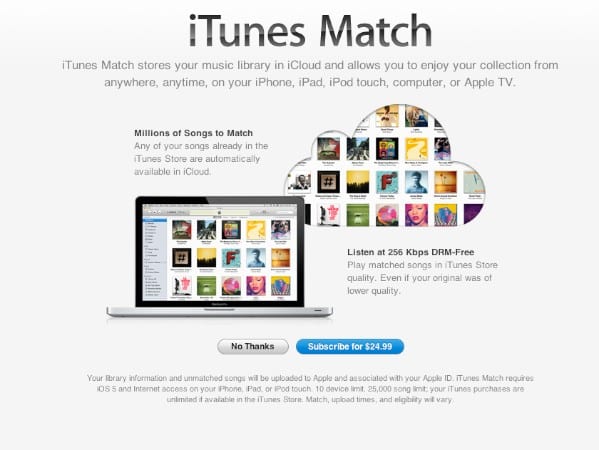
A: The usual solution to this—and the only option really provided by Apple—is to subscribe to iTunes Match for $25/year and place your entire music library in the cloud, where it can be accessed from any iOS device, Apple TV, or PC/Mac running iTunes. Other than storing music directly on your device, this is the only option that will provide full iTunes integration in terms of syncing with your main library and supporting the same track metadata and playlists.


Using a wireless hard drive with your iPad is an option, but it’s important to understand that this will have several limitations. Most significant is that you cannot use the built-in “Music” app to play your content, and will not have access to your iTunes playlists. iOS doesn’t provide any native ability to read information from a wireless hard drive, which means that you’re basically forced to use a third-party app for this function.


Accessing a large iTunes music library from an iPad

Some reasonably good wireless hard drive options that we’ve reviewed include the G-Technology G-Connect, Western Digital My Book Live, and Kingston Wi-Drive. These range in price from around $130 up to $250, depending on model and capacity, and each has its own companion app on the App Store for using with your iPad. The big catch, however, is that with all of these you’ll basically be dealing with your music presented as a series of files and folders, rather than organized by tag as iTunes would do, and it won’t sync with iTunes in either direction; you’ll basically just need to copy all of your underlying music files over manually.


If you’re looking for a non-cloud-based solution that preserves compatibility with iTunes, the only other viable option is to purchase an actual computer to use as a home media server. An entry-level Mac mini could do the job rather effectively, but will set you back around $600. To set this up, you would basically just install iTunes and copy your library over from your laptop, after which you could run the device in “headless” mode with no monitor or keyboard. In this configuration, you could use the iPad Remote app to control music playback on the Mac mini via wired or AirPlay speakers, or access the iTunes library from the Mac mini via the iOS Home Sharing feature.


Accessing a large iTunes music library from an iPad

Keep in mind that this would only provide you with access to your music library from your iPad while you are at home, since it would remain stored on the Mac mini. Wi-Fi hard drives would have the advantage of being able to travel with you, although not all are designed for easy portability.



Latest News
The 14-inch MacBook Pro with M5 Chip 16GB RAM/512GB is $250 Off
1 Min Read
Noise and Static on AirPods Pro 3 Still Unfixed
1 Min Read
New iMac with 24-inch OLED Display May be Brighter With 600 Nits
1 Min Read
The 15-inch M4 MacBook Air 256GB Is $250 Off
1 Min Read
Internal Kernel Debug Kit from Apple Reveals Tests for a MacBook with A15 Chip
1 Min Read
Apple Currently In Talks With Suppliers for Chip Assembly & Packaging of iPhones in India
1 Min Read
Apple Allows Easier Battery Replacement For M5 MacBook Pro with 14-inch Display
1 Min Read
The Apple Watch SE 3 44mm GPS is $50 Off
1 Min Read
20th Anniversary iPhone May Launch in Two Years
1 Min Read
Better Image Generation Capabilities and Apple Music Integration Coming to ChatGPT
1 Min Read
A20 Pro Chip Coming to Next Gen iPad Mini OLED
1 Min Read
Amazon has the AirTag 4 Pack Marked $29 off
1 Min Read

iLounge logo

iLounge is an independent resource for all things iPod, iPhone, iPad, and beyond. iPod, iPhone, iPad, iTunes, Apple TV, and the Apple logo are trademarks of Apple Inc.

This website is not affiliated with Apple Inc.
iLounge © 2001 - 2025. All Rights Reserved.
  • Contact Us
  • Submit News
  • About Us
  • Forums
  • Privacy Policy
  • Terms Of Use
Welcome Back!

Sign in to your account

Lost your password?








